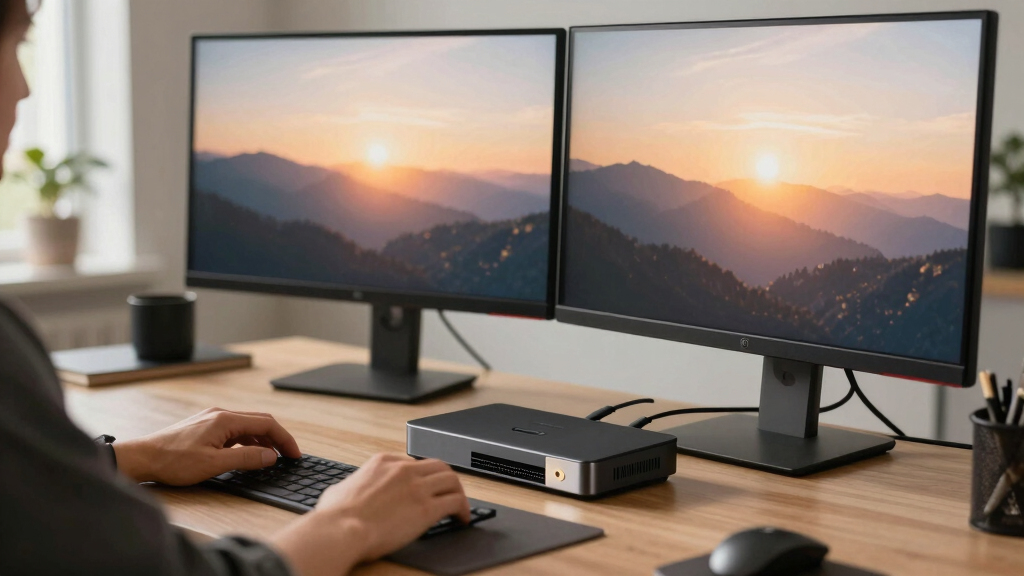

When choosing the best docking stations for multiple monitors, the key factors are compatibility, power delivery, and support for high-resolution displays. The best overall pick is the Acer 13-in-1 USB-C Docking Station, thanks to its robust triple 4K support and 110W charging. The TobenONE 18-in-1 Docking Station offers extensive ports for versatility, while the Anker Prime Docking Station DL7400 stands out for its smart design and cooling. These choices highlight the common tradeoffs: balancing multiple display support with power, port variety, and ease of setup. Keep reading for a detailed breakdown to find the right fit for your needs.

Prime made for students and young adults
- Fast, free delivery for dorm and study essentials
- Prime Video and Amazon Music included
- Member-only deals
Key Takeaways
- Top-ranked docking stations excel at supporting three or more 4K monitors with reliable power delivery.
- Port variety and compatibility with different laptop types (Windows, Mac, ChromeOS) vary significantly; choose based on your device ecosystem.
- Higher wattage power delivery (100W+) is essential for charging large laptops while running multiple displays.
- Build quality and cooling features are often overlooked but impact long-term reliability and performance.
- The most feature-rich docks tend to be more expensive; consider your actual monitor and port needs to avoid overpaying.


More Details on Our Top Picks
TobenONE 18-in-1 Laptop Docking Station with Triple 4K Display, 9 USB Ports, Ethernet, PD3.0 for Windows/Chrome OS Laptops
This TobenONE model stands out for its impressive triple 4K@60Hz display support, making it ideal for users who need high-resolution multitasking. Compared to the Acer 13-in-1, it offers more USB ports and additional audio options, but it lacks a included power supply, which can be a hassle for those wanting an all-in-one setup. Its 100W fast charging capability ensures your laptop stays powered during demanding work sessions. However, it’s less suited for Mac users because of potential compatibility issues and the need for a separate power adapter. This station works best for Windows or Chrome OS users with a compatible 65W+ power supply and multiple peripherals, especially if visual clarity and connectivity are priorities.
Pros:- Supports triple 4K@60Hz displays for crisp visuals
- Multiple USB ports for peripherals and drives
- Powerful 100W charging for extended laptop use
Cons:- Power adapter not included, requiring a separate purchase
- Limited compatibility with Mac OS devices
Best for: Windows or Chrome OS professionals who require multiple 4K displays and extensive peripheral connections
Not ideal for: Mac users or those seeking an all-in-one purchase with included power supply
- Ports:18 (9 USB, 3 HDMI, Ethernet, SD/microSD, audio)
- Display Support:Triple 4K@60Hz
- Power Delivery:100W fast charging
- Compatibility:Windows and Chrome OS laptops with USB-C ports
- Power Adapter:Not included, requires over 65W supply
Bottom line: This dock is perfect for Windows or Chrome OS users needing high-resolution multitasking with extensive connectivity, provided they have a suitable power supply.
Acer 13-in-1 USB-C Docking Station with 110W Power Delivery and Triple 4K Monitor Support
The Acer 13-in-1 stands out for its rigorous connectivity and 110W power delivery, making it well-suited for users who need reliable, high-power charging alongside multiple 4K displays. Its array of ports—including HDMI, DisplayPort, Ethernet, and SD card reader—rivals the TobenONE, but it’s slightly more compact and has a sleek aluminum design for better heat dissipation. While it supports triple 4K monitors, performance depends heavily on the host device’s GPU and MST support, meaning some setups may only mirror displays on macOS or unsupported systems. This dock is ideal for power users with compatible hardware who want a balanced blend of high-end connectivity and visual clarity.
Pros:- Supports triple 4K monitors for enhanced multitasking
- Includes a 110W power adapter for reliable charging
- Multiple ports for HDMI, DisplayPort, Ethernet, and SD cards
Cons:- Triple 4K output relies on GPU and MST support, which can vary
- Limited support for macOS extended displays
Best for: Power users with compatible Windows or Linux devices seeking high-performance multi-monitor setups
Not ideal for: Mac users or those with unsupported GPUs, as performance may be limited or only mirror displays
- Product Type:Electronic Device Docking Station
- Hardware Interface:USB-C
- Total USB Ports:4
- HDMI Ports:2
- Wattage:110W
- Dimensions:7.89″ L x 3.25″ W x 0.94″ H
Bottom line: Ideal for high-end Windows or Linux setups that need robust multi-monitor support and powerful charging, assuming hardware compatibility.
TobenONE DisplayLink Triple Monitor Docking Station with 120W Power Adapter, Supports Triple 4K Displays for MacBook Pro/Air, Thunderbolt 4/3, USB-C, Windows
This TobenONE model offers up to four 4K monitor support via DisplayLink technology with a robust 120W power adapter, making it highly suitable for MacBook Pro/Air and Thunderbolt 4/3 users. It provides extensive connectivity with 18 ports, including HDMI and DisplayPort outputs, and supports a wide range of operating systems, including Windows, macOS, and Chrome OS. Compared with the Acer or the other TobenONE model, this one excels in cross-platform compatibility and supports up to 4 monitors depending on OS and hardware support, although it requires driver installation for DisplayLink. Its 120W charger can handle high power demands, but Windows users might find only three monitors supported depending on hardware constraints. It’s best for professionals needing flexibility across systems and multiple high-res displays.
Pros:- Supports multiple 4K monitors with DisplayLink technology
- Includes a 120W power adapter for fast charging
- Broad compatibility across OS including macOS and Windows
Cons:- Requires driver installation for DisplayLink functionality
- Windows may support only 3 monitors depending on hardware
Best for: MacBook or Thunderbolt 4/3 users seeking multi-monitor flexibility and extensive port options
Not ideal for: Linux users or those seeking plug-and-play simplicity without driver setup
- Number of Ports:18
- Display Outputs:3x HDMI, 3x DisplayPort
- Supported Resolutions:Triple/Quad 4K@60Hz
- Power Adapter:120W
- Laptop Charging Power:Up to 100W
Bottom line: Best suited for MacBook or Thunderbolt users needing multi-monitor setups with extensive connectivity, willing to handle driver installations.
Selore USB C Docking Station Dual Monitor, 14-in-1 Laptop Dock with 2 HDMI, VGA, 10G USB A/C, 100W PD, 6 USB A/C Ports, Ethernet, Multiport Adapter for Windows & Mac
This dock stands out for its comprehensive port selection and dual monitor support, making it a strong choice for users who need a one-stop solution. Unlike the Plugable UD-3900, which offers dual HDMI but fewer ports, the Selore provides a wealth of connectivity options, including SD card readers and a 100W power delivery that, while limited to 87W for safety, generally supports most laptops. However, its video output on USB ports doesn’t support video transfer, and Mac support is limited to mirror mode, which might be a drawback for Mac users seeking extended displays. The combination of multiple data transfer ports, Ethernet, and high wattage charging makes this ideal for busy professionals needing a flexible workspace.
Pros:- Supports dual monitor extension and mirror modes
- Multiple high-speed data transfer ports including USB 3.1 and USB 2.0
- Includes Ethernet and 100W fast charging
Cons:- Video output on USB ports does not support video transfer
- Power delivery limited to 87W, which may slow charging for some devices
- Mac support limited to mirror mode only
Best for: Power users needing extensive connectivity and dual monitor support on Windows or Mac laptops
Not ideal for: Mac users requiring extended display modes or those who need full 100W charging for large laptops
- Number of Ports:14
- HDMI Ports:2
- VGA Ports:1
- USB C Ports:2
- USB A Ports:4
- SD Card Reader:Yes
- Ethernet:Yes, 1000M
- Power Delivery:100W (limited to 87W for safety)
Bottom line: This dock is best suited for users needing a highly versatile, multiport station with dual monitor capability on Windows laptops or flexible connectivity for mixed devices.
Plugable Universal Laptop Docking Station Dual HDMI Monitor for Windows and Mac (Driver Required), USB 3.0 or USB-C, 2X HDMI, Gigabit Ethernet, Audio, 6 USB Ports (UD-3900)
The Plugable UD-3900 makes a compelling case for budget-conscious users who need dual HDMI outputs and broad system compatibility. Compared to the Selore dock, it offers a straightforward setup with plug-and-play support on supported systems, though it doesn’t support 4K resolution or charging the laptop. Its maximum resolution of 1920×1200 might be limiting for users who want crisp, high-resolution displays, unlike the more advanced Triple Display Dock which supports triple 4K outputs. The need for driver installation on Windows and macOS can add some setup complexity, but the broad compatibility and extensive USB ports make it suitable for office environments where multitasking and basic display needs are priorities.
Pros:- Supports dual HDMI monitors for increased productivity
- Universal compatibility with Windows, macOS, and ChromeOS
- Multiple USB ports and Gigabit Ethernet for extensive connectivity
Cons:- Limited to 1920×1200 resolution, not supporting 4K
- Requires driver installation on some systems
- Cannot charge the host laptop
Best for: Budget-conscious professionals seeking dual HDMI support and broad system compatibility
Not ideal for: Users needing 4K resolution, charging capabilities, or seamless plug-and-play without driver setup
- Video Outputs:2x HDMI
- Maximum Resolution:1920×1200 @ 60Hz
- Connectivity:USB 3.0 / USB-C
- Ethernet:Gigabit Ethernet
- USB Ports:2x USB 3.0, 4x USB 2.0
- Compatibility:Windows, macOS, ChromeOS
Bottom line: This dock suits users prioritizing affordability and compatibility over ultra-high resolution or charging features.
Plugable USB-C Triple Display Docking Station with 100W Power Delivery, 3 HDMI Ports, 6 USB 3.0 Ports, Ethernet, Audio, and Compatibility with Windows, macOS, ChromeOS
This station distinguishes itself by supporting up to three HDMI displays, including a 4K at 30Hz and two 1080p at 60Hz, making it ideal for intensive multitasking environments. Unlike the dual-display options, this dock handles triple extended displays, which is a step up for power users managing complex workflows. It provides 100W power delivery, ensuring your laptop stays charged, and is compatible with a broad range of systems. The main tradeoff is the lack of HDCP support, which limits streaming protected content, and it requires driver setup on some systems, especially macOS 11+. It’s best suited for professionals who need maximum screen real estate without sacrificing performance.
Pros:- Supports up to three HDMI monitors for expansive workspace
- Provides 100W power delivery for charging laptops
- Compatible with a wide range of Windows, macOS, and ChromeOS devices
Cons:- No HDCP support, limiting protected content viewing
- Requires driver installation for macOS (11+)
- Not suitable for Linux users
Best for: Professionals requiring triple extended monitor setups for multitasking and high productivity
Not ideal for: Users seeking 4K at 60Hz on all displays or those with Linux systems, which are incompatible
- Display Outputs:3 HDMI (1x 4K @ 30Hz, 2x 1080p @ 60Hz)
- Power Delivery:100W
- USB Ports:6x USB 3.0
- Ethernet:Gigabit Ethernet
- Compatibility:Windows, macOS 11+, ChromeOS
- HDCP Support:No
Bottom line: This dock is perfect for users who need triple 4K display support and reliable charging in demanding multitasking setups.
Anker Prime Docking Station DL7400, 14-Port Triple Display with DisplayLink, 140W Max, Smart Display, Cooling Fan for macOS and Windows
The Anker Prime DL7400 excels at supporting three 4K displays, even with an 8K option, making it ideal for content creators or professionals needing crisp visuals. Compared with the Plugable triple dock, the DL7400 offers a higher power delivery of 140W, ensuring ample charging for large laptops. Its built-in cooling fan and activeShield technology help maintain stability during extended, intensive use. The main limitations include reliance on DisplayLink drivers, which require updates and may not be fully plug-and-play, and some front USB-C ports not supporting media display. This station is best for users who prioritize high-resolution output and sustained performance over plug-and-play simplicity.
Pros:- Supports triple 4K display output, including 8K
- High 140W power delivery for large laptops
- Built-in cooling fan and activeShield for thermal stability
Cons:- Requires latest DisplayLink driver for full functionality
- Front USB-C ports do not support media display
- Potential setup complexity with driver updates
Best for: Creative professionals and power users needing triple 4K or 8K displays with robust power and thermal management
Not ideal for: Users on Linux systems or those seeking a completely driver-free, plug-and-play experience
- Ports:14
- Display Outputs:Triple 4K @ 60Hz, 1x 8K
- Power Delivery:140W
- USB-C Ports:3 (each 100W charging)
- Ethernet:1 2.5Gbps
- Cooling:Built-in fan with ActiveShield 3.0
Bottom line: Ideal for users demanding high-resolution multi-monitor setups with maximum power and thermal stability, especially for creative workflows.
USB C Docking Station Dual Monitor Adapter for Dell HP Laptop, Supports 4K HDMI, DisplayPort, VGA, 3 USB 2.0 Ports, 100W PD, 8-in-1 Thunderbolt Dock
This docking station stands out for its ability to support dual 4K monitors via HDMI and DisplayPort, making it ideal for users who need crisp, high-resolution displays. Compared to the Plugable USB 3.0 and USB-C Universal Laptop Docking Station, it offers higher resolution outputs and more robust power delivery, though it sacrifices some flexibility with limited port options. The VGA port, while useful for legacy displays, caps its maximum resolution at 1080P, which could be a drawback for those wanting full 4K on all screens. Its compatibility across Windows, Mac, and various laptop brands adds to its appeal, but the absence of a power adapter included means additional purchases are necessary. This pick makes the most sense for professionals needing reliable dual 4K output and high wattage charging in a single station, despite a somewhat higher price and the need for a compatible USB-C system.
Pros:- Supports dual 4K monitor output via HDMI and DisplayPort
- Provides up to 100W power delivery for fast charging
- Compatible with a wide range of laptops and operating systems
- Includes multiple USB 2.0 ports for peripherals
Cons:- VGA port limits maximum resolution to 1080P
- Power adapter not included, requiring an additional purchase
Best for: Power users and creative professionals requiring dual 4K displays with fast charging capabilities
Not ideal for: Budget-conscious buyers or users with legacy VGA-only monitors, due to resolution limitations and higher cost
- Video Output:2 HDMI (4K@60Hz), 1 DisplayPort (4K@60Hz), 1 VGA (1080P@60Hz)
- USB Ports:3 USB 2.0
- Power Delivery:Up to 100W input, 87W output
- Supported Systems:Dell XPS, Lenovo Thinkpad, HP Elitebook, Surface Pro, MacBook Pro/Air
- Compatibility Notes:VGA port limits all displays to 1080P, MacOS mirrors displays
- Size:Compact, portable design
Bottom line: This dock is perfect for professionals who need high-resolution dual displays and robust charging in a versatile, compatible package.
Anker 8-in-1 USB-C Hub with Dual 4K HDMI, Ethernet, SD Card Reader, and 85W Power Delivery
The Anker 8-in-1 hub excels in offering a broad array of ports, including dual 4K HDMI outputs, Ethernet, and SD card support, making it a practical choice for professionals and creatives alike. While it supports dual 4K monitors at 30Hz—less ideal for fast-paced video or gaming—its comprehensive connectivity and 85W power delivery provide excellent value compared to premium docks like the 13-in-1 USB C Docking Station. However, for users needing true 4K@60Hz on both screens, this model falls short. Its compatibility with Windows, Mac, and ChromeOS broadens its appeal, although it requires a 100W charger and a USB-C to C cable for full functionality. This hub is best suited for those seeking a cost-effective, multifunctional station for general productivity and moderate multitasking.
Pros:- Supports dual 4K monitors at 30Hz for crisp visuals
- Includes Ethernet, SD card reader, and multiple USB ports
- Provides 85W charging for laptops
- Compatible across various operating systems
Cons:- Dual 4K output limited to 30Hz, not suitable for high-speed video
- Requires a separate 100W charger and cable for full power
Best for: Business users and students who want a versatile hub with essential dual 4K support and multiple ports
Not ideal for: Gamers or video editors requiring 60Hz refresh rates on both monitors, due to 30Hz limit on dual 4K output
- Number of HDMI ports:2
- Maximum resolution:4K@60Hz (single), 4K@30Hz (dual)
- Power Delivery:85W
- Ethernet:1 Gbps
- SD card reader:Yes
- Compatibility:USB-C, USB4, Thunderbolt, Windows 10/11, ChromeOS
Bottom line: This hub offers excellent value for users needing multiple ports and decent dual 4K support for everyday tasks.
13-in-1 USB C Docking Station with Dual & Triple Display, 8 USB Ports, Ethernet, Audio
This docking station earns its place for supporting dual and triple 4K monitors via HDMI and DisplayPort, along with multiple USB ports, Ethernet, and audio options, all in a single device. It surpasses the Plugable USB 3.0 and USB-C Dock in port variety and display flexibility, though its extend mode on MacOS is somewhat limited, which could hinder Mac users wanting multiple extended screens. The 13 ports enable comprehensive device management, but system compatibility may vary, and it requires a power source for full operation. Its support for 100W charging makes it ideal for busy workstations, yet users should be aware that some features depend heavily on system support. This station is best suited for power users who need maximum connectivity and multi-monitor setups, despite some limitations on Mac and the need for external power.
Pros:- Supports dual and triple 4K monitor setups at 60Hz
- Has 13 versatile ports including USB, Ethernet, and audio
- Supports 100W charging for laptops
- Multiple USB high-speed ports for data transfer
Cons:- Extend mode on Mac is limited to one monitor
- Requires external power supply for full functionality
- Complex setup may be necessary for optimal performance
Best for: Power users and multimedia professionals who need extensive ports and support for dual or triple 4K displays
Not ideal for: Casual users or Mac users seeking seamless extend mode with full multi-monitor support, due to limited MacOS features
- HDMI Outputs:2 (4K@60Hz)
- DisplayPort:1 (4K@60Hz)
- USB C Ports:2 (support 100W PD, 10Gbps)
- USB 3.1 Ports:1 (10Gbps)
- USB 3.0 Ports:3
- Ethernet:Gigabit
- Audio:3.5mm jack
- Power Delivery:Supports 100W
Bottom line: This dock is ideal for demanding users who need extensive connectivity and support for multiple high-res monitors in a single station.
Plugable USB 3.0 and USB-C Universal Laptop Docking Station with 2 HDMI Ports
This station offers a straightforward solution for dual HDMI monitors up to 1920×1200, making it suitable for office environments where full 4K support isn’t necessary. Compared with higher-end options like the 13-in-1 USB C Docking Station, it sacrifices some resolution and features but excels in broad device compatibility, including M1 MacBooks, and ease of use. Its lack of laptop charging capability limits its use as a desktop station but is perfect for temporary setups or users who already have a power source. Its support for multiple OS and plug-and-play setup simplifies deployment, though the absence of HDCP content support can restrict streaming and media playback. This station is ideal for users who prioritize simplicity, broad compatibility, and moderate display resolutions over advanced features.
Pros:- Supports dual HDMI displays up to 1920×1200
- Compatible with Windows, macOS, and ChromeOS with plug-and-play
- Simple, no driver installation required
- Supports a wide range of laptops including M1 MacBooks
Cons:- Does not support 4K resolutions or HDCP content
- No laptop charging capability, requiring separate power source
Best for: Office workers and students needing dual monitors with easy setup and wide device compatibility
Not ideal for: Creative professionals or gamers requiring full 4K@60Hz or laptop charging from the station
- Display Support:Dual HDMI up to 1920×1200
- Ports:2 HDMI, 2 USB 3.0, 4 USB 2.0, Gigabit Ethernet, 3.5mm audio
- Compatibility:Windows, macOS, ChromeOS
- Power:Does not charge laptops
- Driver Requirement:Plug and play for Windows, DisplayLink software for macOS
- Size:Compact and lightweight
Bottom line: This dock is best suited for basic dual-monitor setups in office or educational environments that prioritize compatibility and simplicity.

How We Picked
In selecting these docking stations, I prioritized performance, versatility, and user flexibility. Each product was evaluated for its ability to support multiple high-resolution displays without lag, as well as its power delivery capacity to keep laptops charged during extended use. Usability factors like port variety, compatibility with different operating systems, and ease of setup also influenced rankings. Cost-effectiveness and build quality were additional considerations, ensuring that each option offers a balanced mix of features and durability. The final list reflects a combination of high performance, broad compatibility, and value for different user scenarios.Factors to Consider When Choosing Best Docking Stations For Multiple Monitors
Choosing the right docking station for multiple monitors requires careful consideration of several key factors. Not every dock supports the same number of displays, resolutions, or laptop types, so aligning these specs with your needs is critical. Beyond basic features, understanding the tradeoffs between price, port options, and power delivery can help you avoid common pitfalls and ensure your multi-monitor setup is reliable and efficient.Display Support and Resolution
Ensure the dock supports the number of monitors you need, ideally with support for 4K resolution if you want sharp visuals. Many docks support two or three displays, but some only handle lower resolutions or fewer screens. Pay attention to the maximum resolution per port and whether the dock can handle multi-4K outputs simultaneously without performance issues. Over-specifying your needs can lead to paying for features you won’t use, while under-specifying may limit your workflow.
Power Delivery (PD)
A high wattage PD (at least 85W, ideally 100W or more) is essential if you plan to keep a large laptop charged while using multiple monitors. Cheaper docks often lack sufficient power, leading to slower charging or draining your laptop battery during intensive tasks. A dock with robust PD ensures a seamless experience, especially for power-hungry devices like ultrabooks and gaming laptops, but it may come at a higher cost. Balance your power needs with your budget to avoid underpowered docks.
Port Compatibility and Variety
Look for docks that offer a wide range of ports—USB-C, USB-A, HDMI, DisplayPort, Ethernet, SD card readers—matching your peripherals and future needs. Some docks are tailored for Mac, Windows, or ChromeOS, so compatibility is key. An overly minimal port selection can limit expandability, while too many ports may increase complexity and cost. Think about your current setup and whether you anticipate adding new devices later to choose a flexible dock.
Build Quality and Cooling
A well-built dock made from durable materials and equipped with cooling features enhances longevity and reliability. Overheating can cause connectivity issues or hardware failure, especially under heavy use. Some models include fans or optimized heat dissipation, which are valuable if you run demanding workflows. Cheaper materials or poor design might save money initially but lead to problems down the line, particularly in demanding multi-monitor setups.
Cost and Value
High-end docks with extensive features command higher prices, but they often provide better performance and longevity. Conversely, budget options may support fewer monitors or lack advanced features, potentially requiring upgrades sooner. Evaluate your actual needs versus your budget—massively overpaying for unnecessary ports is common, but skimping on essential features can hinder your workflow. Aim for a balanced choice that offers the best value for your specific use case.
Frequently Asked Questions
Can I connect three 4K monitors to a single docking station?
Yes, many modern docking stations support three 4K monitors simultaneously, but you need to verify the specific model’s capabilities. Look for models explicitly supporting triple 4K output, such as those with multiple HDMI or DisplayPort connections. Keep in mind that your laptop’s graphics card must also support such multi-monitor configurations. If your laptop or dock lacks this support, you might experience reduced resolutions or performance issues.
Will a docking station charge my laptop while I use multiple monitors?
Most high-quality docks with sufficient Power Delivery (usually 85W or higher) can charge your laptop while running multiple displays. However, cheaper docks often lack this feature or provide lower wattage, which may lead to slower charging or battery drain during intensive tasks. Confirm the dock’s PD rating and compatibility with your laptop’s power requirements to ensure seamless operation without needing separate chargers.
What is the difference between USB-C and Thunderbolt docking stations?
Thunderbolt docks generally offer faster data transfer speeds, more robust display support, and higher power delivery, making them ideal for demanding multi-monitor setups. USB-C docks are more widely compatible and often less expensive but may have limitations in bandwidth and monitor support, especially with multiple high-resolution screens. Your choice depends on your device’s port standards, performance needs, and budget.
Are docking stations compatible with MacBook and Windows laptops?
Many docking stations are designed for cross-platform use, supporting both Mac and Windows devices. However, some docks may require specific drivers or have limited compatibility with macOS. Always check the manufacturer’s specifications to confirm support for your operating system. Compatibility issues can sometimes cause features like audio or certain ports to malfunction, so selecting a well-reviewed, multi-platform compatible dock is advisable.
Should I choose a dock with more ports than I currently need?
Opting for a dock with extra ports can offer future-proofing and expandability, especially if you plan to add peripherals later. However, more ports often come with increased cost and complexity, and some ports might remain unused. Consider your current setup and realistic future needs to avoid overpaying for features you won’t use, but don’t compromise on essential ports needed for your workflow.
Conclusion
The best overall choice for most users remains the Acer 13-in-1 USB-C Docking Station thanks to its balanced combination of display support, power delivery, and compatibility. For those seeking the best value, the Plugable USB-C Triple Display Docking Station offers solid performance at a lower price point. If premium features and durability are your priority, the Anker Prime Docking Station DL7400 stands out. Beginners and casual users should consider simpler docks with fewer ports, while power users with demanding setups will benefit from high-end models with multiple 4K support and extensive port options. Carefully match your monitor count, device compatibility, and power needs to make the best choice for your setup.
Halloween Picks

Panefright Halloween Window Projector – Scary Projector for Spooky Decor

Spirit Halloween Scary Sitting Scarecrow Animatronic, 4 ft 6 in

Kalolary 12ft Halloween Witch Haunted House Inflatable Archway
As an affiliate, we earn on qualifying purchases.