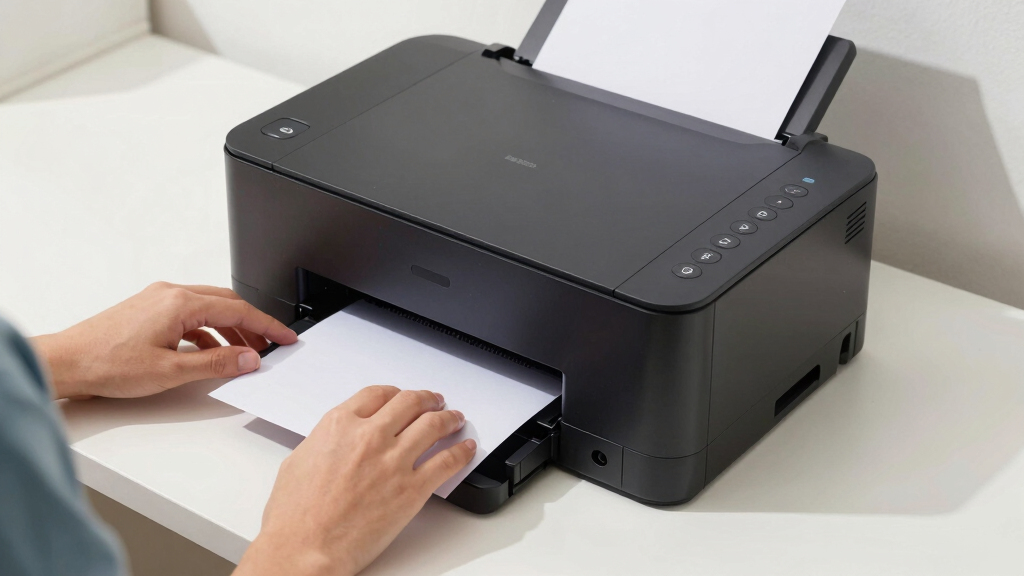

Finding the best laser printer for a home office involves balancing print quality, speed, cost, and ease of use. The HP LaserJet M110w is our top overall pick for its reliable monochrome printing in compact form. For those needing multifunction capabilities, the HP LaserJet Pro MFP 3101sdw stands out with its versatility and wireless features. The main tradeoffs in this category revolve around upfront cost versus ongoing toner expenses, multifunction versus single-function designs, and compact size versus higher capacity. Continue reading for a detailed breakdown of the best options to match different home office needs.

Prime made for students and young adults
- Fast, free delivery for dorm and study essentials
- Prime Video and Amazon Music included
- Member-only deals
Key Takeaways
- The top laser printers combine fast, high-quality printing with low ongoing toner costs, making them ideal for regular home office use.
- Multifunction models offer greater versatility but often come with higher initial prices and larger footprints.
- Wireless connectivity and mobile printing features are standard among the best choices, facilitating seamless integration into home setups.
- Compact models tend to sacrifice high paper capacity and durability but are perfect for small spaces and light workloads.
- Pricing varies significantly; paying more upfront often yields longer-lasting, feature-rich printers that can save money over time.
| HP LaserJet M110w Wireless Black & White Printer |  | Best Overall for Small, Budget-Conscious Teams | Print Speed: Up to 21 pages per minute | Connectivity: Wireless, Mobile printing, HP Smart app | Color: Black & White | VIEW LATEST PRICE | See Our Full Breakdown |
| HP LaserJet Pro MFP 3101sdw Wireless All-in-One Laser Printer |  | Best Value for Small Teams Needing All-in-One Functionality | Print Speed: Up to 35 ppm | Printer Type: Laser All-in-One | Connectivity: Wireless | VIEW LATEST PRICE | See Our Full Breakdown |
| HP LaserJet Pro MFP 3101fdw Wireless Black & White All-in-One Laser Printer |  | Best for Security-Conscious Small Teams Requiring Multifunctionality | Print Speed: Up to 35 pages per minute | Functions: Print, scan, copy, fax | Connectivity: Wi-Fi, Ethernet, Bluetooth | VIEW LATEST PRICE | See Our Full Breakdown |
| HP LaserJet M209dw Wireless Laser Printer, Fast Black & White Printing, Mobile & Duplex |  | Best Compact Speed for Solo or Small Team Use | Printer Type: Laser | Print Speed: Up to 30 ppm | Duplex Printing: Auto | VIEW LATEST PRICE | See Our Full Breakdown |
| HP LaserJet MFP M234dw Wireless Printer |  | Best for High-Speed Multifunctionality in Small Teams | Print Speed: Up to 30 pages per minute | Two-sided Printing: Yes, up to 19 images per minute | Connectivity: Wireless, Ethernet | VIEW LATEST PRICE | See Our Full Breakdown |
| Brother HL-L2405W Wireless Monochrome Laser Printer with Mobile Printing |  | Best Budget Monochrome Laser Printer | Print Speed: 30 pages per minute | Connectivity: Wi-Fi (dual-band), USB | Paper Capacity: 250 sheets | VIEW LATEST PRICE | See Our Full Breakdown |
| Brother DCP-L2640DW Wireless Monochrome Multi-Function Laser Printer with Copy and Scan |  | Best for Small Business & Multi-Function Needs | Print Speed: 36 ppm | Scan Speed: 23.6/7.9 ipm | Auto Document Feeder: 50 pages | VIEW LATEST PRICE | See Our Full Breakdown |
| Canon Color imageCLASS MF665Cdw Wireless Duplex Laser Printer, All-in-One with Copier, Scanner, Fax |  | Best for Color Versatility & Heavy Use | Print Speed: 26 ppm | First Print Time: 10.3 seconds | Display: 5-inch color touchscreen | VIEW LATEST PRICE | See Our Full Breakdown |
| HP Color LaserJet Pro MFP 3301sdw Wireless All-in-One Color Laser Printer |  | Best for Small Teams & All-in-One Functionality | Print Speed: 26 ppm | Functions: Print, Scan, Copy | Connectivity: Wireless | VIEW LATEST PRICE | See Our Full Breakdown |
| Canon imageCLASS MF465dw II Wireless Duplex Laser Printer with Print, Copy, Scan, Fax, Expandable Paper Capacity, 3-Year Warranty, 42 PPM |  | Best for Small & Home Offices Needing Speed & Capacity | Print Speed: 42 pages per minute | First Print Time: approximately 5 seconds | Paper Capacity: 250 sheets standard, expandable to 900 sheets | VIEW LATEST PRICE | See Our Full Breakdown |
More Details on Our Top Picks
HP LaserJet M110w Wireless Black & White Printer
The HP LaserJet M110w stands out as the best all-around choice for small teams needing reliable black-and-white printing without extra features. Its compact size and fast 21 ppm speed make it perfect for tight spaces and quick tasks, especially when compared to larger all-in-one models like the HP LaserJet Pro MFP 3101fdw. However, its focus on monochrome output means it’s unsuitable if color printing is desired. The setup is straightforward, and wireless connectivity with the HP Smart app makes mobile printing simple, but it requires HP-specific cartridges with chips—an ongoing cost consideration. This pick makes the most sense for solo professionals or small teams who prioritize speed, simplicity, and affordability over multifunctionality or color options.
Pros:- Compact size fits easily into small workspaces
- Fast printing speeds of up to 21 ppm
- Easy wireless setup and mobile printing via HP Smart
Cons:- Limited to black-and-white printing only
- Requires HP-specific cartridges with chips
Best for: Small teams or solo professionals prioritizing fast, reliable monochrome printing with minimal space.
Not ideal for: Large offices or users who need color printing or multifunction features like scanning or copying.
- Print Speed:Up to 21 pages per minute
- Connectivity:Wireless, Mobile printing, HP Smart app
- Color:Black & White
- Printer Type:Laser
- Intended Users:Small teams (1-3 people)
Bottom line: This printer is best for small, budget-conscious users who need fast, straightforward monochrome printing in a compact form.
HP LaserJet Pro MFP 3101sdw Wireless All-in-One Laser Printer
The HP LaserJet Pro MFP 3101sdw offers a compelling mix of speed and versatility at a competitive price, making it ideal for small teams that require printing, scanning, and copying in one device. Its 35 ppm speed rivals larger office printers and surpasses the HP LaserJet M110w, which is more limited in scope. The 250-sheet input tray and 50-sheet automatic document feeder streamline workflow, but it’s still restricted to black-and-white output and only compatible with HP chips, which can be a drawback for cost-conscious buyers. This model’s all-in-one features make it suitable for teams that need more than just printing without paying for high-end multifunction machines. It’s a balanced choice for those who value speed and functionality over color options.
Pros:- Fast print speed of up to 35 ppm
- Wireless connectivity for multiple devices
- Automatic duplex printing and high-capacity input tray
Cons:- Limited to black-and-white printing
- Requires proprietary HP chips or cartridges
Best for: Small teams needing a reliable, all-in-one monochrome printer with fast performance and high capacity.
Not ideal for: Users seeking color printing or those on a strict budget avoiding proprietary HP cartridges.
- Print Speed:Up to 35 ppm
- Printer Type:Laser All-in-One
- Connectivity:Wireless
- Input Tray Capacity:250 sheets
- Auto Document Feeder:50 sheets
- Duplex Printing:Yes
Bottom line: This all-in-one provides speed and functionality suited for small teams wanting a versatile monochrome device at a fair price.
HP LaserJet Pro MFP 3101fdw Wireless Black & White All-in-One Laser Printer
The HP LaserJet Pro MFP 3101fdw offers a step up with added security features like HP Wolf Pro Security, making it a smart choice for teams handling sensitive information. It shares the same speed as the HP LaserJet Pro 3101sdw at 35 ppm but adds scanning, copying, and faxing, making it more versatile for small offices. Its wireless, Ethernet, and Bluetooth connectivity options support flexible device integration, but like the others, it’s limited to black-and-white output—no color. It’s best suited for small teams that need comprehensive document handling with security, but it might be overkill for those only doing simple printing tasks or on a tight budget due to security features that can add complexity and cost.
Pros:- Fast print speeds of up to 35 ppm
- Secure printing with HP Wolf Pro Security
- Auto duplex printing and multifunction capabilities
Cons:- Limited to black-and-white output
- Designed mainly for small teams, not large offices
Best for: Small teams needing secure, multifunction monochrome printing with added document management features.
Not ideal for: Large offices or users who need color printing or budget-conscious solutions.
- Print Speed:Up to 35 pages per minute
- Functions:Print, scan, copy, fax
- Connectivity:Wi-Fi, Ethernet, Bluetooth
- Auto 2-sided Printing:Yes
- Auto Document Feeder:Yes
- Suitable for:Up to 7 people
Bottom line: Ideal for small, security-conscious teams that need a multifunction device with robust security features in a compact form.
HP LaserJet M209dw Wireless Laser Printer, Fast Black & White Printing, Mobile & Duplex
The HP LaserJet M209dw is engineered for efficiency in small workspaces, offering fast two-sided printing at 30 ppm. Compared to larger multifunction printers like the HP LaserJet MFP 3101sdw, it emphasizes speed and simplicity in a smaller footprint. Wireless, mobile printing, and security features make it a reliable choice for small teams that prioritize high-speed monochrome output without extra bells and whistles. Its single tray and basic OLED display are minor compromises for space-saving design and straightforward operation. This printer is ideal for users who need rapid, high-volume black-and-white printing and minimal departmental complexity, but it’s not appropriate if color or multifunction features are required.
Pros:- Fast black & white printing speeds of up to 30 ppm
- Automatic duplex printing saves paper
- Wireless and mobile printing capabilities
Cons:- Limited to monochrome printing only
- Single paper tray may require frequent refilling
Best for: Small teams or solo professionals who need fast, reliable monochrome printing in a compact footprint.
Not ideal for: Offices requiring color printing, multi-functionality, or high-volume multi-user environments.
- Printer Type:Laser
- Print Speed:Up to 30 ppm
- Duplex Printing:Auto
- Connectivity:Dual-band Wi-Fi, Ethernet, Mobile
- Maximum Print Resolution:600 x 600 dpi
- Display Type:OLED
Bottom line: This printer suits small, fast-paced teams needing reliable monochrome output at a compact size.
HP LaserJet MFP M234dw Wireless Printer
The HP LaserJet MFP M234dw combines speed and multifunctionality, making it a top choice for small teams that need to print, scan, and copy efficiently. Its 30 ppm speed and 19 images per minute duplex capacity rival larger office machines, and its strong security features add confidence when handling sensitive documents. It supports multiple platforms, including Mac, Windows, and mobile devices, making integration seamless. Its main limitation is that it’s restricted to black-and-white output, similar to the other monochrome models, which could be a drawback for those needing color. This device is best suited for teams that prioritize fast, secure document workflows over color printing or high-volume multi-user operation.
Pros:- Fast two-sided printing at up to 30 ppm
- Reliable wireless and Ethernet connectivity
- Built-in security features for sensitive data
Cons:- Limited to black-and-white printing
- Designed mainly for small teams, not high-volume printing
Best for: Small teams requiring fast, secure monochrome multifunction printing with strong device-platform compatibility.
Not ideal for: Offices needing color output or high-volume multi-user environments.
- Print Speed:Up to 30 pages per minute
- Two-sided Printing:Yes, up to 19 images per minute
- Connectivity:Wireless, Ethernet
- Security:Built-in features
Bottom line: This model is ideal for small, security-conscious teams needing quick, secure monochrome multifunction printing.
Brother HL-L2405W Wireless Monochrome Laser Printer with Mobile Printing
This model stands out for providing solid speed and reliability at an affordable price, especially compared with multi-function printers that tend to be more expensive and bulkier. Its 30 pages per minute output and large 250-sheet paper tray make it suitable for users who primarily print black and white documents in high volume. However, the lack of color printing and basic feature set means it falls short for those needing photo printing or advanced scanning options. This pick makes the most sense for budget-conscious users who prioritize straightforward, high-volume monochrome printing without extra frills.
Pros:- Fast printing speed of 30ppm
- Large 250-sheet paper tray
- Wireless and mobile printing support
Cons:- Limited to monochrome printing
- Basic feature set lacking advanced options
Best for: Home office users who need fast, reliable black-and-white printing without fuss.
Not ideal for: Users who require color printing or multifunction capabilities like scanning or copying in a single device.
- Print Speed:30 pages per minute
- Connectivity:Wi-Fi (dual-band), USB
- Paper Capacity:250 sheets
- Print Technology:Laser
- Color:Black & White
- Warranty:1 year
Bottom line: Ideal for budget-minded users focused on high-volume black-and-white printing for everyday tasks.
Brother DCP-L2640DW Wireless Monochrome Multi-Function Laser Printer with Copy and Scan
Compared with the simpler HL-L2405W, the DCP-L2640DW offers a 3-in-1 functionality with copying and scanning, making it a more versatile choice for small home offices that handle multiple document tasks. Its 36 pages per minute speed and 50-sheet auto document feeder support busy workflows. While it adds valuable features, its setup can be complex, and the requirement for compatible toner might increase ongoing costs. This model makes the most sense for users who need a compact, all-in-one device capable of handling frequent document copying and scanning alongside printing.
Pros:- Fast printing and scanning speeds
- Compact design suitable for small spaces
- Wireless, Ethernet, and USB connectivity
Cons:- Limited to monochrome printing
- Setup may be complex for some users
Best for: Small business owners or home office users needing a versatile, space-efficient multifunction printer.
Not ideal for: Those who only need basic black-and-white printing, as the multifunctionality might be overkill and setup could be complicated.
- Print Speed:36 ppm
- Scan Speed:23.6/7.9 ipm
- Auto Document Feeder:50 pages
- Connectivity:Wireless (dual-band), Ethernet, USB
- Color:Black & White
- Functions:Print, Scan, Copy
Bottom line: Best for users who need a multifunction monochrome laser printer with fast performance and space efficiency.
Canon Color imageCLASS MF665Cdw Wireless Duplex Laser Printer, All-in-One with Copier, Scanner, Fax
This Canon model surpasses monochrome options like the Brother HL-L2405W with color printing, copying, scanning, and faxing, making it suitable for more dynamic document needs. Its 26 pages per minute speed, 5-inch touchscreen, and high-capacity toner support busy environments. However, its initial setup can be complex, and the high cost of toner might deter budget-conscious users. This printer is ideal for those who require vibrant color documents and a multifunction device in a home office that handles diverse tasks efficiently.
Pros:- Fast color printing at 26ppm
- All-in-one functionality with fax
- Automatic duplex printing and large paper capacity
Cons:- High initial cost and toner expenses
- Setup can be complex and space-consuming
Best for: Home offices needing high-quality color output and multifunction capabilities for frequent document handling.
Not ideal for: Budget-sensitive users who only need basic monochrome printing, given its higher cost and complexity.
- Print Speed:26 ppm
- First Print Time:10.3 seconds
- Display:5-inch color touchscreen
- Connectivity:Wireless, Mobile Device Printing
- Toner:Canon Genuine Toner 075 / 075 high-capacity
- Paper Capacity:250 sheets
Bottom line: Suitable for color-intensive tasks and multitasking environments where versatility outweighs cost considerations.
HP Color LaserJet Pro MFP 3301sdw Wireless All-in-One Color Laser Printer
This HP model matches the need for a reliable, fast color multifunction printer with a 26 ppm speed, automatic duplexing, and a 250-sheet input tray, making it suitable for small teams or busy home offices. While it offers robust features like scanning, copying, and printing, it requires specific HP cartridges, which can limit flexibility and potentially increase ongoing costs. Compared to the Canon MF665Cdw, it’s slightly more streamlined for small group use but may lack some advanced customization options. It’s ideal for users who prioritize dependability and all-in-one convenience in a compact form.
Pros:- Fast 26 ppm color and black printing
- Automatic duplexing
- Reliable wireless connectivity
Cons:- Limited to HP cartridges with HP chips
- Potential higher ongoing costs
Best for: Small home office teams or professionals who need consistent, all-in-one color printing with reliable performance.
Not ideal for: Power users who want broader compatibility with third-party cartridges or advanced features beyond basic multifunctionality.
- Print Speed:26 ppm
- Functions:Print, Scan, Copy
- Connectivity:Wireless
- Automatic Duplex:Yes
- Input Tray Capacity:250 sheets
- Compatible Cartridges:HP 218A, 218X
Bottom line: A dependable choice for small teams requiring a straightforward, all-in-one color laser printer with dependable speed.
Canon imageCLASS MF465dw II Wireless Duplex Laser Printer with Print, Copy, Scan, Fax, Expandable Paper Capacity, 3-Year Warranty, 42 PPM
The Canon imageCLASS MF465dw II stands out for its impressive print speed of 42 pages per minute, making it a strong choice for busy home offices that need quick turnaround times. Unlike the HP LaserJet M110w, which offers basic wireless printing but lacks duplex or high capacity, the MF465dw II provides automatic duplex printing and a large paper capacity, reducing refills during long work sessions. Its user-friendly 5-inch touchscreen simplifies operation, but the setup can be daunting for those unfamiliar with multifunction printers. The monochrome-only design suits environments focused on document printing, although the high-capacity toner may lead to higher replacement costs compared to models like the Brother HL-L2405W. Compared to other multifunction options like the HP LaserJet Pro MFP 3101sdw, this model emphasizes speed and capacity over compactness, making it suitable for small workspaces that prioritize productivity.
Pros:- Fast print speeds of 42 pages per minute for quick document turnaround
- Large expandable paper capacity up to 900 sheets reduces refill interruptions
- Intuitive 5-inch color touchscreen simplifies operation
- Automatic duplex printing saves time and paper
Cons:- Monochrome only, so unsuitable for color printing needs
- High-capacity toner can be costly to replace over time
- Initial setup may be complex for less tech-savvy users
Best for: Small business owners or home office users who need fast printing and high paper capacity with wireless convenience
Not ideal for: Users requiring color printing or a compact footprint, as this model is large and monochrome-only
- Print Speed:42 pages per minute
- First Print Time:approximately 5 seconds
- Paper Capacity:250 sheets standard, expandable to 900 sheets
- Automatic Document Feeder:50 sheets duplex
- Connectivity:Wireless, mobile device printing (Canon PRINT, AirPrint, Mopria)
- Toner:Canon Genuine Toner 070 / 070 High-Capacity
- Warranty:3 years
- Energy Star:Yes
- EPEAT:Silver
Bottom line: This printer is ideal for users who prioritize speed, high capacity, and wireless features in a monochrome multifunction device.

How We Picked
The products in this roundup were evaluated based on performance, print quality, speed, ease of setup, and ongoing operating costs. We prioritized models with reliable wireless connectivity, user-friendly interfaces, and good build quality. Cost-effectiveness was also crucial, including toner yield and maintenance expenses. The ranking reflects a balance between value and features, ensuring that each pick addresses specific user needs—from budget-friendly options to premium multifunctional printers. Products were also assessed for their durability and suitability for various workloads common in home offices.Factors to Consider When Choosing Best Laser Printers For Home Office
Choosing the right laser printer for a home office involves several key considerations beyond just the initial purchase price. Understanding these factors can help you avoid common pitfalls and select a model that fits your workflow and space constraints. From print volume to connectivity options, each aspect impacts long-term satisfaction and efficiency.Print Volume and Speed
Assess your typical printing needs to select a model that can handle your workload without constant refilling or lag. Higher print speeds and larger toner capacities benefit busy households or those printing frequently, reducing downtime and ongoing costs. Conversely, light users may prioritize smaller, more affordable models that excel at occasional printing.
Multifunctionality
Decide if you need a printer that also copies, scans, or faxes. Multifunction models can replace multiple devices, saving space and simplifying your setup. However, they often come with higher initial costs and potentially more complex maintenance. For light or infrequent use, a dedicated printer might be more straightforward and cost-effective.
Connectivity and Compatibility
Wireless connectivity, mobile printing, and compatibility with your devices can make daily printing more convenient. Check if the printer supports your smartphone, tablet, or PC ecosystems. Some models also offer Ethernet ports for wired networks, which can be more stable in certain setups.
Size and Placement
Consider your available space and whether a compact model suits your home office. Larger multifunction printers may offer higher capacity but require more room. For small spaces, look for models with a small footprint that still meet your print volume needs.
Cost of Consumables
Ongoing toner costs can significantly influence the overall value of your printer. Some models have high-yield toner options that reduce per-page costs, while others may require frequent, costly replacements. Evaluate toner prices and yields before making your choice to avoid surprises down the line.
Frequently Asked Questions
How often should I replace the toner in a home office laser printer?
The frequency of toner replacement depends on your print volume and the toner capacity of your printer. High-yield toner cartridges can last for thousands of pages, making them ideal for frequent printing. If you print less often, standard cartridges may suffice, but keep in mind they will need replacement sooner. Regularly checking toner levels helps prevent interruptions during critical tasks.
Is a multifunction laser printer worth the extra cost for a home office?
Multifunction printers offer the convenience of printing, scanning, copying, and faxing in a single device, which can save space and reduce clutter. For users who frequently need these features, the added cost is justified by increased productivity. However, if your needs are limited to basic printing, a dedicated printer might be more economical and simpler to maintain.
Should I prioritize print speed or print quality in a home laser printer?
For most home offices, print quality is more important than high speed, especially for documents that require clarity and professionalism. However, if you process large volumes regularly, faster printers can reduce waiting time. Balancing both factors depends on your typical workload—look for models that offer acceptable speed without compromising print clarity.
How much space do I need for a typical laser printer?
Space requirements vary widely; compact models can fit on a small desk or shelf, while larger multifunction units may need dedicated space. Measure your available area carefully, considering clearance for paper trays and access. If space is tight, prioritize models explicitly designed with small footprints, even if they have lower capacity or fewer features.
Are color laser printers worth it for a home office?
Color laser printers provide vibrant, professional-looking prints for presentations, marketing materials, or creative projects. However, they tend to be more expensive upfront and in toner costs. If you rarely need color printing, a monochrome model will save money and still handle most document needs efficiently. For frequent color work, investing in a color laser printer can pay off in quality and convenience.
Conclusion
For most users seeking a reliable, all-around performer, the HP LaserJet Pro MFP 3101sdw offers an excellent balance of features and affordability, making it the best overall choice. Budget-conscious buyers or those with light workloads will find the HP LaserJet M110w a suitable, space-saving option. For those needing advanced features and high-volume capacity, the Canon imageCLASS MF465dw II delivers premium performance. Beginners will appreciate straightforward models like the Brother HL-L2405W, while professionals requiring color or multifunction capabilities should consider the Canon Color imageCLASS or HP Color LaserJet options. Match your specific needs to these profiles to find the best fit for your home office setup.
Halloween Picks
halloween
As an affiliate, we earn on qualifying purchases.