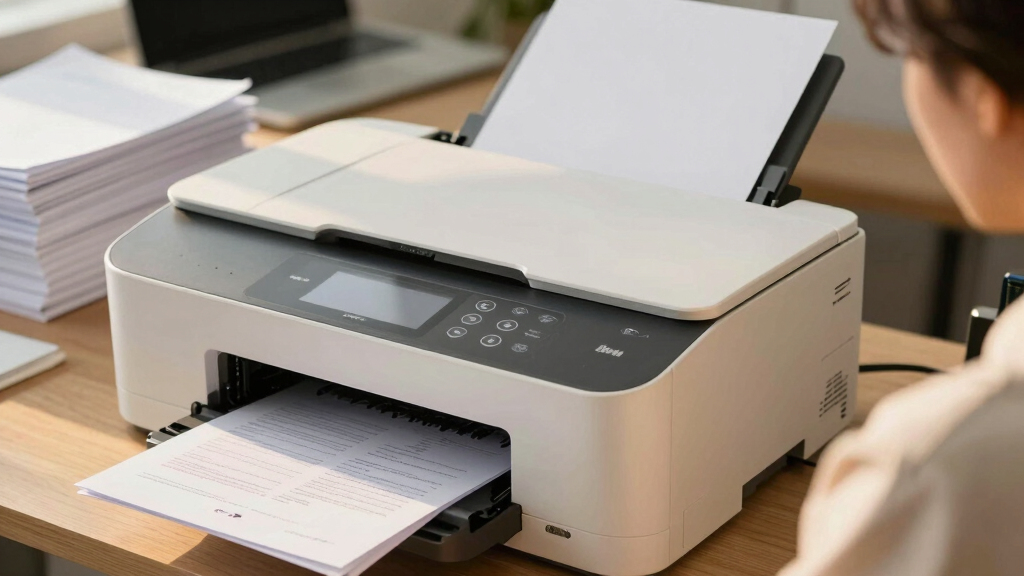
Choosing the best all-in-one printer for a small business involves balancing print quality, speed, connectivity, and cost of operation. The Brother INKvestment Tank 980 stands out as the overall top pick thanks to its reliable ink system and versatile features. For those prioritizing fast monochrome printing, the HP LaserJet Pro MFP 3101fdw offers impressive laser speed and efficiency, while the Epson EcoTank ET-4800 provides exceptional ink savings with its supertank design. Each option presents tradeoffs—such as higher upfront costs versus long-term savings or multifunctionality versus simplicity. Continue reading for a detailed breakdown of these models to find your best fit.
Key Takeaways
- The top-performing models combine fast printing speeds with high-quality output suitable for small business needs.
- Ink tank systems often deliver the best long-term value, especially for high-volume printing, despite higher initial costs.
- Connectivity options like Wi-Fi, Ethernet, and mobile printing are essential for seamless workflow integration.
- Laser printers generally excel in speed and text clarity, making them ideal for monochrome document-heavy tasks.
- Choosing the right multifunction features depends on your specific business needs—whether scanning, copying, or faxing are priorities.
| Brother INKvestment Tank 980 Wireless and Ethernet Color Inkjet All-in-One Printer with Multipurpose Tray |  | Best Overall for Small Businesses Needing Cost-Effective, High-Volume Printing | Ink Technology: Refillable ink tanks | Print Speed: 17 ppm black / 16.5 ppm color | Paper Capacity: 150-sheet tray, 80-sheet multipurpose tray | VIEW LATEST PRICE | See Our Full Breakdown |
| Brother MFC-J1360DW Wireless Color Inkjet All-in-One Printer with Duplex Printing and 1.8″ Color Display |  | Best for Home and Small Office Users Who Value Ease of Use and Wireless Flexibility | Print Speed (Black): up to 16 ppm | Print Speed (Color): up to 9 ppm | Automatic Duplex Printing: Yes | VIEW LATEST PRICE | See Our Full Breakdown |
| HP OfficeJet Pro 8125e Wireless All-in-One Color Inkjet Printer |  | Best for Small Offices Needing Fast, Color Printing with Smart Features | Print Speed: Up to 10 ppm color, 20 ppm black | Input Capacity: 225 sheets | Features: Auto 2-sided printing, auto document feeder, AI-enabled printing | VIEW LATEST PRICE | See Our Full Breakdown |
| HP LaserJet Pro MFP 3101fdw Wireless Black & White All-in-One Laser Printer |  | Best for Small Workgroups Prioritizing Speed and Security | Print Speed: Up to 35 ppm | Functions: Print, scan, copy, fax | Connectivity: Wi-Fi, Ethernet, Bluetooth | VIEW LATEST PRICE | See Our Full Breakdown |
| Canon PIXMA TS6520 Wireless Color Inkjet Printer with Duplex Printing, White |  | Best Budget-Friendly Compact All-in-One for Hybrid Work | Printer Type: All-in-one inkjet | Connectivity: Wireless (Wi-Fi 2.4GHz/5GHz) | Display: 1.42” OLED | VIEW LATEST PRICE | See Our Full Breakdown |
| Canon PIXMA TR8620a All-in-One Printer – Wireless, 4-in-1, Home Office |  | Best Overall for Versatility and Smart Features | Printer Type: All-in-One (Print, Copy, Scan, Fax) | Connectivity: Wireless, AirPrint, Android | Print Speed: 15 ppm (black), 10 ppm (color) | VIEW LATEST PRICE | See Our Full Breakdown |
| Brother DCP-L2640DW Wireless Monochrome Multi-Function Laser Printer with Copy and Scan |  | Best for Speed and Small Office Efficiency | Print Speed: 36 ppm | Scan Speed: 23.6/7.9 ipm | Auto Document Feeder: 50 pages | VIEW LATEST PRICE | See Our Full Breakdown |
| HP LaserJet Pro MFP 3101sdw Wireless All-in-One Laser Printer |  | Best for Reliable Small Team Printing | Print Speed: up to 35 ppm | Functions: Print, Scan, Copy | Auto Duplex: Yes | VIEW LATEST PRICE | See Our Full Breakdown |
| HP OfficeJet 250 Wireless Mobile Printer, Scanner, Copier – Black, Battery Included |  | Best for Mobile and On-the-Go Business Printing | Color: Black | Battery Included: Yes | Connectivity: Wireless, HP Auto Wireless Connect | VIEW LATEST PRICE | See Our Full Breakdown |
| Epson EcoTank ET-4800 Wireless All-in-One Supertank Printer with Scanner, Copier, Fax, ADF, Ethernet |  | Best for Cost-Effective High-Volume Printing | Printer Type: All-in-One Supertank | Connectivity: Wireless, Ethernet | Color: White | VIEW LATEST PRICE | See Our Full Breakdown |
| Brother MFC-L2820DW Wireless Monochrome All-in-One Laser Printer with Copy, Scan, Fax |  | Best Overall for Small Offices Needing Reliable Monochrome Printing | Print Speed: Up to 36 ppm | Scan Speed: 23.6/7.9 ipm (black/colour) | Auto Document Feeder: 50 pages | VIEW LATEST PRICE | See Our Full Breakdown |
| HP Color LaserJet Pro MFP 3301sdw Wireless All-in-One Color Laser Printer |  | Best for Color-Ready Small Teams Needing Fast, High-Quality Output | Printer Type: Laser | Print Speed: 30 ppm color and black & white | Maximum Copy Speed: 26 ppm black & white | VIEW LATEST PRICE | See Our Full Breakdown |
| HP LaserJet Pro MFP 4101fdw Wireless Black & White All-in-One Laser Printer |  | Best for High-Volume Monochrome Workgroups with Speed Needs | Printer Type: Laser | Functions: Print, Scan, Copy, Fax | Print Speed: Up to 42 ppm | VIEW LATEST PRICE | See Our Full Breakdown |
| Brother INKvestment 6560 Wireless Color Inkjet All-in-One Printer with 11”x17” Capabilities and 2.7” Touchscreen |  | Best for Cost-Effective Large-Format and Color Printing | Print Speed: Up to 31 ppm black, 30 ppm color | Paper Capacity: 250 sheets | Auto Document Feeder: 50 pages | VIEW LATEST PRICE | See Our Full Breakdown |
More Details on Our Top Picks
Brother INKvestment Tank 980 Wireless and Ethernet Color Inkjet All-in-One Printer with Multipurpose Tray
This Brother model stands out for its exceptionally high ink capacity, with up to 3 years of ink included, making it ideal for small businesses with high-volume printing needs. Compared to the HP OfficeJet Pro 8125e, it offers lower ongoing ink costs and a more straightforward refill process, though the initial setup can be somewhat complex due to its multiple connectivity options. Its fast print speeds of 17 ppm black and 16.5 ppm color, combined with a 150-sheet paper capacity, suit daily office workflows well. However, being inkjet-based, it may lack the durability of laser prints for long-term document storage. The inclusion of automatic duplex printing and a versatile connectivity suite (wireless, Ethernet, USB) enhances productivity, but the setup complexity could be a barrier for less tech-savvy users.
Pros:- Up to 3 years of ink included significantly reduces ongoing costs
- Fast printing speeds suitable for high-volume tasks
- Versatile connectivity options including wireless, Ethernet, and USB
- Automatic duplex printing to save paper
Cons:- Initial setup can be complex for users unfamiliar with multifunction printers
- Limited durability of inkjet prints compared to laser
Best for: Small businesses that prioritize low running costs and high-volume ink usage without the need for color laser printing.
Not ideal for: Offices requiring primarily monochrome printing or those seeking the fastest print speeds available in laser printers.
- Ink Technology:Refillable ink tanks
- Print Speed:17 ppm black / 16.5 ppm color
- Paper Capacity:150-sheet tray, 80-sheet multipurpose tray
- Automatic Document Feeder:20 pages
- Connectivity:Wireless, Ethernet, USB
- Display:1.8-inch color display
- Included Ink:Up to 3 years in-box
- Warranty:3-year limited
Bottom line: Ideal for small businesses that need economical, high-volume color printing with reliable connectivity and low ongoing ink expenses.
Brother MFC-J1360DW Wireless Color Inkjet All-in-One Printer with Duplex Printing and 1.8″ Color Display
Best for Home and Small Office Users Who Value Ease of Use and Wireless Flexibility
View Latest PriceThis Brother model makes the list for its user-friendly features like a clear 1.8-inch color display and automatic duplex printing, making everyday tasks straightforward. Compared to the Canon PIXMA TS6520, it offers faster black and color print speeds (up to 16 ppm and 9 ppm respectively), which is beneficial for busy small offices. Its 150-sheet paper capacity and wireless plus USB connectivity support flexible workflows. However, its slower color print speeds and reliance on specific ink cartridges (LC501 series) can increase ongoing costs and limit flexibility. It’s well-suited for users who want simple operation and wireless convenience without the need for high-end speed or media versatility.
Pros:- Intuitive 1.8-inch color display simplifies operation
- Automatic duplex printing reduces paper use
- Wireless and USB connectivity for flexible setup
- Good print speeds for home/office use
Cons:- Slower color printing compared to black
- Limited to specific ink cartridges which may increase ongoing costs
Best for: Small offices and home workers who need a reliable, easy-to-use all-in-one with wireless features and duplex printing.
Not ideal for: High-volume print environments or users needing fast color output, as speed is moderate and ink costs could add up over time.
- Print Speed (Black):up to 16 ppm
- Print Speed (Color):up to 9 ppm
- Automatic Duplex Printing:Yes
- Automatic Document Feeder:20 sheets
- Paper Capacity:150 sheets
- Display:1.8-inch color
- Connectivity:Wireless and USB
- Includes:Refresh Subscription Trial
Bottom line: A solid choice for small office or home use where ease of use and wireless capabilities matter most.
HP OfficeJet Pro 8125e Wireless All-in-One Color Inkjet Printer
The HP OfficeJet Pro 8125e earns a spot for its high-quality color output and fast print speeds—up to 10 ppm in color and 20 ppm black—making it suitable for dynamic small teams. Unlike the Brother models, this printer emphasizes smart features like AI-enabled printing for web and email outputs, which streamlines document workflows. Its 225-sheet input tray supports larger print jobs, but the size can be a drawback for tighter spaces. The included 3-month Instant Ink trial offers convenience, yet after the trial, ongoing costs could rise. While its size might be less ideal for very cramped desks, the overall speed and print quality make it a capable choice for busy environments that value intelligent printing features.
Pros:- High-quality, fast color printing speeds
- AI-enabled printing for web and email outputs
- Large 225-sheet input capacity supports big jobs
- Includes a 3-month Instant Ink trial for easy ink delivery
Cons:- Post-trial ink costs can be high
- Printer size may be too large for small desks
- Connectivity issues reported by some users
Best for: Small teams requiring fast, high-quality color printing with smart, AI-enabled features for productivity enhancement.
Not ideal for: Offices with extremely limited space or those primarily printing in monochrome, as color functionality and size could be overkill.
- Print Speed:Up to 10 ppm color, 20 ppm black
- Input Capacity:225 sheets
- Features:Auto 2-sided printing, auto document feeder, AI-enabled printing
- Connectivity:Dual-band Wi-Fi
- Included Trial:3 months of Instant Ink
- Size:Larger footprint
Bottom line: Best suited for small teams that need rapid, high-quality color output combined with smart, AI features for enhanced workflow.
HP LaserJet Pro MFP 3101fdw Wireless Black & White All-in-One Laser Printer
This monochrome laser printer is ideal for small teams needing fast printing speeds of up to 35 ppm and robust security features. Compared to the inkjet options like the Canon PIXMA TS6520, it offers much higher speeds and more secure printing, which is critical for sensitive documents. Its 7-user capacity makes it suitable for small workgroups, though its monochrome-only output limits versatility for offices needing color. While it lacks the color printing versatility of inkjet models, its speed and security enhancements make it well-suited for document-heavy environments where speed and confidentiality are priorities.
Pros:- Exceptional print speed of up to 35 ppm
- Strong security features including HP Wolf Pro Security
- Wireless, Ethernet, and Bluetooth connectivity
- Auto document feeder and duplex printing
Cons:- Limited to monochrome output, which reduces versatility
- No color printing capabilities
Best for: Small teams or offices that require fast, secure black-and-white printing and scanning without the need for color output.
Not ideal for: Offices that need color printing or plan to handle large, high-volume color documents regularly.
- Print Speed:Up to 35 ppm
- Functions:Print, scan, copy, fax
- Connectivity:Wi-Fi, Ethernet, Bluetooth
- Auto Document Feeder:Yes
- Auto 2-sided Printing:Yes
- Suitable for:Up to 7 people
Bottom line: A strong choice for small teams that prioritize rapid, secure black-and-white document processing over color features.
Canon PIXMA TS6520 Wireless Color Inkjet Printer with Duplex Printing, White
The Canon PIXMA TS6520 earns its spot for its affordable price point and compact design, making it ideal for home offices and hybrid work setups. It delivers high-quality color printing and supports scanning and copying with ease, thanks to its intuitive OLED display. Compared with the Brother MFC-J1360DW, it offers similar ease of use but with a smaller footprint, making it perfect for tight spaces. Its two-cartridge ink system can lead to more frequent replacements, and media support is limited to standard letter size, which may frustrate users needing larger formats. For those prioritizing budget and space, this printer offers reliable performance with straightforward mobile printing options like AirPrint and Mopria.
Pros:- Cost-effective and easy to set up
- High-quality color printing
- Supports mobile printing via Canon PRINT, AirPrint, Mopria
- Compact and stylish design
Cons:- Limited media size support (up to 8.5” x 11”)
- Two-cartridge system may require more frequent ink replacements
Best for: Home users or hybrid workers seeking an affordable, space-efficient all-in-one with good color quality and easy setup.
Not ideal for: High-volume small business environments or users needing media larger than 8.5″ x 11″ or frequent cartridge replacements.
- Printer Type:All-in-one inkjet
- Connectivity:Wireless (Wi-Fi 2.4GHz/5GHz)
- Display:1.42” OLED
- Media Support:Up to 8.5” x 11”
- Automatic Duplex Printing:Yes
- Color Cartridge System:2-cartridge hybrid ink
- Mobile Printing:Canon PRINT, AirPrint, Mopria
- Dimensions:Compact size
Bottom line: A budget-friendly, space-efficient choice for home or hybrid workers who need reliable color printing and simple operation.
Canon PIXMA TR8620a All-in-One Printer – Wireless, 4-in-1, Home Office
The Canon PIXMA TR8620a stands out for its versatility, combining printing, copying, scanning, and faxing in a compact design ideal for small home offices. It excels with wireless connectivity options like AirPrint and Alexa, allowing voice control and easy ink reordering, which makes it a smart choice for users seeking convenience. Compared to the HP OfficeJet 250, this model offers more robust document handling and higher paper capacity, but its slower print speed may hinder high-volume tasks. Its auto duplex printing reduces waste, yet setup for Alexa integration can be time-consuming. While ink costs aren’t fully transparent, its features support a range of tasks without subscription fees. This pick suits small business owners who value smart home integration and multi-functionality in a single device.
Pros:- Wireless connectivity with Alexa voice control
- Auto duplex printing saves paper and reduces costs
- High 200-sheet paper capacity for busy environments
Cons:- Print speed may be slow for large-volume printing
- Limited detail on ink costs could lead to unexpected expenses
Best for: Small business owners who want a feature-rich, wireless all-in-one with smart tech integration
Not ideal for: High-volume print shops needing rapid output, as the print speed may be limiting
- Printer Type:All-in-One (Print, Copy, Scan, Fax)
- Connectivity:Wireless, AirPrint, Android
- Print Speed:15 ppm (black), 10 ppm (color)
- Paper Capacity:200 sheets (100 cassette, 100 rear feed)
- Auto Duplex Printing:Yes
- Additional Features:Micro SD Slot, ENERGY STAR, EPEAT Silver, Alexa compatibility
Bottom line: This printer is best for small offices that prioritize smart features and multi-functionality over speed.
Brother DCP-L2640DW Wireless Monochrome Multi-Function Laser Printer with Copy and Scan
The Brother DCP-L2640DW makes a compelling case for small businesses needing fast, reliable monochrome printing. Its impressive 36 ppm print speed outpaces the HP LaserJet Pro MFP 3101sdw, making it ideal for environments with frequent black-and-white document needs. The inclusion of wireless, Ethernet, and USB options provides flexibility, though its monochrome-only output limits its use for color projects. Its compact design fits well into small offices, and eco-friendly features like duplex printing and Toner Save Mode help control ongoing costs. However, high-volume users should consider toner replacement frequency, and the absence of color limits its versatility. This device suits small teams prioritizing speed and efficiency in black-and-white printing and copying.
Pros:- Fast 36 ppm print speed for high productivity
- Multiple connectivity options including wireless and Ethernet
- Compact footprint fits small office spaces
Cons:- Limited to monochrome printing, reducing versatility
- High-volume printing may lead to frequent toner replacements
Best for: Small business teams focused on high-volume, monochrome document processing
Not ideal for: Businesses requiring color printing or multimedia tasks, as this model offers only black-and-white output
- Print Speed:36 ppm
- Scan Speed:23.6/7.9 ipm
- Auto Document Feeder:50 pages
- Paper Capacity:250 sheets
- Connectivity:Wireless (dual-band), Ethernet, USB
- Dimensions:Compact footprint
Bottom line: This laser multifunction is ideal for small offices needing fast, monochrome document handling with flexible connectivity.
HP LaserJet Pro MFP 3101sdw Wireless All-in-One Laser Printer
The HP LaserJet Pro MFP 3101sdw is tailored for small teams needing dependable black-and-white laser performance. Its 35 ppm speed supports quick turnaround times, especially compared to inkjet alternatives like the Canon PIXMA TR8620a. Auto duplex printing reduces paper use and enhances efficiency, while the 250-sheet input tray minimizes refill interruptions. Its reliable wireless connection ensures seamless integration into small office networks. However, it only prints in black and white, which limits its appeal for color-dependent tasks. Users should be aware that firmware updates may be needed to maintain security, and it works exclusively with HP chips, which might increase ongoing costs. This model suits small teams focused on high-volume, professional-quality monochrome printing and copying.
Pros:- Fast 35 ppm printing speeds for efficiency
- Auto duplex printing supports eco-friendly workflows
- Reliable wireless connectivity for small networks
Cons:- Strictly monochrome, no color printing capability
- Dependent on HP-specific cartridges which may increase costs
Best for: Small teams needing fast, dependable, monochrome laser printing and copying
Not ideal for: Businesses that require color printing or multifunctionality beyond printing, scanning, and copying
- Print Speed:up to 35 ppm
- Functions:Print, Scan, Copy
- Auto Duplex:Yes
- Input Tray Capacity:250 sheets
- Auto Document Feeder:50 sheets
- Connectivity:Wireless Wi-Fi
Bottom line: This laser multifunction is perfect for small teams prioritizing speed and reliability in black-and-white document workflows.
HP OfficeJet 250 Wireless Mobile Printer, Scanner, Copier – Black, Battery Included
The HP OfficeJet 250 excels in portability, making it the go-to choice for professionals who need to print, scan, or copy remotely. Unlike larger office printers, this model’s rechargeable battery and lightweight design support on-the-spot tasks, perfect for fieldwork or travel. Its wireless setup is straightforward, and support for multiple paper sizes adds flexibility. However, the battery life can vary with usage, and it relies on specific cartridges, which could drive up ongoing costs. Speed-wise, it’s slower compared to larger, dedicated office printers like the HP LaserJet Pro MFP 3101sdw, making it less suitable for high-volume tasks. This device is ideal for mobile professionals who need a compact, reliable device that fits in a bag.
Pros:- Lightweight and portable for mobile use
- Rechargeable battery supports printing anywhere
- Supports multiple paper sizes for diverse needs
Cons:- Battery life can vary significantly based on use
- Higher cartridge costs and limited to specific ink series
Best for: Business travelers or remote workers needing portable printing solutions
Not ideal for: Offices handling large print jobs regularly, as speed and capacity are limited
- Color:Black
- Battery Included:Yes
- Connectivity:Wireless, HP Auto Wireless Connect
- Supported Paper Sizes:Letter, legal, statement, executive, cards, photo, envelopes
- Cartridge Type:Original HP 62 series
- Fast Charge:Yes
Bottom line: This mobile printer is perfect for professionals needing flexible, on-the-go printing without sacrificing quality.
Epson EcoTank ET-4800 Wireless All-in-One Supertank Printer with Scanner, Copier, Fax, ADF, Ethernet
The Epson EcoTank ET-4800 redefines affordability with its high-capacity ink tanks, making it an excellent choice for small businesses with substantial printing needs. Its refillable ink bottles significantly lower ongoing costs compared to cartridge-based models like the Canon PIXMA TR8620a. The device’s fast printing and high-quality output are complemented by versatile functions including scanning, copying, and faxing. Unlike traditional inkjet printers, its EcoTank system reduces waste and maintenance. However, initial setup can be complex, and its slower print speeds may not satisfy users with urgent high-volume demands. It only supports genuine Epson ink, which might be costly over time if non-compatible ink is used. Overall, this is an ideal choice for budget-conscious small businesses that prioritize cost per page and eco-friendliness over speed.
Pros:- Low ongoing costs due to high-capacity EcoTank ink system
- High-quality, sharp text and vibrant colors
- Multifunctionality includes faxing, scanning, and copying
Cons:- Initial setup can be complex for some users
- Slower print speeds compared to laser printers
Best for: Small businesses seeking low-cost, high-volume printing with eco-friendly features
Not ideal for: Users requiring fast turnaround times or printing in color frequently
- Printer Type:All-in-One Supertank
- Connectivity:Wireless, Ethernet
- Color:White
- Functions:Print, Scan, Copy, Fax
- Automatic Document Feeder:Yes
- Technology:Micro Piezo Heat-Free
Bottom line: This supertank printer is best suited for cost-conscious small offices prioritizing volume and eco-friendliness over speed.
Brother MFC-L2820DW Wireless Monochrome All-in-One Laser Printer with Copy, Scan, Fax
This model stands out for small offices that prioritize speed and simplicity in monochrome printing. Its compact design makes it ideal for tight spaces, and with a print speed of up to 36 ppm, it keeps up with busy workflows better than many inkjet options. Unlike the HP LaserJet Pro MFP 4101fdw, which offers slightly faster speeds but at a higher cost and larger footprint, the MFC-L2820DW delivers essential multifunctionality with a straightforward interface. Its limited monochrome scope means it won’t satisfy those needing color, but for document-heavy environments, it excels. The small touchscreen might feel cramped for some users, and the need for a subscription for toner savings adds ongoing costs.
Pros:- Compact and space-efficient design
- Fast printing and scanning speeds
- Multiple connectivity options including wireless and Ethernet
- User-friendly 2.7-inch touchscreen
Cons:- Limited to monochrome printing only
- Requires enrollment in subscription service for toner savings
- Touchscreen might be small for some users
Best for: Small business owners who need fast, reliable monochrome printing in limited space
Not ideal for: Businesses requiring color printing or advanced media handling, due to its monochrome-only design
- Print Speed:Up to 36 ppm
- Scan Speed:23.6/7.9 ipm (black/colour)
- Auto Document Feeder:50 pages
- Paper Capacity:250 sheets
- Connectivity:Wireless (dual-band), Ethernet, USB
- Touchscreen:2.7 inches
Bottom line: This printer suits small offices that prioritize speed and monochrome reliability over color features.
HP Color LaserJet Pro MFP 3301sdw Wireless All-in-One Color Laser Printer
The HP Color LaserJet Pro 3301sdw is designed for small office teams that need vibrant color printing alongside scanning and copying. It offers a competitive print speed of 30 ppm in both color and black & white, matching the speed of the HP LaserJet Pro MFP 4101fdw but with the added advantage of professional-quality color. Compared to the Brother INKvestment 6560, which supports larger media and color but at a higher initial cost, the HP provides a balanced combination of speed, quality, and connectivity. Its use of proprietary HP cartridges, however, may limit third-party options, and its bulkier build demands dedicated space. For those prioritizing color output and seamless integration, this model makes a compelling choice.
Pros:- Fast print speeds suitable for busy offices
- Wireless and Ethernet connectivity for flexible setup
- Automatic duplex printing and document feeder enhance productivity
- High-quality color output
Cons:- Uses proprietary HP cartridges with chips, limiting third-party options
- Heavy and bulky, requiring dedicated space
- Limited to HP toner cartridges
Best for: Small business teams needing high-quality color printing with reliable multifunction features
Not ideal for: Small offices on a tight budget that prefer third-party toner options or minimal space usage
- Printer Type:Laser
- Print Speed:30 ppm color and black & white
- Maximum Copy Speed:26 ppm black & white
- Resolution:1200 x 1200 dpi
- Weight:37.7 pounds
- Dimensions:16.46″D x 13.44″W x 16.5″H
Bottom line: This printer is ideal for small teams that need fast, colorful, all-in-one printing without space constraints.
HP LaserJet Pro MFP 4101fdw Wireless Black & White All-in-One Laser Printer
The HP LaserJet Pro 4101fdw excels in environments where speed and efficiency are paramount, offering a rapid output of up to 42 pages per minute. Its automatic duplexing and large paper capacity make it well-suited for active workgroups, outperforming models like the Brother MFC-L2820DW in speed and throughput. The versatile wireless options, including Bluetooth, support seamless mobile printing from multiple devices. However, its monochrome-only design limits its use for those requiring color, and its weight of over 33 pounds requires careful placement consideration. For offices focused on high-volume, fast monochrome printing, this model provides the necessary power.
Pros:- Exceptional fast print speed of 42 ppm
- Automatic duplex printing and duplex scanning
- Wireless, Ethernet, and Bluetooth connectivity
- All-in-one functionality including fax
Cons:- Limited to monochrome printing only
- Heavy and less portable
- Requires original HP cartridges for optimal performance
Best for: Small workgroups needing high-speed monochrome printing with multifunction capabilities
Not ideal for: Businesses seeking color printing or smaller footprint options
- Printer Type:Laser
- Functions:Print, Scan, Copy, Fax
- Print Speed:Up to 42 ppm
- Automatic Duplex:Yes
- Auto Document Feeder:Yes
- Connectivity:Wi-Fi, Ethernet, Bluetooth
Bottom line: This model is best for high-volume monochrome environments where speed and multifunctionality are critical.
Brother INKvestment 6560 Wireless Color Inkjet All-in-One Printer with 11”x17” Capabilities and 2.7” Touchscreen
The Brother INKvestment 6560 offers a compelling option for small businesses that need versatility in media size and color. Its support for media up to 11″x17″ combined with high-yield ink cartridges makes it ideal for print jobs requiring large or colorful materials, outperforming traditional inkjets with its high page yields. Compared to the HP Color LaserJet Pro 3301sdw, which provides faster speeds and higher-quality laser output, the 6560 excels in media flexibility and lower ongoing ink costs. The larger footprint and complex initial setup might deter small spaces or less tech-savvy users, but for those needing large-format or frequent color printing, it delivers significant value.
Pros:- High-yield ink cartridges for cost savings
- Supports media up to 11″x17″ for large-format projects
- Wireless, Ethernet, and Wi-Fi Direct for flexible connectivity
- Color and black-and-white printing with high page yields
Cons:- Relatively large footprint needing space
- Initial setup may be complex for some users
- Costly ink replacements over time
Best for: Small businesses producing large-format documents or requiring frequent color printing at a lower cost
Not ideal for: Spaces with limited room or users seeking quick, straightforward setups without media diversity
- Print Speed:Up to 31 ppm black, 30 ppm color
- Paper Capacity:250 sheets
- Auto Document Feeder:50 pages
- Maximum Media Size:11″x17″
- Touchscreen:2.7-inch color
- Connectivity:Wi-Fi, Ethernet, USB, Wi-Fi Direct
Bottom line: This printer offers excellent large-format and color capabilities for small businesses with space and setup flexibility.

How We Picked
The products in this roundup were evaluated based on their overall performance, build quality, usability, and value for small business environments. We prioritized models that offer reliable printing speeds, high-quality output, and versatile connectivity options, including wireless and Ethernet. Cost of operation and maintenance, such as ink or toner refill frequency, also played a key role. Additionally, we considered ease of setup and use, ensuring that these printers can integrate smoothly into busy small business workflows. Products are ranked to highlight those that balance these factors most effectively for small business owners.Factors to Consider When Choosing Best All In One Printers For Small Business
When selecting an all-in-one printer for your small business, understanding key features and tradeoffs is vital. While initial price matters, long-term costs, usability, and feature set truly determine value. Here are the main factors to consider beyond just specifications:Print Speed and Volume Capacity
High print speeds and large ink or toner capacities minimize downtime and reduce running costs for busy small businesses. Laser printers often outperform inkjets in speed, making them suitable for high-volume environments. However, for less frequent printing, an inkjet with a large cartridge or tank system might be more cost-efficient. Recognizing your typical print volume helps you choose between the faster, more durable laser options and the more economical inkjet models.
Connectivity and Workflow Integration
A good all-in-one should support multiple connectivity options, including Wi-Fi, Ethernet, and mobile printing protocols like AirPrint or Google Cloud Print. These features enable flexible placement and ease of access across devices, reducing the need for physical connections. Consider whether your business needs remote printing capabilities or integrated scanning and faxing, which can streamline daily operations and improve productivity.
Cost of Operation
Initial purchase price is only part of the total cost of ownership. Ink and toner refill costs, as well as maintenance for features like fax or duplex printing, can add up over time. Supertank ink systems may have higher upfront costs but offer lower cost per page, making them ideal for high-volume users. Balancing upfront investment with ongoing expenses helps ensure your chosen model remains cost-effective over its lifespan.
Ease of Use and Maintenance
Intuitive controls, straightforward refill procedures, and reliable hardware contribute to less downtime and frustration. Features like touchscreen interfaces and automatic document feeders (ADFs) simplify workflows, especially for scanning or copying multiple pages. Avoid models with complex maintenance routines if your team prefers quick, trouble-free operation, as this can save valuable time and reduce support needs.
Size and Placement
Space constraints are common in small offices, so choosing a compact, well-designed model is often necessary. Some printers offer multi-functionality in a smaller footprint, which can be a significant advantage. However, be mindful that more compact models may compromise on paper capacity or speed. Assess your available space and typical workload to balance size with performance needs.
Frequently Asked Questions
Should I choose an inkjet or laser all-in-one printer for my small business?
Laser printers generally excel in speed and text clarity, making them ideal for businesses with high-volume, monochrome document needs. Inkjet models tend to be more versatile for color printing and photos, often at a lower initial cost. If your primary task involves printing many black-and-white pages, a laser option provides long-term efficiency. Conversely, if color accuracy and photo printing are vital, an inkjet could be the better choice, despite potentially higher running costs.
How important is wireless connectivity for my small business printer?
Wireless connectivity is increasingly essential in small business settings, as it offers flexibility in printer placement and simplifies device access. It allows multiple users to print from various devices without needing physical connections, saving space and clutter. For remote or mobile work, features like cloud printing or mobile app support are invaluable. However, ensure your Wi-Fi network is secure to protect sensitive business data during wireless printing.
Is it worth investing in an all-in-one with fax capabilities?
Faxing remains necessary for some industries and government compliance, making it a worthwhile feature if your business regularly exchanges documents via fax. Modern models integrate fax seamlessly into their multifunction setup, often with digital options for sending and receiving faxes. However, if your business rarely uses fax, you can save money by choosing a model without this feature, focusing instead on printing, scanning, and copying functionalities.
How do I decide between a color and monochrome printer?
Color printers add versatility for marketing materials, labels, or visual documents, but they typically come with higher costs for ink or toner. If your work involves frequent color printing, investing in a color-capable model makes sense, especially if it offers good speed and quality. For purely text-based documents or internal reports, monochrome laser printers provide faster, cheaper printing with sharper text clarity. Your choice should align with your typical document types and budget considerations.
What features should I prioritize if I’m new to office printing?
If you’re new to managing office printers, look for models that are easy to set up and operate, with clear touchscreen controls and straightforward refill mechanisms. Wireless connectivity can simplify installation and daily use, especially if you lack dedicated IT support. Opt for a model with reliable print quality and built-in security features to protect your documents. Starting with a user-friendly, all-in-one device helps minimize frustration and support costs as you get accustomed to office workflows.
Conclusion
For small business owners seeking the best overall balance of performance, the Brother INKvestment Tank 980 offers excellent value with its efficient ink system and versatile features. If speed and document volume are priorities, the HP LaserJet Pro MFP 3101fdw makes a compelling choice. Budget-conscious buyers should consider models like the Canon PIXMA TS6520 for occasional color printing, while those needing a compact all-in-one might prefer the HP OfficeJet 250 for mobility. For demanding environments with high-volume and color needs, the Epson EcoTank ET-4800 delivers long-term savings. Your choice hinges on matching these strengths with your business’s specific workflow and growth projections.