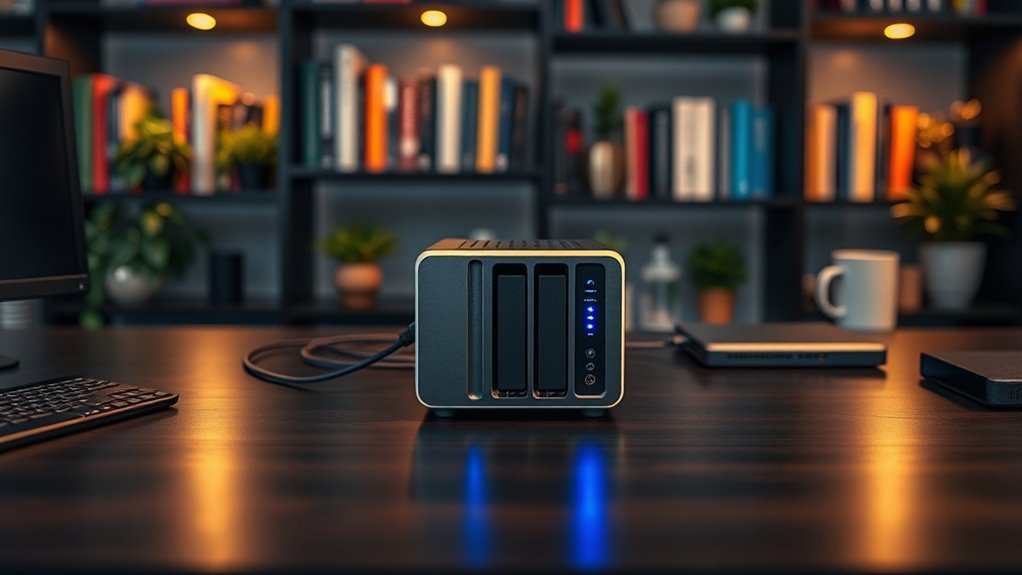

When searching for NAS drives for home, the goal is to find reliable, easy-to-use storage that fits your budget and technical skills. The UGREEN NAS DXP4800 stands out as the best overall thanks to its robust features and expandability. The Synology DS223 offers a great balance of price and user-friendly software, ideal for most households. Meanwhile, the QNAP TS-216G-US delivers faster network speeds for those prioritizing media streaming and backups. The main tradeoffs include balancing cost, performance, and ease of setup, so continue reading for the full breakdown of these options and more.
Open a free Amazon Business account
Business pricing, bulk buying and tax-exempt orders.
Create a free accountAs an affiliate, we earn on qualifying purchases.
Key Takeaways
- Top picks balance performance, ease of use, and price, with the UGREEN DXP4800 leading overall for its versatility.
- Most models support large capacities, but users should verify drive compatibility and expandability features.
- Network speed varies significantly, with 2.5GbE and 10GbE options offering faster data transfers for media-heavy households.
- Pre-installed drives are common but can limit customization; diskless models offer more flexibility.
- User-friendly interfaces and remote access capabilities are key features for non-technical users.







More Details on Our Top Picks
UGREEN NAS DH2300 2-Bay Desktop NAS, Support Capacity 64TB (Diskless), AI Photo Album, 4GB RAM, 1GbE, 4K HDMI, Remote Access
The UGREEN NAS DH2300 stands out as an accessible entry point for those new to NAS solutions, offering a straightforward setup with support for up to 64TB of storage. Its AI-powered photo organization makes it especially appealing for personal media libraries, and the 4K HDMI output adds media playback flexibility. Compared with the Synology DS223, it provides more multimedia features but lacks enterprise-grade apps or extensive data management tools. The main tradeoff is its limited performance capabilities; it doesn’t support Docker or virtual machines, making it less suitable for advanced users or small offices. Overall, this model is ideal for families or individuals seeking a simple, secure way to store and enjoy multimedia content without complexity.
Pros:- User-friendly setup suitable for beginners
- Supports large storage capacity up to 64TB
- AI-powered photo organization and duplicate detection
- Secure data storage with layered security features
Cons:- Does not support Docker or virtual machines
- Wi-Fi requires external USB adapter
- Limited performance for enterprise or server use
Best for: Beginners or casual users wanting a simple, multimedia-focused NAS for home entertainment and personal backups
Not ideal for: Power users or small businesses needing virtualization, extensive app support, or enterprise features
- Support Capacity:64TB
- Diskless:Yes
- RAM:4GB
- Network Interface:1GbE
- Video Output:4K HDMI
- Security Features:RAID modes, two-factor authentication, encrypted transfers
Our verdict“This pick makes the most sense for home users seeking simple multimedia storage with easy remote access.”
Synology DS223 Home & Office 2-Bay Diskless NAS
The Synology DS223 excels at providing a reliable central hub for home and small office data, with seamless file sharing, backups, and collaboration tools. Its two-bay design means limited scalability compared to larger models like the UGREEN DXP4800, but it offers a more straightforward user experience and strong software support via Synology DSM. The device requires users to purchase drives separately, which adds initial cost and setup complexity, but the robust ecosystem compensates. It’s less suitable for multimedia-heavy workflows or surveillance without additional hardware, making it ideal for those prioritizing data management and remote access. Compared to the QNAP TS-216G, it is easier for beginners but offers fewer multimedia or virtualization features.
Pros:- Centralizes data from multiple devices
- Supports professional file collaboration and version control
- Automated backup options for cloud and external drives
- Transforms IP cameras into surveillance with remote monitoring
Cons:- Requires purchasing hard drives separately
- May have a learning curve for new users
- Limited to two drive bays
Best for: Home users and small offices needing reliable data management and multi-device collaboration
Not ideal for: Users wanting built-in multimedia streaming, surveillance, or high scalability
- Storage Bays:2-Bay
- Type:Diskless NAS
- Warranty:2 Years
Our verdict“This device is perfect for users who need a dependable, easy-to-use data hub for everyday sharing and backup tasks.”
QNAP TS-216G-US 2-Bay Desktop NAS with 2.5GbE, ARM Cortex-A55 Quad-Core, 4GB DDR4 RAM
The QNAP TS-216G-US offers a compelling balance of affordability and performance for home storage, featuring a quad-core ARM processor and 4GB RAM, which is enough for typical media and backup tasks. Its 2.5GbE ports deliver faster file transfers compared to standard Gigabit Ethernet, making it a good choice for multimedia streaming or quick backups. Unlike the Synology DS223, it supports basic AI features like face recognition thanks to the built-in NPU, but it lacks advanced virtualization support. The main limitation is its 2-bay design, which restricts scalability, and it requires users to supply their own drives. This makes it a solid choice for budget-conscious users who want faster networking without the complexity of enterprise features.
Pros:- Affordable price point for home NAS
- Supports high-speed 2.5GbE network connections
- AI acceleration for face and object recognition
- Quad-core processor provides decent performance
Cons:- Limited to 2 bays, less scalable
- No included drives, additional purchase needed
- Performance may be limited for very large workloads
Best for: Home users or small families seeking fast network speeds on a budget
Not ideal for: Power users needing virtualization, Plex server hosting, or extensive app ecosystems
- Processor:ARM Cortex-A55 Quad-Core 2.0GHz
- RAM:4GB DDR4
- Network:2.5GbE
- Storage Bays:2-Bay
- Built-in NPU:Yes
Our verdict“This NAS makes the most sense for cost-conscious users who want faster network speeds for media and backup tasks.”
UGREEN NAS DXP4800 GT 4-Bay Desktop NAS with AMD R2514 CPU, 8GB DDR4 RAM, Dual 10GbE, M.2 NVMe Slots, 4K HDMI, Diskless
The UGREEN DXP4800 GT is designed for demanding home and small business environments, offering a powerful AMD Ryzen embedded processor, 8GB RAM, and dual 10GbE ports for rapid data transfer. Its 4-bay configuration supports extensive storage expansion up to 144TB, ideal for media editing, surveillance, and virtual applications. Compared to the other models, it provides more advanced features like M.2 NVMe slots, Docker, and virtual machine support, catering to tech-savvy users. The pre-installed RAM isn’t ECC, and setup can be complex for less experienced users, plus additional drives are needed to realize its full capacity. This NAS’s strength lies in its versatility, but it’s overkill for basic storage needs or users unfamiliar with network configurations.
Pros:- High-speed dual 10GbE network ports with link aggregation
- Expandable storage up to 144TB with multiple drive options
- Supports Docker, virtual machines, and media workflows
- Built-in surveillance center and local privacy features
Cons:- Drives not included, additional purchase required
- Setup complexity for non-technical users
- Non-ECC RAM limits for critical applications
Best for: Tech-savvy users, media professionals, or small offices needing high-performance, scalable storage and virtualization capabilities
Not ideal for: Casual users or those seeking plug-and-play simplicity without extensive setup or hardware upgrades
- Processor:AMD Ryzen Embedded R2514
- RAM:8GB DDR4
- Maximum Storage:Up to 144TB
- Network:2x 10GbE ports
- Drive Bays:4 SATA + 2 M.2 NVMe
- Additional Features:Docker, virtual machines, surveillance
Our verdict“This NAS suits power users and professionals who need high scalability, speed, and virtual environment support in a home or small office setting.”
Synology DiskStation DS223j (Diskless) 2-Bay NAS
The Synology DS223j offers a compact, low-power solution for home users focused on private cloud storage and security. Its small footprint makes it ideal for limited spaces, and its reliable hardware supports multi-platform access and automated backups. While it doesn’t support extensive virtualization or multimedia streaming directly, its software ecosystem is robust for file sharing, remote monitoring, and basic surveillance. Compared to larger NAS options like the UGREEN DXP4800, it sacrifices expansion and high-speed networking for simplicity and energy savings. This makes it a good choice for users who prioritize quiet operation, energy efficiency, and secure data access over advanced features or large capacity.
Pros:- Compact and energy-efficient design
- Supports private cloud and multi-device sharing
- Includes automated backup and surveillance features
- Reliable hardware with 2-year warranty
Cons:- Limited to two storage bays
- Requires setup and network configuration knowledge
- No pre-installed drives included
Best for: Home users seeking a compact, energy-efficient device for data sharing, backups, and basic surveillance
Not ideal for: Power users or users needing high-performance virtual environments or multimedia streaming
- Model Number:DS223j
- Warranty:2 years
- Item Count:1
- UPC:846504004768
Our verdict“This NAS is well-suited for space-conscious users seeking reliable private cloud storage with minimal power consumption.”
BUFFALO LinkStation 220 8TB 2-Bay NAS Network Attached Storage with Hard Drives Included
The BUFFALO LinkStation 220 stands out for its straightforward setup and reliable RAID support, making it ideal for users who want a no-fuss centralized backup solution. Compared with the BUFFALO TeraStation, it offers easier initial setup but supports fewer drive bays and lacks advanced cloud features. Its default RAID 1 configuration reduces usable capacity to 4TB, which may not be enough for heavy media libraries, and it doesn’t include remote access options. Still, with included drives and 24/7 US support, it delivers solid value for home users seeking simple, secure storage.
Pros:- Simple to set up and use for centralized storage
- Supports RAID configurations for data redundancy
- Includes hard drives and US-based support
Cons:- Default RAID 1 halves the available capacity to 4TB
- Limited remote access and cloud options
Best for: Home users needing reliable, easy-to-manage backup with included drives
Not ideal for: Power users requiring extensive customization or remote cloud features
- Capacity:8TB
- Number of Bays:2
- RAID Support:Yes (RAID 1 by default, configurable to RAID 0)
- Supported OS:Windows, macOS
- Warranty:2 years
- Included Accessories:Setup CD-ROM, Quick setup guide, Ethernet cable, AC adapter, Setup software
Our verdict“This pick is perfect for users wanting straightforward, secure home backup with minimal fuss.”
BUFFALO TeraStation Essentials 2025 4-Bay Desktop NAS with 32TB Hard Drives
The BUFFALO TeraStation Essentials 2025 makes a compelling case for those who need more storage flexibility and faster network speeds. Its pre-installed 32TB (4x8TB) drives and 2.5GbE port enable quick data transfers and seamless scalability. Compared to the 2-bay options, it offers more bays and RAID options like RAID 5 and 6, ideal for users who want redundancy and future expansion. Its main tradeoff is limited RAID customization—beyond the supported configurations, it doesn’t support RAID 10 or other advanced options. Also, it lacks built-in remote access features, which might matter for off-site backups or remote management. Still, it’s well-suited for small households or small offices needing robust, scalable storage.
Pros:- Pre-installed drives simplify setup
- High-speed 2.5GbE network port for quick data transfer
- Supports multiple RAID configurations including RAID 5 and 6
Cons:- Limited to supported RAID configurations—no custom options
- No integrated remote access or app support
Best for: Home or small office users prioritizing scalable, high-capacity storage with fast network access
Not ideal for: Users needing flexible RAID customization or integrated remote access features
- Capacity:32TB
- Number of Bays:4
- Included Hard Drives:4x8TB
- RAID Support:RAID 0, RAID 5, RAID 6
- Network Interface:2.5GbE
- Warranty:3 years
Our verdict“Ideal for users seeking scalable, fast, reliable storage for growing home or small business needs.”
TERRAMASTER F2-425 2-Bay NAS Storage with Intel Quad-Core CPU, 4GB RAM, 2.5GbE LAN, Multimedia Server for Home
The TERRAMASTER F2-425 offers impressive processing power for a 2-bay NAS, making it suitable for media-heavy households. Its Intel quad-core CPU and 4GB RAM enable smooth 4K transcoding and multi-user streaming, which outperforms many similar 2-bay models like the BUFFALO LinkStation 220. Although its two-bay design limits expandability, this device excels in media playback and multi-user access, with quiet operation at 19dB. The main tradeoff is the need for compatible drives to maximize capacity, and the absence of built-in cloud or remote access features. It’s best suited for users who prioritize media performance over maximum storage flexibility.
Pros:- Powerful quad-core CPU and 4GB RAM for media performance
- Supports 4K transcoding and multiple users
- Quiet operation at just 19dB
Cons:- Limited to 2 drive bays, restricting maximum capacity
- Requires compatible drives for full capacity
Best for: Home media enthusiasts needing 4K streaming and multi-user access
Not ideal for: Those seeking large-scale storage expansion or advanced remote features
- Processor:Intel x86 quad-core
- RAM:4GB
- Storage Capacity:up to 60TB
- Network:2.5GbE LAN
- Noise Level:19dB
- HDD Bays:2
Our verdict“This device is best for homes that prioritize media streaming and transcoding capabilities over expandability.”
BUFFALO LinkStation 210 2TB 1-Bay NAS Network Attached Storage with HDD Included
The BUFFALO LinkStation 210 offers a simple, budget-friendly solution for users who want basic centralized storage. Its 2TB capacity makes it suitable for light backups or file sharing among a few devices, but it’s limited in scale compared to multi-bay options like the BUFFALO LinkStation 220. Its single-bay design simplifies setup but means no redundancy or expansion without replacing drives. While it includes a hard drive and US-based support, some users report average performance, especially under load. This device makes sense for small households with minimal storage needs and a desire for straightforward, no-frills cloud-like access.
Pros:- Easy setup for centralized storage
- Includes hard drive and support
- No monthly fees for personal cloud
Cons:- Limited to 2TB capacity in this model
- Performance issues reported under heavy use
Best for: Small households needing basic, affordable storage and backup
Not ideal for: Power users or those with larger media libraries seeking scalable options
- Capacity:2TB
- Number of Bays:1
- Included Drives:HDD included
- Connectivity:Ethernet
- Supported OS:Windows, macOS
- Warranty:2 years
Our verdict“A practical choice for minimal storage needs but not suitable for expanding media libraries or advanced features.”
UGREEN NAS DH4300 Plus 4-Bay Network Attached Storage, Supports Up to 128TB, Remote Access, AI Photo Album, 8GB RAM, 2.5GbE, 4K HDMI, Diskless
The UGREEN NAS DH4300 Plus is designed for users who want a versatile, high-capacity home NAS with advanced features. Its support for up to 128TB and 8GB RAM makes it suitable for AI-powered photo management, 4K media playback via HDMI, and remote access. Compared with the Terramaster F2-425, it offers higher maximum capacity and more advanced multimedia features, but it’s diskless, meaning extra cost for drives. Its wired-only connectivity might limit flexibility for some households, but for those seeking a future-proof, multi-purpose NAS, this model delivers impressive performance and expandability.
Pros:- Supports up to 128TB storage capacity
- 8GB RAM and 2.5GbE for high performance
- Includes 4K HDMI output and AI photo album features
Cons:- Requires separate purchase of drives
- No Wi-Fi support, wired Ethernet only
Best for: Tech-savvy users looking for large storage, AI features, and multimedia support
Not ideal for: Users seeking plug-and-play simplicity or wireless connectivity
- Support Capacity:up to 128TB
- RAM:8GB
- Network:2.5GbE
- Video Output:4K HDMI
- Drive Bays:4
- Diskless:Yes
Our verdict“This NAS suits advanced users wanting large storage, multimedia, and AI features in a wired setup with future expandability.”
UGREEN NAS DXP2800 2-Bay Network Attached Storage
The UGREEN NAS DXP2800 stands out for its powerful Intel N100 quad-core processor and 8GB DDR5 RAM, providing smooth performance for media-heavy tasks. Its dual M.2 NVMe slots and 80TB maximum capacity make it a flexible choice for backups and large media libraries, especially compared to the Buffalo LinkStation 220 with its limited 4TB storage. The AI-powered photo organization adds a layer of convenience, appealing to content creators who manage large image collections. However, this model requires some technical knowledge to set up correctly and lacks included drives, adding upfront costs. Its 2.5GbE network support ensures faster transfer speeds than typical 1GbE units, but its diskless form factor means additional investment. Overall, it makes the most sense for power users who want high capacity and advanced features but are comfortable handling setup complexities.
Pros:- Powerful quad-core processor and ample RAM for demanding tasks
- Large storage capacity up to 80TB suitable for extensive media libraries
- AI-powered photo management simplifies content organization
- High-speed 2.5GbE network support for faster data transfer
Cons:- Requires technical knowledge for initial setup and configuration
- No included drives, increasing overall cost
- Limited to 2 drive bays, restricting future expandability
Best for: Tech-savvy content creators and enthusiasts seeking high-performance, scalable storage with AI features
Not ideal for: Casual users or those unfamiliar with network setup who prefer plug-and-play solutions
- Processor:Intel N100 Quad-Core CPU
- RAM:8GB DDR5
- Network Speed:2.5GbE
- Drive Bays:2X M.2 NVMe Slots
- Maximum Storage Capacity:80TB
- Video Output:4K HDMI
Our verdict“This NAS is ideal for advanced users needing robust performance and large storage, provided they are comfortable with setup complexity.”
Buffalo LinkStation 220 4TB 2-Bay NAS Network Attached Storage with Hard Drives Included
The Buffalo LinkStation 220 offers a straightforward, budget-friendly solution with its included hard drives and simple setup, making it suitable for users who want a ready-to-use home cloud. Its 4TB capacity, with RAID support, provides basic data security, especially appealing compared to the Synology DS124 which offers more security features but only a single drive bay. Its compatibility with Windows and macOS ensures flexibility, and the 2-year warranty with US-based support adds peace of mind. However, the default RAID 1 configuration halves usable capacity to 2TB, which may be limiting for larger media libraries. Performance may also lag behind more advanced models, and it lacks the advanced AI or multimedia features found in higher-end units. This makes it a solid choice for families or small households seeking reliable, easy storage without extra fuss.
Pros:- Includes pre-installed hard drives for immediate use
- Simple setup suitable for non-technical users
- Supports automatic RAID 1 for data redundancy
- Affordable price point for basic home storage
Cons:- Limited maximum capacity with only 4TB (or 2TB usable in RAID 1)
- Performance may be slower compared to higher-end models
- Lacks advanced features like AI photo organization or multimedia streaming
Best for: Home users seeking an easy, reliable NAS with included drives and basic backup features
Not ideal for: Power users or media professionals needing large capacity or advanced security features
- Storage Capacity:4TB
- Number of Bays:2
- RAID Support:Yes, RAID 1 (default)
- Compatibility:Windows, macOS
- Support:24/7 US-based
- Warranty:2 years
Our verdict“This NAS offers a user-friendly, plug-and-play experience with adequate security, best for small households with modest storage needs.”
Synology DS124 Personal Backup & File Hub – 1-Bay Diskless NAS for Photos, Files, and Home Surveillance
The Synology DS124 excels as a compact, secure solution for users prioritizing data ownership and privacy. Its single-bay design, combined with full data encryption and AI-powered surveillance, makes it ideal for small-scale backups and home security monitoring. Compared to the Buffalo LinkStation 220, which includes drives and offers basic storage, the DS124 emphasizes private cloud access and security features, though it requires users to provide their own drives. Its support for automatic backups from multiple devices and remote access offers flexible data management. The main tradeoff is its limited capacity—only one drive bay—so it’s best suited for lighter workloads or users with existing drives looking for a secure, private hub. This makes the DS124 perfect for tech-savvy homeowners who want full control over their data and surveillance setup.
Pros:- Compact, easy to set up for home environments
- Supports automatic device backups and private cloud access
- Built-in AI surveillance enhances home security
- Full data ownership without subscription costs
Cons:- Limited to a single drive bay, restricting storage expansion
- Requires technical knowledge for optimal setup
- No included hard drives, increasing initial investment
Best for: Home users needing secure, private cloud backups and integrated surveillance without subscription fees
Not ideal for: Large media libraries or users who need extensive storage or RAID redundancy
- Brand:Synology
- Model Number:DS124
- Unit Count:1
- Warranty:2 years
- Item Type:NAS
- UPC:846504005017
Our verdict“This NAS is tailored for security-conscious users prioritizing privacy and surveillance, suitable for lighter workloads and tech-savvy homeowners.”
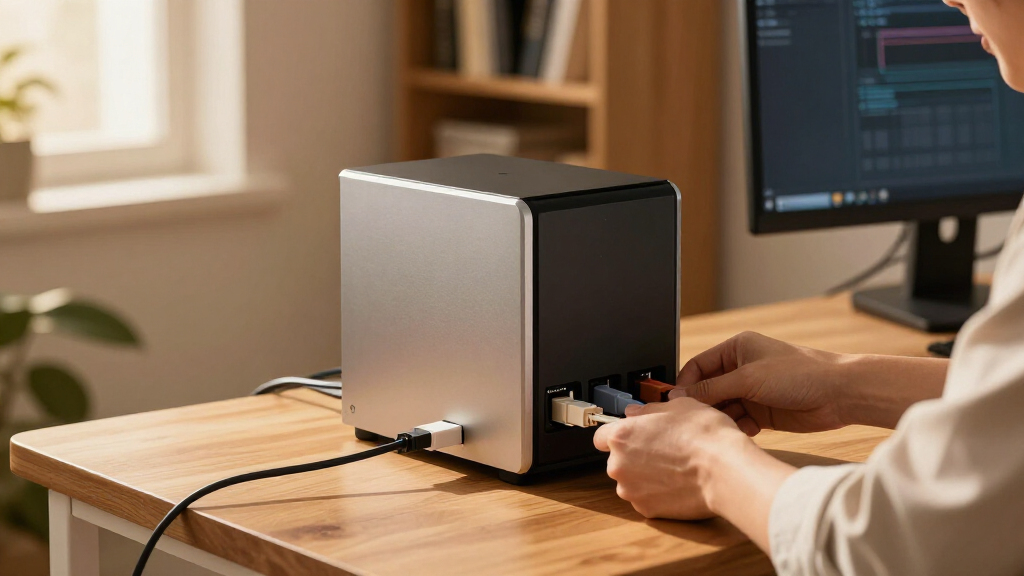
How We Picked
Our evaluation focused on performance, build quality, ease of setup, software features, expandability, and value. We compared each NAS’s hardware specs, network speeds, supported capacities, and user interface quality. Devices with better reliability, future-proofing options, and simpler management earned higher scores. We prioritized models suitable for typical home environments—balancing affordability with features that support media, backups, and remote access—while also noting tradeoffs such as higher cost or complexity for premium options.Factors to Consider When Choosing Nas Drives For Home
Choosing the right NAS drive for home involves understanding several key factors beyond just capacity. Your decision should consider performance needs, ease of use, expandability, and budget. Being aware of common pitfalls, like overestimating capacity or underestimating setup complexity, can help you make a smarter purchase. This guide highlights what to look for and how to match features with your specific home storage needs.Performance and Network Speed
For households that stream media, back up multiple devices, or run surveillance cameras, network speed is critical. Look for NAS drives supporting at least 1GbE, but consider 2.5GbE or 10GbE options if you handle large files or multiple simultaneous streams. Faster network interfaces reduce transfer times and improve responsiveness, especially with 4K media or large backups. However, remember that your home network equipment (router, switches) must also support these speeds to realize the benefits.
Ease of Use and Software
User-friendly interfaces and reliable software significantly impact your experience. Brands like Synology are known for intuitive OS and robust app ecosystems, making setup and daily management straightforward. Conversely, some cheaper or less established brands may require more technical knowledge, leading to frustration. Avoid overestimating your tech skills; investing in a NAS with good software support can save time and reduce headaches in the long run.
Expandability and Storage Capacity
Consider how much storage you’ll need now and in the future. Many NAS drives support drive swapping or expansion units, but compatibility varies. Models like the UGREEN DXP4800 support large capacities up to 128TB, ideal for media libraries. Be cautious with diskless models if you are not comfortable selecting and installing drives yourself. Think about your growth plans—buying a slightly larger or more expandable model can prevent needing an upgrade sooner.
Budget and Long-Term Value
While cheaper models may seem budget-friendly initially, they often lack features like high-speed networking or expandability, which can lead to additional costs later. Balancing upfront investment with long-term value is key. Premium models with faster processors, better software, and more ports cost more but can handle demanding tasks and larger capacities more efficiently. Decide what features matter most to avoid overspending on unnecessary extras or missing out on critical capabilities.
Common Mistakes to Avoid
Many buyers overestimate NAS capacity or underestimate setup complexity. Buying a NAS without checking network compatibility can lead to slow transfers. Choosing a model based solely on brand or price without considering software support can cause headaches. Lastly, neglecting backup and security features might leave your data vulnerable. Planning your storage needs carefully and understanding your technical comfort level helps avoid these pitfalls.
Frequently Asked Questions
What is the best NAS drive for a non-technical user?
For users without technical expertise, a NAS with an intuitive interface and robust customer support is essential. The Synology DS223 is widely regarded for its user-friendly OS, easy setup process, and a strong ecosystem of apps. It simplifies tasks like backups, media streaming, and remote access, making it a reliable choice for beginners. Investing in a model with clear documentation and good firmware updates can also reduce frustration down the line.
Should I buy a diskless NAS or one with drives included?
Choosing between diskless and pre-loaded NAS depends on your comfort level with hardware. Diskless models offer flexibility to select drives based on capacity and speed, but require installation and compatibility checks. Pre-loaded drives are ready to use but limit customization. For most home users, a diskless NAS paired with reliable drives offers better long-term value and control, especially if you plan to upgrade storage over time.
How much storage capacity do I need for home use?
Start by estimating your current data volume, including media, backups, and files. For casual use, 4-8TB often suffices, but if you store 4K videos or many photos, consider 16TB or more. Think about future growth—buying a slightly larger capacity than needed now can extend the lifespan of your NAS. Remember, many NAS units support expansion, so plan accordingly to avoid early upgrades.
Is higher network speed worth it for home NAS drives?
Faster network interfaces like 2.5GbE or 10GbE significantly improve data transfer speeds, especially when streaming high-resolution media or backing up multiple devices simultaneously. If your home network infrastructure supports these speeds, investing in a NAS with higher network capabilities makes sense. However, for basic file sharing and backups, a standard 1GbE connection often suffices without extra cost or complexity.
What security features should I look for in a home NAS?
Security is vital when storing personal data. Look for NAS drives that offer encryption, user access controls, and regular firmware updates. Some models support VPN access and automatic backups, adding layers of protection. Ensuring your network is secure with strong passwords and firewall settings complements the NAS’s built-in security features. This way, your data remains safe from unauthorized access or ransomware threats.
Conclusion
For most home users seeking an easy-to-manage, reliable solution, the Synology DS223 offers a balanced mix of simplicity, features, and affordability. If you prioritize raw performance and expandability, the UGREEN NAS DXP4800 makes a strong case for power users or media enthusiasts. Budget-conscious buyers will find the BUFFALO LinkStation 220 or similar models suitable for basic storage needs. For those new to NAS or with modest requirements, starting with a user-friendly, pre-configured device will keep setup straightforward. Meanwhile, power users and tech-savvy households can look toward models with higher network speeds and larger capacities to future-proof their setup.
Summer Picks
summer essentials
As an affiliate, we earn on qualifying purchases.