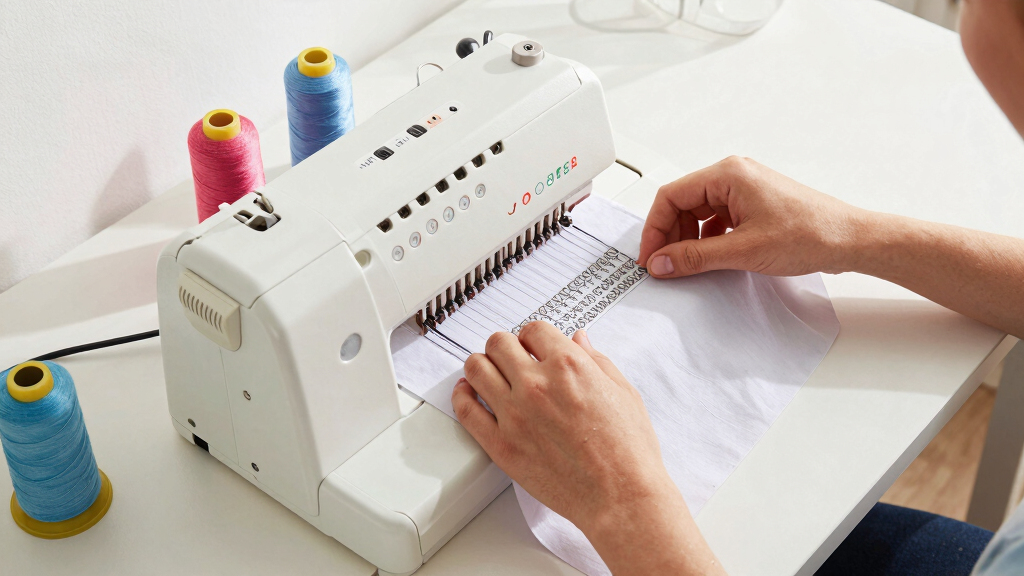

Starting with embroidery can be exciting, but choosing the right machine is key to a smooth learning curve. The Brother PE900 stands out as the best overall pick for its user-friendly interface and versatile features. For those on a tighter budget, the POOLIN EOC03 offers beginner-friendly options with manageable embroidery areas. Keep in mind, the biggest tradeoffs in this category often involve balancing ease of use, embroidery size, and built-in designs. Continue reading for a detailed breakdown of the best embroidery machines for beginners in 2026.
Open a free Amazon Business account
Business pricing, bulk buying and tax-exempt orders.
Create a free accountAs an affiliate, we earn on qualifying purchases.
Key Takeaways
- Top picks balance ease of use with size options suitable for beginners.
- Wireless connectivity features are increasingly common and helpful for design transfer.
- Built-in designs and editing tools vary widely, influencing overall value.
- More advanced models tend to include larger embroidery areas but may be more complex.
- Price differences often reflect the level of automation and design capacity.


More Details on Our Top Picks
Brother PE900 5″ x 7″ Embroidery Machine with 5pc Embroidery Hoop Set, Embroidery Threads, & Accessories
The Brother PE900 stands out for its large 5″ x 7″ embroidery area and extensive bundle, making it ideal for those wanting to expand their creative horizons. Compared with the PooLin EOC06, it offers a more comprehensive set of hoops and accessories, but it involves a higher price point and a steeper learning curve for complete beginners. Its large touch screen simplifies design selection and editing, which is a big plus for newcomers. However, the bundle’s complexity might overwhelm absolute novices, and it lacks built-in WiFi connectivity, relying on USB transfer instead. This model is perfect for hobbyists ready to grow and invest in a broad array of patterns and projects without immediate need for wireless transfer. Conversely, those seeking a straightforward, compact option should consider other choices.
Pros:- Large 5″ x 7″ embroidery area for bigger projects
- Extensive accessory bundle including multiple hoops and threads
- Color LCD touchscreen simplifies design editing
Cons:- Higher price point compared to basic models
- Complex bundle may be overwhelming for absolute beginners
Best for: Beginners who want a versatile, feature-rich embroidery machine with plenty of accessories and space for larger designs.
Not ideal for: Complete beginners preferring a simple, plug-and-play setup without a steep learning curve or extensive bundle.
- Embroidery Area:5″ x 7″
- Touch Screen:3.7-inch LCD
- Built-in Designs:190
- Included Accessories:Multiple hoops, threads, tools
- Connectivity:USB
- Memory:Built-in and expandable
Bottom line: Best suited for beginners eager to explore sophisticated embroidery with room to grow and a comprehensive setup.
Brother PE545 Embroidery Machine with Wireless Connectivity and 135 Built-in Designs
The Brother PE545 is a standout for its wireless connectivity and intuitive 3.7-inch color touchscreen, making design transfer and editing smoother compared to the PE900’s USB approach. It’s ideal for users who prioritize simplicity and wireless freedom, but it’s limited to embroidery-only functions, unlike multi-purpose machines like the PooLin EOC06. Its 4″ x 4″ embroidery area is smaller, making it less suitable for larger projects. The design library of 135 is ample for beginners, yet may feel restrictive for those craving more options or advanced editing. This machine makes sense for beginners with limited space or those uncomfortable with wired transfers, but it’s less ideal for users who want larger embroidery sizes or sewing features.
Pros:- Wireless LAN for easy pattern transfer
- Large, user-friendly color touchscreen
- 135 built-in designs and multiple fonts
Cons:- Limited to embroidery functions only
- Smaller embroidery area restricts larger projects
Best for: Beginners seeking a compact, wireless embroidery-only machine with a straightforward interface.
Not ideal for: Users wanting larger embroidery areas or combined sewing and embroidery features.
- Embroidery Area:4″ x 4″
- Touch Screen:3.7-inch LCD
- Built-in Designs:135
- Connectivity:Wireless LAN, USB
- Fonts:10
- Power Supply:US 120V
Bottom line: Ideal for beginners prioritizing wireless ease and compactness over size and multifunctionality.
PooLin EOC06 Embroidery Machine, 11×7.9 Inches, 7-Inch Touchscreen, 200 Built-in Designs, Wireless & USB Connectivity
The PooLin EOC06 offers a significantly larger embroidery area than most beginner models, with an impressive 11″ x 7.9″ workspace and 200 built-in designs. Its 7-inch touchscreen makes editing straightforward, and the included supplies—threads, stabilizers, and multiple hoops—set it apart for those ready to tackle bigger projects or gifts. Compared to the smaller PE545, this model caters to users who want to work on larger textiles or multiple designs at once. However, its size and potential complexity may overwhelm absolute beginners, especially with the need for some software familiarity. It’s best for beginners who are comfortable with technology or want to grow into larger, more ambitious embroidery projects.
Pros:- Large embroidery area for big projects
- User-friendly 7-inch touchscreen for editing
- Includes extensive supplies and 200 designs
Cons:- Size may be intimidating for new users
- Potentially more complex setup and operation
Best for: Beginners eager to work on larger, more complex projects with ample supplies included.
Not ideal for: Complete novices seeking a small, simple machine with minimal setup or learning curve.
- Embroidery Area:11″ x 7.9″
- Touch Screen:7-inch LCD
- Built-in Designs:200
- Connectivity:Wireless LAN, USB
- Included Supplies:Multiple hoops, threads, stabilizers
- Software:InStitch Doodle
Bottom line: Perfect for beginners ready to expand into larger embroidery projects with comprehensive features and supplies.
POOLIN EOC03 Embroidery Machine with 4×4 & 4×9.25 Inch Embroidery Areas for Beginners
The POOLIN EOC03 offers a versatile approach with two embroidery sizes—4″ x 4″ and 4″ x 9.25″—making it suitable for small home projects and personalized gifts. Its simple interface and built-in 130 designs provide an accessible starting point for beginners, while WiFi transfer adds flexibility for pattern customization. Compared to the PE545, it emphasizes ease of use and flexibility over a larger design area. Still, the limited size options restrict larger or more complex projects, and reliance on WiFi can pose challenges in areas with unstable internet. This model is best for beginners focused on small-scale embroidery with easy pattern sharing, but less suited for those wanting bigger, more ambitious work.
Pros:- Two embroidery size options for flexibility
- Simple interface ideal for beginners
- WiFi transfer for easy pattern sharing
Cons:- Limited embroidery size restricts bigger projects
- WiFi transfer may be unreliable in some areas
Best for: Beginners looking for an affordable, dual-size embroidery machine with WiFi transfer and simple operation.
Not ideal for: Users planning to work on large embroidery projects or seeking advanced design creation without WiFi dependency.
- Embroidery Area:4″ x 4″ and 4″ x 9.25″
- Built-in Designs:130
- Connectivity:WiFi
- Included Components:Embroidery machine, threads, stabilizers
- Fonts:8
- Model Year:2026
Bottom line: Great for beginners who want an affordable, flexible machine for small projects and easy pattern transfer.
PooLin EOC05 Embroidery Machine 4″x9.25″ Area Single Needle Embroidery Machine with 7 in Large Touchscreen, WiFi Design Transfer, Ideal for Home DIY & Personalized Gifts, Includes 1-on-1 Training
The PooLin EOC05 stands out for its user-friendly interface tailored specifically for beginners, with a generous 4″x9.25″ embroidery area that accommodates shirts, bags, and larger home décor items without feeling overwhelming. Compared to smaller, more basic models like the Brother PE545, it offers a larger workspace and a more intuitive 7-inch touchscreen, making design navigation smoother. Its dedicated embroidery-only design reduces complexity, which is ideal for those who want straightforward operation. The inclusion of free design software and WiFi transfer options enhances creative flexibility, though the machine’s focus on embroidery means it lacks sewing functions, which could be a drawback for users wanting an all-in-one. The personalized 1-on-1 training and active user group support make it easier for absolute beginners to gain confidence quickly.
Pros:- Large 4″x9.25″ embroidery area ideal for home projects
- Intuitive 7-inch color touchscreen simplifies operation
- Dedicated embroidery-only design reduces learning curve
- WiFi and USB design transfer for easy file management
Cons:- No sewing functions, limiting versatility
- Larger size may require dedicated space
Best for: Beginners seeking a dedicated, easy-to-learn embroidery machine for personal projects and gifts
Not ideal for: Users wanting a versatile machine that combines sewing and embroidery or larger embroidery areas for big projects
- Embroidery Area:4″x9.25″
- Touchscreen:7-inch color
- Design Software:Free included
- Connectivity:WiFi/USB
- Needle Type:Single needle
- Embroidery Only:Yes
Bottom line: This machine is perfect for beginners who want a straightforward, home-focused embroidery experience without extra sewing features.
Brother Elite PE545 3.7-Inch LCD Touch Display Computerized Embroidery Machine Bundle
The Brother Elite PE545 offers a compact 4×4 inch hoop and a 3.7-inch LCD touchscreen that makes design selection quick and simple, especially for those who prefer a smaller footprint compared to the PooLin EOC05. Its bundle includes a variety of built-in designs, threads, and accessories, making it a strong value for beginners who want immediate options to personalize projects. While its smaller embroidery area limits larger projects, this machine’s straightforward interface and adjustable embroidery speed help beginners build confidence. Compared to the Brother SE700, it sacrifices some versatile features but keeps the focus on ease of use and affordability. The limited hoop size makes it less suitable for large items, but it excels at small, detailed projects and practice pieces.
Pros:- Compact size with a 4×4 inch hoop for small projects
- Easy-to-use 3.7-inch LCD touchscreen
- Includes a broad selection of built-in designs and accessories
- Adjustable embroidery speed for better control
Cons:- Limited hoop size restricts larger projects
- Lacks sewing features and larger workspace
Best for: Beginners looking for a small, affordable embroidery machine with a good variety of designs and easy navigation
Not ideal for: Those wanting to work on larger embroidery projects or needing sewing functions
- Display:3.7-inch LCD
- Built-in Designs:135
- Hoop Area:4×4 inches
- Embroidery Speed:Adjustable
- Bundles:Includes threads and accessories
- Embroidery Only:Yes
Bottom line: Ideal for beginners who prioritize affordability and ease of use in small embroidery projects.
D492 Embroidery Machine with 4.5″ x 7″ Area, 180 Built-in Designs, 7-Inch Touchscreen, Auto Threader & Cutter for Beginners
The D492 balances embroidery and basic sewing functions, making it a versatile choice for beginners exploring both crafts. Its 4.5″x7″ embroidery area is slightly larger than the PE545, offering more room for creative projects, and the 7-inch touchscreen simplifies design previews and adjustments. The automatic threading and thread cutter features reduce setup time, making it more approachable than machines like the Brother SE700 which requires more manual input. While the design library includes 180 options, some users may find the variety limited compared to premium models. The combination of embroidery and sewing capabilities makes this a good pick for those wanting a multi-purpose, beginner-friendly machine, but the slightly steeper learning curve for sewing might not suit absolute newcomers solely focused on embroidery.
Pros:- Versatile with both embroidery and sewing functions
- Large 7-inch touchscreen for easy design management
- Automatic threading and thread cutting streamline setup
- Slightly larger embroidery area for more creative options
Cons:- Limited embroidery design options relative to higher-end models
- May involve a steeper learning curve for complete beginners in sewing
Best for: Beginners who want a machine capable of both embroidery and basic sewing for a variety of projects
Not ideal for: Those seeking a dedicated embroidery-only machine with a larger embroidery workspace
- Embroidery Area:4.5″x7″
- Built-in Designs:180
- Touchscreen:7-inch
- Functions:Embroidery & sewing
- Auto Threader & Cutter:Yes
- Designs:Preloaded 180
Bottom line: This machine suits beginners who want a combination of embroidery and sewing in a manageable, user-friendly package.
Brother SE700 Sewing and Embroidery Machine, Wireless LAN, 135 Built-in Designs, 103 Stitches, 4×4 Embroidery Area, 3.7″ Touchscreen, White
The Brother SE700 offers a versatile blend of sewing and embroidery, making it suitable for those who want to explore both crafts without multiple machines. Its 4″x4″ embroidery area is comparable to the PE545 but the added 103 stitches and 135 built-in designs expand creative options significantly. The wireless LAN feature allows for quick transfer of design files from devices, adding convenience that surpasses simpler wired models. The 3.7-inch touchscreen provides a user-friendly interface, but the small embroidery area may limit larger or more detailed projects. Compared to dedicated embroidery-only models like the PooLin EOC05, it sacrifices some workspace for multi-functionality, making it ideal for beginners who want flexibility and modern connectivity features.
Pros:- Wireless LAN for easy design transfer
- Large, colorful 3.7-inch touchscreen simplifies editing
- Built-in 135 designs and 103 stitches for variety
- Includes multiple accessories for immediate use
Cons:- Limited embroidery area for larger projects
- Requires compatible devices for wireless features
Best for: Beginners seeking an all-in-one machine with wireless file transfer for diverse projects
Not ideal for: Users needing large embroidery areas or exclusively dedicated embroidery machines
- Embroidery Area:4″x4″
- Built-in Designs:135
- Stitches:103
- Touchscreen:3.7-inch LCD
- Connectivity:Wireless LAN, USB
- Included Accessories:Multiple
Bottom line: This model makes sense for beginners who want a compact, versatile machine with modern connectivity options.
How We Picked
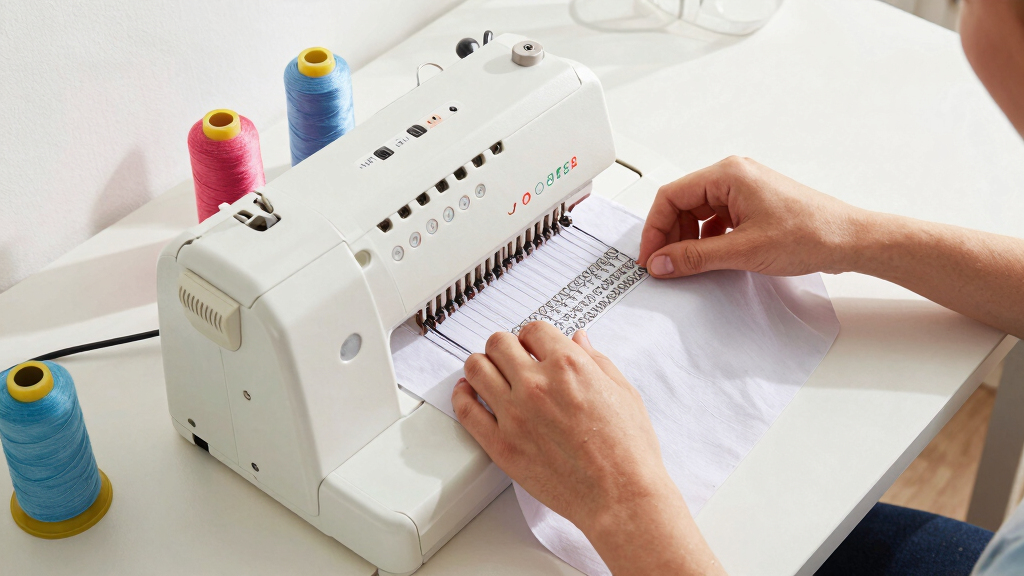
In selecting these embroidery machines, I prioritized models that are specifically designed for beginners, emphasizing intuitive interfaces, straightforward setup, and manageable learning curves. Performance factors like embroidery size, the variety of built-in designs, and connectivity options were essential. Build quality and included accessories also played a role, ensuring the machines are durable and ready to use out of the box. I ranked the options based on overall value, ease of use, versatility, and how well they meet the needs of someone just starting out in embroidery. The top choices strike a balance between affordability and features suitable for learning and creating personalized projects.Factors to Consider When Choosing Best Embroidery Machines For Beginners
Choosing the best embroidery machine for beginners involves more than just looking at features. It’s important to consider how intuitive the machine is to operate, the size of the embroidery area, and the availability of built-in designs to help you get started. Additionally, connectivity options like USB and WiFi can simplify transferring designs. Durability and the quality of included accessories can impact your long-term satisfaction. Understanding these factors helps you avoid common pitfalls, such as buying a machine that’s too advanced or too limited for your needs.Ease of Use and User Interface
For beginners, an intuitive interface with clear instructions is vital. Machines with touchscreens and straightforward menus reduce frustration and speed up the learning process. Avoid options with overly complex controls or steep learning curves, as these can hinder your initial progress and discourage continued use.
Embroidery Area Size
Smaller embroidery areas, like 4×4 inches, are easier to manage and sufficient for small projects and personalizing items. Larger embroidery fields, such as 5×7 inches, provide more creative flexibility but can make setup more complicated. Think about your typical projects and pick a size that balances capability with ease of use.
Built-in Designs and Editing Features
More built-in designs mean less reliance on external sources and faster project start times. Some machines offer editing tools to customize designs directly, which can be a game-changer for beginners wanting to personalize their work. However, a wealth of options can also introduce complexity, so choose a machine whose design library matches your creative ambitions and comfort level.
Connectivity and File Transfer
Wireless and USB connectivity simplify design transfer, especially if you plan to use custom or downloaded patterns. Machines with WiFi or Bluetooth often support mobile apps, making design management more flexible. However, these features sometimes add to the cost and complexity, so consider if you need seamless connectivity for your workflow.
Durability and Included Accessories
Beginners benefit from a machine that offers reliable performance and comes with essential accessories like hoops, threads, and bobbins. Investing in a durable model reduces repair needs and expands your learning potential. Keep in mind that a machine with a good warranty can also provide peace of mind as you develop your skills.
Frequently Asked Questions
Can I upgrade or expand the design library on a beginner embroidery machine?
Many beginner-friendly embroidery machines allow for design expansion through external files via USB or WiFi, but some have limited onboard designs. Upgrading the design library often involves purchasing additional pattern packs or using compatible apps. If expanding your design options is important, choose a machine with easy connectivity and support for downloadable designs to grow your collection over time.
Is a larger embroidery area worth the extra investment for a beginner?
While a larger embroidery area offers more creative flexibility, it also typically costs more and can be more complex to handle initially. For most beginners, a smaller area like 4×4 inches is enough for learning and small projects. If you anticipate working on larger items or want more versatility early on, investing in a machine with a bigger hoop could be beneficial, but weigh this against your comfort level and budget.
How important is automatic thread cutting and threading for beginners?
Features like automatic thread cutting and automatic needle threading significantly streamline the embroidery process, reducing setup time and frustration. These functions are especially helpful when you’re still learning the mechanics of the machine. While they add convenience, they also increase the machine’s cost, so consider whether these features align with your budget and how much you value ease of use.
Should I prioritize a machine with a touchscreen or physical buttons?
A touchscreen generally makes navigating menus and selecting designs more intuitive, which benefits beginners. Physical buttons can be more durable and sometimes easier to operate if you prefer tactile controls. The choice depends on your comfort with technology—if you’re comfortable with touchscreens, they can make the learning process smoother, but if you prefer tactile feedback, look for a model with physical controls.
What maintenance considerations should I keep in mind for my embroidery machine?
Regular maintenance, such as cleaning the bobbin area and oiling moving parts, helps keep your machine running smoothly. Many beginner models are designed for straightforward upkeep, but it’s important to follow the manufacturer’s instructions to prevent issues. Investing in a machine with accessible parts and clear maintenance guides can prolong its lifespan and ensure consistent results.
Conclusion
For those new to embroidery seeking a user-friendly experience, the Brother PE900 offers a balanced mix of size, features, and ease of use, making it the best overall choice. Budget-conscious beginners will find the POOLIN EOC03 provides excellent value with manageable features. If you’re aiming for a premium experience with advanced features and larger embroidery areas, the PooLin EOC06 stands out. For complete novices, models with automatic threading and simple interfaces are ideal, while experienced hobbyists looking for expandability should consider machines with WiFi and larger design libraries. Your choice should align with your skill level, project ambitions, and budget.
Back to school Picks
back to school
As an affiliate, we earn on qualifying purchases.