
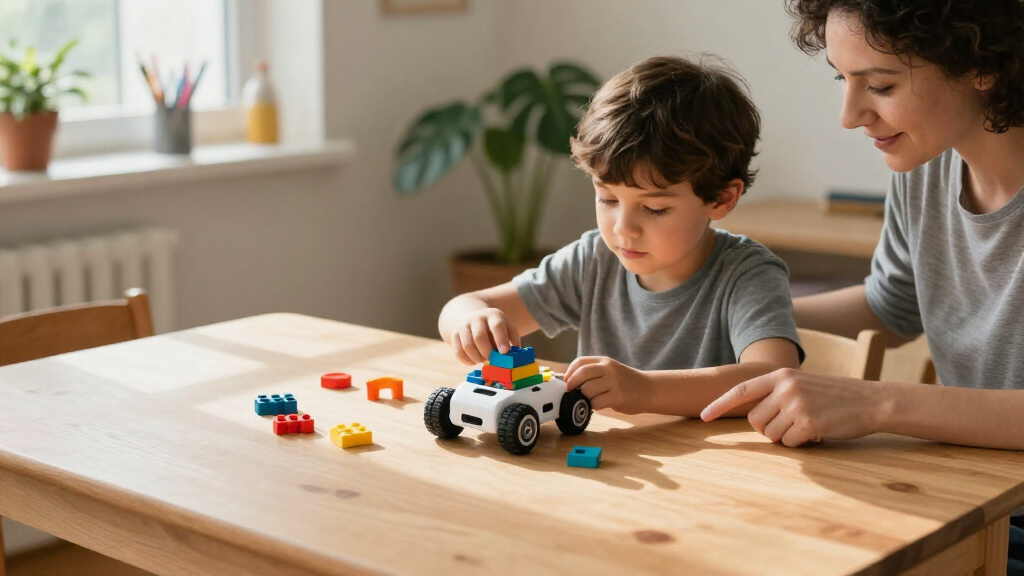
Educational coding robots for kids range from screen-free command toys to programmable building kits, so the right choice depends on a child’s age, patience, and interest in making things. I’d name the Wonder Workshop Dash my best overall pick for its accessible, expandable coding activities; Botley 2.0 stands out for screen-free beginners, while Makeblock mBot suits kids ready to build and program a robot. The main tradeoff is between easy, immediate play and a steeper learning path with more room to customize. Some options focus on drawing, maze-solving, or robotics construction rather than broad coding practice. Read on for the full breakdown and a guide to matching a robot to your child.

Prime made for students and young adults
- Fast, free delivery for dorm and study essentials
- Prime Video and Amazon Music included
- Member-only deals
Key Takeaways
Dash is the roundup’s most balanced choice: it pairs approachable activities with room to extend learning, while simpler screen-free robots are easier to start but offer a narrower path.
Botley 2.0 and Code & Go Robot Mouse make early sequencing tangible without requiring a screen; the mouse set leans toward simple maze challenges, while Botley offers a broader activity format.
mBot, Mech-5, and Codey Rocky suit different kinds of hands-on learners: construction, mechanical movement, and interactive programmable play are not interchangeable experiences.
Artie Max and Sphero Mini make coding visible through movement and drawing, but buyers should choose them for those creative or motion-led activities rather than as the broadest robotics curriculum.
Several products overlap by brand and learning stage, especially the two Botley 2.0 sets and the two Ozobot kits; compare the included activity materials and intended age fit instead of assuming the names indicate identical bundles.
| Thames & Kosmos My Robotic Pet: Coding Chameleon Robotics Kit |  | Best for Screen-Free Building and Biomimicry | Brand: Thames & Kosmos | Recommended age: 8–12 years | Robot length: 15 inches | VIEW LATEST PRICE | See Our Full Breakdown |
| Learning Resources Botley the Coding Robot Activity Set | 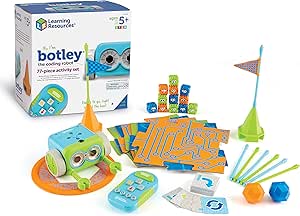 | Best for Young Beginners | Brand: Learning Resources | Recommended age: 5 years and up | Set size: 77 pieces | VIEW LATEST PRICE | See Our Full Breakdown |
| Sphero Mini Green Coding Robot Ball |  | Best for App-Based Coding Progression | Brand: Sphero | Recommended age: 8 years and up | Robot size: Approximately ping-pong-ball-sized | VIEW LATEST PRICE | See Our Full Breakdown |
| Makeblock Codey Rocky Interactive Coding Robot for Kids |  | Best for a Scratch-to-Python Learning Path | Brand: Makeblock | Recommended age: 6 years and up | Programming languages: Scratch and Python | VIEW LATEST PRICE | See Our Full Breakdown |
| Teach Tech Mech-5 STEM Coding Robot Building Kit for Ages 10+ |  | Best for Mechanical Construction | Brand: Teach Tech | Recommended age: 10 years and up | Programming method: Mechanical coding wheel with snap-on coding buttons | VIEW LATEST PRICE | See Our Full Breakdown |
| Educational Insights PYXEL Programmable Coding Robot |  | Best for a Blockly-to-Python Learning Path | Brand: Educational Insights | Model: 1130 | Recommended age: 8–14 years | VIEW LATEST PRICE | See Our Full Breakdown |
| Learning Resources Code & Go Robot Mouse Activity Set | 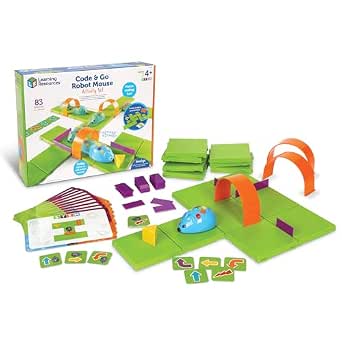 | Best for Preschool Coding Basics | Brand: Learning Resources | Model: LER2831 | Recommended age: 4 years and up | VIEW LATEST PRICE | See Our Full Breakdown |
| Learning Resources Botley 2.0 Coding Robot 46-Piece Set |  | Best Screen-Free Variety for Early Coders | Brand: Learning Resources | Model: LER2941 | Recommended age: 5–8 years | VIEW LATEST PRICE | See Our Full Breakdown |
| MatataStudio VinciBot Coding Robot for Kids Ages 8–12 |  | Best for Advanced STEM Expansion | Brand: MatataStudio | Recommended age: 8 years and up | Programming languages: Block-based programming and Python | VIEW LATEST PRICE | See Our Full Breakdown |
| Ozobot Evo Entry Coding Robot Kit |  | Best for Color-Code-to-Blockly Progression | Brand: Ozobot | Model: Evo Entry Kit | Recommended age: 5 years and up | VIEW LATEST PRICE | See Our Full Breakdown |
| Wonder Workshop Dash Coding Robot for Kids Ages 6+ |  | Best Overall for App-Guided Coding | Recommended age: 6 years and up | App compatibility: Apple iOS, Android OS, Fire OS | Coding concepts: Sequencing, loops, algorithms, variables | VIEW LATEST PRICE | See Our Full Breakdown |
| Ozobot Ozo at Home Interactive STEM Coding Robot Kit for Kids Ages 5+ |  | Best for Step-by-Step Beginners | Recommended age: 5 years and up | Model number: 70101KIT | Activities: 27 guided activities across five learning formats | VIEW LATEST PRICE | See Our Full Breakdown |
| Makeblock mBot Programmable STEM Robot Kit for Kids Ages 8+ | 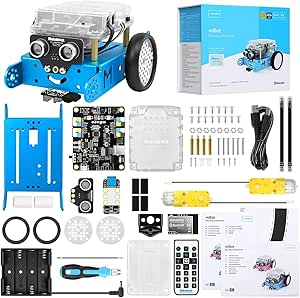 | Best for Building and Robotics | Recommended age: 8 years and up | Model: 90053 | Programming platforms: Scratch, Arduino, mBlock | VIEW LATEST PRICE | See Our Full Breakdown |
| Educational Insights Artie Max Coding and Drawing Robot |  | Best for Creative Coding | Recommended age: 8–14 years | Coding languages: Blockly, Snap!, JavaScript, Python, C++ | Connectivity: Password-protected Wi-Fi; internet connection not required | VIEW LATEST PRICE | See Our Full Breakdown |
| Learning Resources Botley 2.0 Coding Robot Activity Set |  | Best Screen-Free Starter Set | Recommended age: 5–10 years | Set size: 78 pieces | Included components: Coding robot, remote programmer, 40 coding cards, 6 double-sided boards, stackable obstacle pieces | VIEW LATEST PRICE | See Our Full Breakdown |
| educational coding robots for kid | Recommended age | Brand |
|---|---|---|
| Thames & Kosmos My Robotic Pet | 8–12 years | Thames & Kosmos |
| Learning Resources Botley the | 5 years and up | Learning Resources |
| Sphero Mini Green Coding Robot | 8 years and up | Sphero |
| Makeblock Codey Rocky Interact | 6 years and up | Makeblock |
| Teach Tech Mech-5 STEM Coding | 10 years and up | Teach Tech |
| Educational Insights PYXEL Pro | 8–14 years | Educational Insights |
| Learning Resources Code & Go R | 4 years and up | Learning Resources |
| Learning Resources Botley 2.0 | 5–8 years | Learning Resources |
| MatataStudio VinciBot Coding R | 8 years and up | MatataStudio |
| Ozobot Evo Entry Coding Robot | 5 years and up | Ozobot |
| Wonder Workshop Dash Coding Ro | 6 years and up | — |
| Ozobot Ozo at Home Interactive | 5 years and up | — |
| Makeblock mBot Programmable ST | 8 years and up | — |
| Educational Insights Artie Max | 8–14 years | — |
| Learning Resources Botley 2.0 | 5–10 years | — |
More Details on Our Top Picks
Thames & Kosmos My Robotic Pet: Coding Chameleon Robotics Kit
The Coding Chameleon is a strong fit for kids who want to build a characterful robot before programming it. Its colored action cards let children sequence movements without a phone or tablet, while touch and gesture responses, color changes, and a moving tongue make the results feel connected to the chameleon’s animal-inspired design. The 48-page manual adds assembly guidance and introductions to coding and biomimicry, giving the project more learning context than a simple toy robot. Compared with Botley, this kit puts more emphasis on construction and lifelike behavior than on laying out obstacle-course challenges. That comes with a tradeoff: assembly may call for adult help, and the listed components do not include batteries, so families should plan for setup before play.
Pros:- Physical action cards introduce programming without an app or screen.
- Color and infrared sensors support responsive play.
- Three modes combine coding with more open-ended interaction.
- Manual connects assembly to robotics and biomimicry.
Cons:- Assembly may require adult assistance for children in the recommended age range.
- Batteries are recommended but are not listed among the included components.
- The animal-specific build offers a narrower project focus than general-purpose coding robots such as Botley.
Best for: Families with children ages 8–12 who enjoy building animal-inspired models and want a screen-free introduction to sequencing and robotics.
Not ideal for: Kids who want a ready-to-run robot or a wide range of coding challenges without adult help during assembly.
- Brand:Thames & Kosmos
- Recommended age:8–12 years
- Robot length:15 inches
- Sensors:Color sensor and infrared sensor
- Coding method:Physical colored action cards
- Play modes:Coding, Wild, and Pet
- Lighting:RGB LEDs
- Manual:48 pages
Our verdict“Choose the Coding Chameleon for a screen-free build-and-code project with an animal theme, but skip it if you want quick setup or maze-focused activities.”
Learning Resources Botley the Coding Robot Activity Set
For a child starting coding around age five, Botley makes commands tangible: kids use a remote programmer and physical activity pieces to guide the robot through routes they build themselves. Its support for loops, object detection, and black-line following gives beginners room to move from simple directions to more involved sequences without relying on a tablet. The 77-piece set is especially useful for children who learn by arranging obstacles and trying a route again when it fails. Compared with the Coding Chameleon, Botley is less about constructing a robot and more about practicing logic through challenges; compared with the Sphero Mini, it avoids app-based control. The tradeoffs are a less direct path to text-based coding and five AAA batteries that are not included.
Pros:- Remote programmer supports screen-free command sequencing.
- Activity pieces provide materials for mazes and obstacle courses.
- Introduces loops, object detection, and line following.
- Age recommendation makes it accessible to young beginners.
Cons:- Five AAA batteries are required and not included.
- Coding centers on remote-programmed sequences rather than app-based visual or text coding.
- The robot is less build-focused than the Coding Chameleon or Mech-5.
Best for: Families seeking a screen-free first coding robot for children ages five and up who enjoy building routes and solving physical puzzles.
Not ideal for: Older beginners who want an app-based progression to JavaScript or a robot they can assemble and customize.
- Brand:Learning Resources
- Recommended age:5 years and up
- Set size:77 pieces
- Coding method:Screen-free remote programmer
- Included coding cards:40
- Included tiles:6 double-sided tiles
- Robot batteries:3 AAA batteries, not included
- Remote programmer batteries:2 AAA batteries, not included
Our verdict“Pick Botley for a young child’s first screen-free coding challenges, but choose Sphero Mini or Codey Rocky for app-based coding progression.”
Sphero Mini Green Coding Robot Ball
The Sphero Mini suits kids who are ready to use a phone or tablet as part of coding. Its apps offer a progression from drawing a route to drag-and-drop blocks and then JavaScript, so a child can move beyond basic commands without changing robots. The small ball form and included cones and pins make it easy to turn practice into tabletop driving games, while its gyroscope and accelerometer support responsive movement. Unlike Botley, this option depends on a compatible mobile device and companion apps; unlike Codey Rocky, it does not offer a panda-shaped character with expressive reactions or building-block compatibility. Its compact size is convenient, but up to one hour of play per charge can interrupt longer sessions.
Pros:- Coding options range from drawing and blocks to JavaScript.
- Gyroscope and accelerometer support responsive driving.
- Included cones and bowling pins create simple tabletop challenges.
- Compact ball design is easy to use in small play areas.
Cons:- Requires a compatible mobile device and companion apps.
- Play time is listed as up to one hour per charge.
- Small ball form offers less construction and character interaction than Codey Rocky or the Coding Chameleon.
Best for: Families with a compatible mobile device and children ages eight and up who want to progress from visual coding toward JavaScript.
Not ideal for: Screen-free households, children who need longer uninterrupted sessions, or buyers who prefer a robot with a buildable character body.
- Brand:Sphero
- Recommended age:8 years and up
- Robot size:Approximately ping-pong-ball-sized
- Coding options:Drawing, drag-and-drop blocks, and JavaScript
- Control apps:Sphero Play and Sphero Edu
- Sensors:Gyroscope and accelerometer
- Play time:Up to 1 hour
- Included accessories:USB charging cable, 3 mini cones, and 6 mini bowling pins
Our verdict“Choose Sphero Mini for app-based coding that can advance to JavaScript, and skip it if screen-free play or longer sessions matter more.”
Makeblock Codey Rocky Interactive Coding Robot for Kids
Codey Rocky is the clearest choice here for families seeking a path from block coding toward a text-based language: it supports both Scratch and Python. That makes it a more direct progression pick than Botley, whose screen-free remote programming is designed around early command sequences, and a different kind of learning tool from the Coding Chameleon, which centers on building and physical cards. Codey Rocky’s panda-like design, sounds, and expressive emotions can help make coding activities feel playful, while building-block compatibility invites projects beyond the single-robot set. The available product details do not specify the coding app, sensors, or included project materials, so buyers looking for a detailed, ready-made activity collection may want more information before choosing. It is intended for ages six and up.
Pros:- Supports both Scratch and Python.
- Sound effects and expressive emotions add character to coding activities.
- Building-block compatibility supports creative extensions.
- Impact-resistant materials are intended for repeated hands-on use.
Cons:- Coding languages suggest a device-based learning approach rather than screen-free play.
- Listed set is a single robot, with no activity-piece count provided.
- Product details do not specify sensors or included project materials.
Best for: Families with children ages six and up who want one robot to support Scratch projects and later Python exploration.
Not ideal for: Buyers who need screen-free coding, a large included activity set, or detailed information about sensors and project materials.
- Brand:Makeblock
- Recommended age:6 years and up
- Programming languages:Scratch and Python
- Design:Panda-shaped interactive robot
- Interactive features:Sound effects and expressive emotions
- Compatibility:Building-block compatible
- Set:Single robot set
- Warranty:1 year against manufacturer defects
Our verdict“Choose Codey Rocky for a characterful robot with Scratch-to-Python support, but compare the included materials carefully if you want guided activities out of the box.”
Teach Tech Mech-5 STEM Coding Robot Building Kit for Ages 10+
Mech-5 is for older kids who want to understand the mechanism as well as the code. After a multi-hour build, children program actions by snapping buttons onto a mechanical coding wheel, then see commands translate into movements such as lifting, kicking, drawing, or throwing. That hands-on link between sequence and physical action distinguishes it from app-driven options like Sphero Mini and Codey Rocky; it also asks for more patience than Botley, which is ready for route-based play without a long assembly project. The tradeoff is substantial setup time, and its programming method is centered on the coding wheel rather than a progression to Scratch or Python. The age recommendation of 10 and up makes it better suited to children who are ready to work through construction instructions.
Pros:- Assembly introduces construction alongside coding concepts.
- Mechanical coding wheel makes command sequences physically visible.
- Robot can perform varied actions, including lifting, kicking, and drawing.
- Step-by-step English instruction manual is included.
Cons:- Assembly takes multiple hours before the robot is ready for play.
- Designed for ages ten and up, making it less suitable for younger beginners.
- Programming is based on the mechanical wheel rather than Scratch or Python.
Best for: Children ages ten and up who enjoy assembling mechanical projects and learning how programmed sequences control physical actions.
Not ideal for: Younger children, families seeking a robot ready for immediate play, or learners who want app-based block coding and Python.
- Brand:Teach Tech
- Recommended age:10 years and up
- Programming method:Mechanical coding wheel with snap-on coding buttons
- Robot actions:Move forward, move backward, rotate 360 degrees, throw, lift, kick, and draw
- Included components:Assembly parts and English instruction manual
- Skills:Coding, construction, concept development, problem solving, and STEM
- Model number:TTC-895
- Manufacturer warranty:1 year against manufacturer defects
Our verdict“Choose Mech-5 for an older child who wants a substantial build and mechanical coding, but pick Botley for faster, simpler first programming activities.”
Educational Insights PYXEL Programmable Coding Robot
PYXEL stands out for helping kids move from beginner coding to Python without changing robots. Its tutorials guide learners through Blockly and Python, while lights, sounds, expressions, and actions make code results visible and playful. Compared with the screen-free Learning Resources Botley 2.0, PYXEL is better suited to children ready to code on a computer or tablet; Botley asks less of a child’s device setup and focuses on physical programming activities. PYXEL’s password-protected Wi-Fi connection works without internet or an app, which can simplify access, but a Wi-Fi-enabled tablet or computer is still required. The rechargeable battery also avoids routine battery replacement. Its main tradeoff is the narrower age fit: it is designed for ages 8 and up, so younger beginners may be better served by a button-based maze set.
Pros:- Supports both Blockly and Python, letting learners progress without switching robots.
- Built-in tutorials support self-guided practice.
- Lights, sounds, expressions, and actions make program outputs engaging and easy to see.
- Built-in rechargeable battery avoids replacing disposable batteries.
Cons:- Requires a Wi-Fi-enabled tablet or computer for connection.
- Its age guidance of 8 and up makes it a poor fit for preschool learners.
Best for: Families with children ages 8 and up who have access to a Wi-Fi-enabled computer or tablet and want a guided path from Blockly into Python.
Not ideal for: Parents seeking a screen-free first coding toy for preschoolers, or households without a compatible Wi-Fi-enabled device.
- Brand:Educational Insights
- Model:1130
- Recommended age:8–14 years
- Coding languages:Blockly and Python
- Connectivity:Password-protected Wi-Fi; no internet connection or app required
- Power:Built-in rechargeable battery
- Included components:PYXEL coding pet, USB-C cord, Code Activator, and guide
Our verdict“Choose PYXEL for an older child who wants guided Blockly and Python projects, but choose Botley 2.0 for screen-free play.”
Learning Resources Code & Go Robot Mouse Activity Set
Code & Go Robot Mouse is the most direct first step for young, screen-free learners in this group. Children arrange maze pieces, plan a route with coding cards, then enter commands using buttons on Colby the mouse. That physical sequence makes ideas like order and problem-solving tangible before a child faces a coding interface. Compared with Botley 2.0, the mouse set centers on a defined maze-and-route activity, while Botley adds features such as obstacle detection and black-line following for more varied challenges. The 83-piece set gives families or small groups plenty to rearrange, though it also means more pieces to sort and store. Its age range is its strength and its limit: this is a friendly introduction for ages 4 and up, not a long-term coding platform for children ready for Blockly or Python.
Pros:- Screen-free button programming makes sequencing accessible to young beginners.
- Maze grids, walls, tunnels, coding cards, and activity cards support varied route challenges.
- Lights, sounds, and two speeds add feedback during play.
- The maze format works well for paired or small-group activities.
Cons:- Requires three AAA batteries, which are not included.
- The maze parts and cards need storage space and setup.
- Its introductory format is less suited to children seeking text-based or computer-based coding.
Best for: Families, preschool classrooms, and homeschool groups introducing children ages 4 and up to sequencing through hands-on maze play.
Not ideal for: Older children seeking screen-based coding languages, or buyers who want a compact kit with few pieces to store.
- Brand:Learning Resources
- Model:LER2831
- Recommended age:4 years and up
- Set size:83 pieces
- Maze board size:20 x 20 inches
- Robot features:Lights, sounds, and two speeds
- Power:3 AAA batteries, not included
- Included components:Robot mouse, 16 maze grids, 22 maze walls, 3 tunnels, 30 double-sided coding cards, 10 double-sided activity cards, cheese wedge, and Activity Guide
- Warranty:No warranty included
Our verdict“Pick Code & Go for a young child learning routes and sequences through physical play; choose PYXEL or VinciBot for older learners ready for coding software.”
Learning Resources Botley 2.0 Coding Robot 46-Piece Set
Botley 2.0 offers more kinds of screen-free robot challenges than a basic maze toy, including sequence programming, obstacle navigation, and black-line following. The remote programmer and activity pieces let children experiment with instructions and see how Botley responds, while light effects add feedback without requiring a screen. Compared with the Code & Go Robot Mouse Activity Set, Botley is less tied to a single maze format and is better for families who want to vary the activity. The mouse set, by contrast, has a larger 83-piece maze collection and a particularly clear route-planning structure for very young learners. Botley’s main drawbacks are practical: the robot and remote need five AAA batteries in total, and none are included. Its intended ages of 5–8 also make it a starter option rather than a route into Python.
Pros:- Screen-free play introduces programming through hands-on commands.
- Multiple modes include sequences, obstacle challenges, and black-line following.
- The 46-piece set includes a remote, cards, tiles, and activity accessories.
- Light effects and responsive movement help children connect commands to outcomes.
Cons:- Requires five AAA batteries total, which are not included.
- Designed for ages 5–8, limiting its appeal as children advance.
- No manufacturer warranty is specified.
Best for: Families with children ages 5–8 who want a screen-free robot with several styles of coding challenges rather than one fixed maze activity.
Not ideal for: Buyers who want rechargeable power, software-based Blockly or Python, or a kit for older children seeking more advanced coding.
- Brand:Learning Resources
- Model:LER2941
- Recommended age:5–8 years
- Set size:46 pieces
- Coding features:Screen-free coding, obstacle detection, black-line following, and multiple coding modes
- Included components:Robot, remote programmer, cards, tiles, and activity accessories
- Power:5 AAA batteries total: 3 for the robot and 2 for the remote
- Batteries included:No
- Warranty:No manufacturer warranty
Our verdict“Choose Botley 2.0 for varied screen-free challenges for younger children, while Code & Go suits those who prefer a structured maze activity.”
MatataStudio VinciBot Coding Robot for Kids Ages 8–12
VinciBot is the broadest expansion platform in this batch, combining block-based coding and Python with projects tied to robotics, AI, IoT, and TinyML. Eight sensors, preset modes, drawing, and sound give children ways to connect code with physical behavior, while compatibility with LEGO bricks, TECHNIC motors, and third-party electronic modules can extend projects beyond the robot itself. Compared with PYXEL, which offers a more guided Blockly-to-Python pet experience, VinciBot points toward wider engineering projects and hardware exploration. That breadth brings a learning curve: its online project library and tutorials require platform access for some content, and the full kit contents are not specified in the supplied product details. The battery is rated for over four hours per charge, but buyers should check what accessories they need before planning projects.
Pros:- Supports block-based programming and Python, with AI, IoT, and TinyML learning topics.
- Eight sensors and modes for line following, drawing, and remote control support hands-on projects.
- Compatibility with LEGO bricks, TECHNIC motors, and third-party electronic modules allows expansion.
- 1500 mAh battery is rated for over four hours of runtime per charge.
Cons:- Some tutorials and features depend on the online Vinci.MatataStudio platform.
- The supplied product details do not specify the exact full-kit contents.
- Its range of technical topics may be more than a beginner needs.
Best for: Families with children ages 8 and up who want to grow from block coding into Python and explore sensors, robotics, and compatible building components.
Not ideal for: Beginners seeking a clearly specified, ready-to-go accessory bundle, or households that want all learning content available offline.
- Brand:MatataStudio
- Recommended age:8 years and up
- Programming languages:Block-based programming and Python
- Sensors:8
- Battery capacity:1500 mAh
- Runtime:Over 4 hours per charge
- Preset modes:Line following, precision drawing, and IR remote
- Compatibility:LEGO bricks, TECHNIC motors, and third-party electronic modules
- Learning content:17 coding cases in the challenge booklet and over 75 online hands-on cases
Our verdict“Choose VinciBot for an older learner ready to explore expandable robotics and Python; choose PYXEL for a more focused guided coding-pet experience.”
Ozobot Evo Entry Coding Robot Kit
Ozobot Evo makes a distinctive bridge from drawing-based commands to online Blockly: children can start by using color codes with markers, then move to a screen and choose from five Blockly skill levels. The included zip case and charging cable make this a more portable, self-contained starter bundle than Botley 2.0, which is built around remote programming and accessories rather than marker-led coding. Ozobot also lists more than 700 free lessons, giving families a substantial set of activities to draw on. The tradeoff is that its two coding methods have different requirements: color coding can be done without a screen, but Blockly needs a compatible device. One robot may also limit group participation, and unlike PYXEL or VinciBot, the listed learning path does not include Python.
Pros:- Combines screen-free Color Codes with online Blockly programming.
- Five Blockly skill levels give learners room to progress.
- Includes more than 700 free lessons across STEAM, computer science, and core subjects.
- Markers, charging cable, starter activities, and zip case are included.
Cons:- Blockly requires access to a compatible device.
- The kit includes one robot, which can limit activities for groups.
- The listed coding methods do not include Python.
Best for: Families with children ages 5–11 who want to begin with screen-free marker coding and later try guided Blockly lessons on a compatible device.
Not ideal for: Classrooms or siblings needing multiple robots for simultaneous activities, or older learners specifically seeking Python and expandable robotics hardware.
- Brand:Ozobot
- Model:Evo Entry Kit
- Recommended age:5 years and up
- Age range description:5–11 years
- Coding methods:Ozobot Blockly and screen-free Color Codes
- Blockly skill levels:5
- Free lessons:Over 700
- Included components:1 Evo robot, Get Started activities, charging cable, 5 dual-tip Color Code Markers, and zip case
- Battery:Lithium-ion
Our verdict“Choose Ozobot Evo for a portable color-coding starter that can progress to Blockly, but choose VinciBot or PYXEL for a Python-focused path.”
Wonder Workshop Dash Coding Robot for Kids Ages 6+
Dash is the most rounded app-guided pick here for children ready to move beyond simple route planning. Its companion activities introduce sequencing, loops, algorithms, and variables while the robot responds with movement, sounds, and voice reactions, giving abstract ideas a visible result. Compared with Botley 2.0, Dash relies on compatible apps rather than a screen-free remote and cards, but its broader coding concepts make it a stronger fit for continued learning. It also needs no assembly and can run for up to five hours of active play. The tradeoff is that it is indoor-only and has no camera; families seeking a buildable electronics project should look instead at the Makeblock mBot.
Pros:- App activities introduce sequencing, loops, algorithms, and variables.
- Movement, singing, dancing, and voice response make code outcomes easy to see.
- Requires no assembly and includes two building-brick connectors.
- Rechargeable battery supports up to five hours of active play.
Cons:- Designed for indoor use only.
- No camera for image-based or camera-driven activities.
- Coding activities depend on compatible companion apps and a supported device.
Best for: Families with children aged six and up who have an iOS, Android, or Fire OS device and want app-led coding activities that grow from basic sequences to variables.
Not ideal for: Screen-free households, outdoor play, or children whose main goal is assembling a robot and learning electronics.
- Recommended age:6 years and up
- App compatibility:Apple iOS, Android OS, Fire OS
- Coding concepts:Sequencing, loops, algorithms, variables
- Functions:Singing, dancing, obstacle navigation, voice response
- Camera:None
- Active play time:Up to 5 hours
- Included components:Dash robot, two building-brick connectors, USB charging cable
- Use:Indoor
Our verdict“Choose Dash for a versatile app-guided introduction that offers more coding concepts than Botley 2.0, but skip it if screen-free play is a priority.”
Ozobot Ozo at Home Interactive STEM Coding Robot Kit for Kids Ages 5+
Ozo at Home gives beginners a guided route from drawing color-coded paths to writing block-based commands in Ozobot Blockly. Its 27 activities across five learning formats help families structure short sessions, rather than inventing every challenge themselves. That progression is a useful contrast with Botley 2.0, which centers on screen-free routes and remote-programmer commands; Ozo adds a tablet or computer stage for children ready to try visual programming. The tradeoff is that the Blockly portion requires a computer or tablet, so it is not a fully screen-free kit. The product description mentions a protective case, but the listed included components do not confirm one. Compared with Dash, this kit puts more emphasis on guided lessons and color-code-to-block transitions than on a broad set of expressive robot reactions.
Pros:- 27 guided activities provide a clear starting point for home learning.
- Progresses from color-code drawing to Ozobot Blockly.
- Activity formats include sessions of about 10 to 30 minutes.
- Combines coding practice with problem-solving and engineering activities.
Cons:- Ozobot Blockly requires a computer or tablet.
- The listed included components do not confirm the protective case mentioned in the description.
- The supplied product data does not specify robot functions or battery runtime.
Best for: Parents of children aged five and up who want structured, short coding and engineering activities that begin with color markers and progress to block coding.
Not ideal for: Families seeking a screen-free-only experience or buyers who need confirmed details about every accessory, including the described protective case.
- Recommended age:5 years and up
- Model number:70101KIT
- Activities:27 guided activities across five learning formats
- Programming methods:Color codes and Ozobot Blockly
- Learning objectives:Coding skills and STEM
- Included components listed:Ozo at Home robot and charging cable
- Dimensions:9 x 7.5 x 2 inches
Our verdict“Pick Ozo at Home for a structured beginner pathway from marker coding to Blockly, but choose Botley 2.0 if you want to keep coding screen-free.”
Makeblock mBot Programmable STEM Robot Kit for Kids Ages 8+
mBot is the pick for children who want to build before they code. The roughly 15-minute assembly introduces the robot as a hands-on electronics project, while Scratch, mBlock, and Arduino offer paths from visual programming toward more advanced control. Its line-following and obstacle-avoidance functions give code a practical job, and compatibility with Makeblock add-ons and LEGO parts leaves room for custom builds. That makes it a more construction-focused choice than Dash, which arrives ready to use and puts more emphasis on app activities and expressive reactions. The added flexibility comes with extra setup: mBot needs four AA batteries plus a CR2025 for its remote, and neither is included. It is also better suited to older beginners than Botley 2.0, whose card-based screen-free play is simpler to start.
Pros:- Combines robot assembly with coding and electronics learning.
- Supports Scratch, mBlock, and Arduino programming.
- Line following, obstacle avoidance, and remote control give programs practical outcomes.
- Compatible with Makeblock add-on packs and LEGO parts.
Cons:- Requires four AA batteries and one CR2025 battery, none included.
- Assembly and platform choices may be more involved than a ready-to-play beginner robot.
- The product data does not specify battery runtime.
Best for: Families with children aged eight and up who enjoy assembling projects and want a route from Scratch-style coding toward Arduino and electronics.
Not ideal for: Younger beginners looking for immediate screen-free play, or households that do not want to supply and replace separate batteries.
- Recommended age:8 years and up
- Model:90053
- Programming platforms:Scratch, Arduino, mBlock
- Robot functions:Line following, obstacle avoidance, remote control
- Assembly time:About 15 minutes
- Robot batteries:4 AA batteries, not included
- Remote controller battery:1 CR2025 battery, not included
- Compatibility:Makeblock add-on packs and LEGO parts
Our verdict“Choose mBot when building and expanding a programmable robot matter more than immediate play; choose Dash for a ready-to-use, app-guided experience.”
Educational Insights Artie Max Coding and Drawing Robot
Artie Max turns a coding lesson into a drawing activity, making it a distinct option for children who would rather create a design than guide a robot through a maze. Built-in tutorials span Blockly, Snap!, JavaScript, Python, and C++, giving learners several ways to progress beyond the introductory stage. Its direct, password-protected Wi-Fi connection does not require internet access, a useful distinction from app-centered options such as Dash. However, Artie still needs a Wi-Fi-enabled tablet or computer, and its output is focused on drawing rather than the navigation and reactive play offered by Botley 2.0. The included three markers get a first project underway, but limit color choice until additional markers are supplied. This is a better fit for creative, device-ready learners than for families seeking screen-free coding.
Pros:- Connects coding with visible drawing projects.
- Built-in tutorials cover Blockly, Snap!, JavaScript, Python, and C++.
- Direct password-protected Wi-Fi connection works without internet access.
- Rechargeable battery and interchangeable markers support repeat projects.
Cons:- Requires a Wi-Fi-enabled tablet or computer.
- Only three colored markers are included.
- Drawing is its central activity, so it offers a different kind of play from route-programming robots such as Botley 2.0.
Best for: Families with children aged 8–14 who enjoy art and want to progress from block coding toward text-based languages using a tablet or computer.
Not ideal for: Screen-free households, children who prefer robot navigation challenges, or buyers expecting a wide selection of colors in the box.
- Recommended age:8–14 years
- Coding languages:Blockly, Snap!, JavaScript, Python, C++
- Connectivity:Password-protected Wi-Fi; internet connection not required
- Power:Rechargeable battery
- Included accessories:Three interchangeable colored markers, micro-USB cord, sticker sheet, guide booklet
- Product type:Coding and drawing robot
- Warranty:1 year against manufacturer defects
Our verdict“Choose Artie Max for a creative path into several coding languages, but pick Botley 2.0 if screen-free route challenges are the goal.”
Learning Resources Botley 2.0 Coding Robot Activity Set
Botley 2.0 is the clearest choice for screen-free coding practice among these five. Children send commands with a remote programmer and coding cards, then build routes using boards and obstacles; lights, sounds, object sensing, and 45-degree turns make the robot’s responses part of the lesson. The 78-piece set provides more physical challenge-building than Dash, which uses companion apps, and avoids the tablet requirement found in Artie Max. That simplicity has limits: children must arrange each activity and plan command sequences themselves, so adults may need to help set up early challenges. It also does not offer the app-based coding languages or electronics-building path of Dash or mBot. The lack of a manufacturer warranty is another drawback for a set centered on repeated hands-on use.
Pros:- Screen-free programming uses a remote programmer and coding cards.
- 78 pieces support custom routes, boards, and obstacle layouts.
- Challenges can progress from simple routes to multi-step sequences.
- Lights, sounds, music, object sensing, and secret code combinations add varied responses.
Cons:- Children must arrange pieces and plan command sequences for each activity.
- No manufacturer warranty is listed.
- Does not provide the app-based coding languages available with Dash, Artie Max, or mBot.
Best for: Families with children aged five to ten who want a hands-on, screen-free introduction built around routes, coding cards, and physical obstacles.
Not ideal for: Learners ready for app-based or text-language coding, or families who prefer guided digital lessons and a listed manufacturer warranty.
- Recommended age:5–10 years
- Set size:78 pieces
- Included components:Coding robot, remote programmer, 40 coding cards, 6 double-sided boards, stackable obstacle pieces
- Coding format:Screen-free coding
- Movement:45-degree turns
- Other features:Lights, sounds, music, object sensing, 16 secret code combinations
- Warranty:No warranty
Our verdict“Choose Botley 2.0 for physical, screen-free route coding, but look to Dash or mBot when app-based progression or deeper programming platforms matter.”
How We Picked
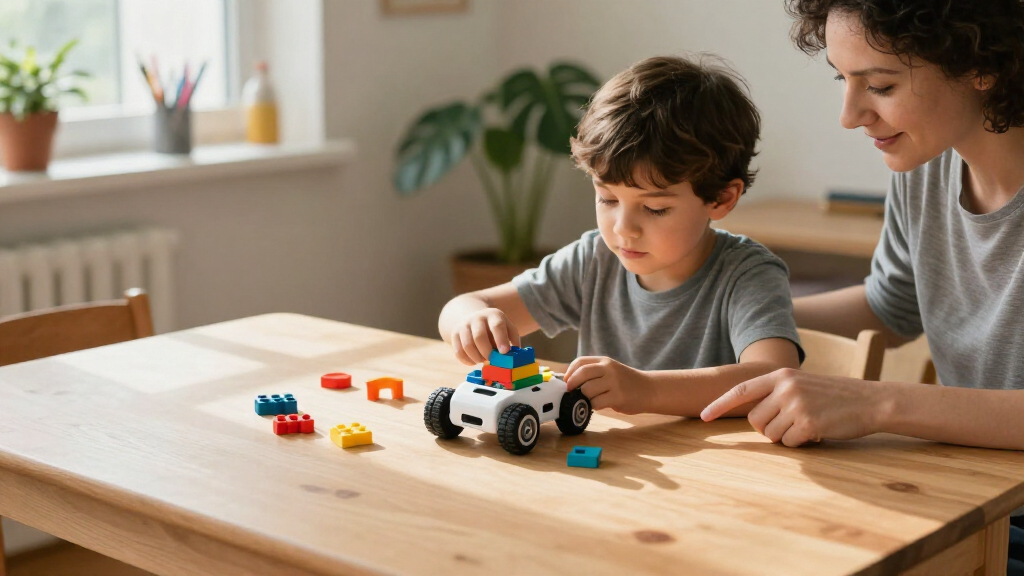
I compared these educational coding robots for kids by the learning experience they offer, not by feature count alone. The main criteria were age and skill fit, how clearly a child can progress from a first activity to more complex tasks, whether coding is screen-free or app-based, and how much the robot encourages experimentation. I also considered setup demands, the role of included activity pieces, and whether the central experience—such as building, drawing, maze-solving, or controlling movement—makes coding concepts understandable to a child.
The ranking gives priority to versatility and a usable learning path, which is why Dash leads for families seeking one adaptable choice. Screen-free options rank well for younger beginners but sit lower when their activity range is more focused. Build kits and app-centered robots can offer greater depth, yet they ask more of a child and caregiver, so they are stronger fits for specific interests than universal first picks. Closely related versions are distinguished by their stated bundle and positioning rather than treated as entirely different learning categories.
Factors to Consider When Choosing Educational Coding Robots For Kids
The best choice is the one a child will return to after the first activity. I’d match the robot’s coding method, challenge level, and setup to the learner, then check what the kit actually lets them do without extra materials or adult help.
Match the Coding Interface to the Child
Young learners often benefit from commands they can see and arrange, while older children may be ready to type or work through app-based lessons. A screen-free setup can make sequencing feel concrete, but it may not teach the same range of programming skills as a robot paired with software. Avoid choosing by age label alone: confidence with reading, following multi-step directions, and using a tablet can matter just as much. If a child gets frustrated by menus, a feature-rich app may slow down the learning rather than deepen it. For a first robot, prioritize a clear path from a simple command to a small challenge the child can solve independently.
Decide Whether Building Is Part of the Goal
Some kits make construction a core part of the activity; others let children begin coding soon after unpacking. Building can teach how motors, structure, and movement relate, but it also adds time and possible frustration before the first successful program. Ask whether the child enjoys assembling models or mainly wants to direct a robot’s actions. A kit with physical construction is not automatically more educational if the learner loses interest before programming begins. For mixed-age families, consider whether the build process invites collaboration or leaves younger children relying on an adult for most steps.
Look for a Progression, Not Just a First-Day Activity
A robot can be engaging at first and still run out of useful challenges quickly. Before choosing, check whether activities grow from basic commands into loops, conditionals, problem-solving, or open-ended projects. Open-ended play supports experimentation, while guided challenges can help a child who does not know what to try next. The best balance depends on whether the learner prefers a clear task or inventing their own goals. A common mistake is to buy the most advanced option available, when a gentler learning curve would make repeated practice more likely.
Check What the Kit Requires at Home
Setup needs can shape how often a robot gets used: some activities rely on a compatible device, an app, or a reliable place to drive the robot. Screen-free sets reduce device dependence, but they still need room for movement and may rely on cards, tiles, or other small pieces. Look into whether the core activities are available right away or depend on downloads and additional supplies. Also think about storage; a kit with many components can be harder to keep together than a compact robot. Choose for the household’s actual play space and device habits, not an imagined ideal setup.
Choose a Learning Theme the Child Already Likes
Coding becomes easier to revisit when it connects to an existing interest. A child drawn to art may respond to a robot that draws, while a builder may prefer a kit where assembly and mechanics shape the result. Movement-focused options can appeal to learners who like steering, racing, or testing how a robot reacts. These themes are useful entry points, but they can narrow the experience if the child expects a wider range of coding activities. Start with the interest that is most likely to hold attention, then decide whether a focused theme or a more versatile robot fits better.
Compare Bundles Before Buying Similar Models
Names that differ only by “set” or “activity set” can make it hard to tell whether two listings offer distinct robots or different included materials. Compare the stated contents, activity count, and any accessories rather than assuming a larger piece count means a richer coding experience. Extra components are useful when they support new challenges; otherwise, they can add clutter without changing what a child learns. The same check matters for entry kits from the same brand, where the robot may be similar but the intended age or included guidance differs. If two options appear close, choose the one whose activities better match the learner’s next step.
Frequently Asked Questions
Should I choose a screen-free robot or one that uses an app?
I’d choose screen-free for a child who is just learning sequences or who benefits from hands-on commands they can move around. App-based robots can offer a wider progression and more detailed programming, but they add device setup and on-screen time. The best choice is not automatically the one with more software; it is the one the child can use consistently and with an appropriate level of help. If you are unsure, think about whether the child enjoys tablet activities and can follow app instructions without an adult managing every step.
Is a robot-building kit a good first coding toy?
It can be, especially for a child who already likes assembling models and wants to learn how a robot works. The tradeoff is that construction can delay the first coding activity and may require adult assistance. A ready-to-use robot can provide quicker feedback for a beginner who mainly wants to give commands and see what happens. If the child is interested in both building and programming, look for a kit with a clear starting activity after assembly, rather than choosing based on the number of parts alone.
How can I tell whether a robot will hold a child’s interest beyond the first week?
Look for a meaningful next step after the introductory challenges, such as combining commands, changing a robot’s behavior, or creating an original project. A robot with only one style of activity may still be a good match if that theme strongly interests the child, but it is less likely to suit a learner who wants varied tasks. Check whether activities encourage experimentation or mainly ask the child to copy instructions. You can also match the robot to an existing interest—drawing, building, or movement—so the coding has a reason to matter.
What should I check before choosing between two kits from the same brand?
Compare the intended age and skill level, the exact included pieces, and whether the activities differ or only the bundle size changes. A larger set is useful when its extra materials create new challenges, not simply because it contains more components. Check whether an app, tablet, or other household item is needed to access the main learning activities. For overlapping Botley 2.0 and Ozobot options in this roundup, I would pay close attention to the named set and its activity contents before deciding. That comparison helps avoid paying for extras a child is unlikely to use.
When is it worth choosing a more advanced robot instead of a beginner model?
A more advanced option makes sense when the child already understands basic sequencing and wants to build, customize, or write more detailed programs. It may also be a better match for a learner who enjoys troubleshooting and can stick with a challenge when the first attempt fails. For a first-time coder, added complexity can create setup friction without improving the experience. Consider the child’s current skills and interest in the robot’s specific activity style, then choose a model with a manageable next step rather than the most advanced one on the list.
Conclusion
For most families, I recommend Wonder Workshop Dash as the best overall because it offers a balanced entry point with room to grow. For best value in screen-free learning, consider Botley 2.0; for the youngest beginners who need simple sequencing, Code & Go Robot Mouse is a focused alternative. For a premium, build-oriented experience, look at Makeblock mBot, while Mech-5 suits children especially interested in mechanical construction. Choose Artie Max for drawing-led creativity, Sphero Mini for motion-focused play, or an Ozobot for a compact route into coding activities. If a child is ready for a more interactive programming experience, Codey Rocky or VinciBot may fit better than a basic command robot. The right pick is the one whose challenge level and theme make a child want to keep experimenting.