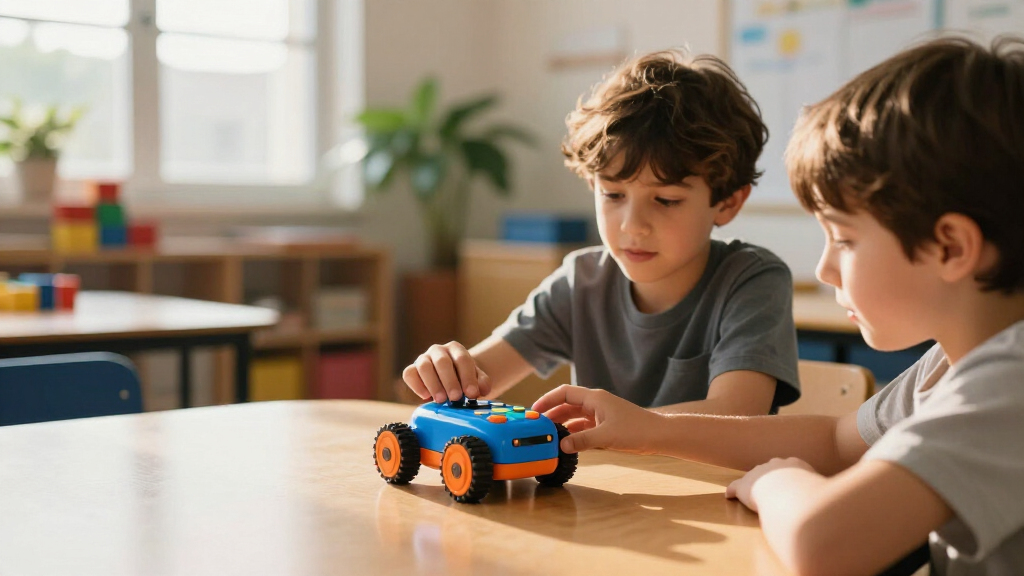

Educational coding robots for kids range from screenless toys for preschoolers to build-it-yourself kits for pre-teens, and the right pick depends mostly on your child’s age and how much screen time you’re comfortable with. The Makeblock mBot earns my best overall spot because it combines hands-on building with real block-based programming that grows with a child for years. For younger kids, the Learning Resources Botley 2.0 teaches sequencing and logic entirely without a screen, while the Sphero Mini packs genuine app-based coding into an affordable, pocket-sized ball. The main tradeoff in this category is simplicity versus longevity: screenless robots are gentle on young attention spans but get outgrown, whereas app- and kit-based robots keep teaching longer but demand more setup and supervision. Read on for the full breakdown of all 14 picks.

Prime made for students and young adults
- Fast, free delivery for dorm and study essentials
- Prime Video and Amazon Music included
- Member-only deals
Key Takeaways
- Age fit mattered more than any single feature: screenless robots like Botley, indi, and the Code & Go Mouse dominated for ages 4-7, while mBot, PYXEL, and Artie 3000 offered real staying power for ages 8+.
- The three Botley variants (original, 2.0, and the 2.0 Activity Set) are nearly identical robots — the difference is accessories, so choosing between them is really a question of how many play extras you want in the box.
- Screen-free coding is the biggest differentiator in this lineup: five of the 14 robots (Botley family, indi, Code & Go Mouse) work with no tablet or phone at all, a deciding factor for many parents of young children.
- Robots that pair coding with a creative output — Artie 3000 drawing, the Coding Chameleon building, PYXEL’s pet tricks — held interest longer in this category than pure movement-based robots at the same age level.
- Sphero‘s two entries split along a clear line: indi is the better teaching tool for beginners, while the Sphero Mini is the better value for kids who already own a tablet and want app programming immediately.
| Makeblock mBot Programmable Robotics Kit for Kids Ages 8–12 |  | Best Overall | Brand: Makeblock | Model: 90053 | Recommended age: 8 years and up | VIEW LATEST PRICE | See Our Full Breakdown |
| Learning Resources Switcheroo Coding Crew |  | Best for Preschoolers | Brand: Learning Resources | Age range: 4–6 years | Robot modes: Code Mode and Play Mode | VIEW LATEST PRICE | See Our Full Breakdown |
| Sphero Mini Green Coding Robot Ball |  | Best Compact Pick | Color: Green | Size: Ping-pong-ball-sized | Sensors: Gyroscope and accelerometer | VIEW LATEST PRICE | See Our Full Breakdown |
| Educational Insights PYXEL Coding Robot |  | Best for Learning Real Code | Recommended age: 8 years and up | Coding languages: Blockly, Python | Connectivity: Password-protected Wi-Fi; no internet or app required | VIEW LATEST PRICE | See Our Full Breakdown |
| Learning Resources Botley 2.0 Coding Robot |  | Best Screen-Free Value | Brand: Learning Resources | Age range: 5 and up | Coding sequence length: Up to 150 steps | VIEW LATEST PRICE | See Our Full Breakdown |
| Sphero indi Screenless Coding Robot Learning Kit |  | Best for Preschoolers | Brand: Sphero | Age Range: 4+ (manufacturer: 4–12 years) | Model Number: 980-0528 | VIEW LATEST PRICE | See Our Full Breakdown |
| Clementoni Super DOC Educational Coding Robot |  | Best for Story-Driven Play | Brand: Clementoni | Model: 55379 | Recommended Age: 5 years | VIEW LATEST PRICE | See Our Full Breakdown |
| Learning Resources Botley 2.0 Coding Robot Activity Set |  | Best Screen-Free Play Set | Piece Count: 78 | Included Components: Robot, remote programmer, 40 coding cards, 6 double-sided boards, stackable obstacles | Coding Method: Remote programmer and coding cards | VIEW LATEST PRICE | See Our Full Breakdown |
| Ozobot Evo Coding Robot Kit |  | Best for Long-Term Skill Growth | Included Items: Evo robot, 5 dual-tip Color Code Markers, Get Started guide, hard-shell zip case | Coding Methods: Screen-free Color Codes and Ozobot Blockly | Blockly Skill Levels: 5 | VIEW LATEST PRICE | See Our Full Breakdown |
| Wonder Workshop Dash Coding Robot for Kids Ages 6+ |  | Best App-Based Coding Platform | Brand: Wonder Workshop | Recommended Age: 6 years and up | Battery Life: Up to 5 hours of active play | VIEW LATEST PRICE | See Our Full Breakdown |
| Learning Resources Botley the Coding Robot |  | Best Screen-Free Starter Pick | Recommended age: 5 years and up | Programming capacity: Up to 80 steps | Coding concepts: Sequencing, loops, and if/then logic | VIEW LATEST PRICE | See Our Full Breakdown |
| Thames & Kosmos My Robotic Pet: Coding Chameleon STEM Kit |  | Best Build-It-Yourself Option | Length: 15 inches | Play modes: Coding, Wild, Pet | Sensors: Color sensor, infrared sensor | VIEW LATEST PRICE | See Our Full Breakdown |
| Learning Resources Code & Go Robot Mouse |  | Best Value and Best for Preschoolers | Recommended age: 4 years and up | Included items: Robot mouse, 30 double-sided coding cards, activity guide | Features: Lights, sounds, 2 speeds | VIEW LATEST PRICE | See Our Full Breakdown |
| Educational Insights Artie 3000 Coding and Drawing Robot |  | Best for Creative Coders and Real Languages | Brand: Educational Insights | Model: Artie 3000 | Recommended Age: 7–12 years | VIEW LATEST PRICE | See Our Full Breakdown |
| educational coding robots for kid | Recommended age | Brand |
|---|---|---|
| Makeblock mBot Programmable Ro | 8 years and up | Makeblock |
| Learning Resources Switcheroo | — | Learning Resources |
| Sphero Mini Green Coding Robot | — | — |
| Educational Insights PYXEL Cod | 8 years and up | — |
| Learning Resources Botley 2.0 | — | Learning Resources |
| Sphero indi Screenless Coding | — | Sphero |
| Clementoni Super DOC Education | 5 years | Clementoni |
| Learning Resources Botley 2.0 | — | — |
| Ozobot Evo Coding Robot Kit | Not specified in description | — |
| Wonder Workshop Dash Coding Ro | 6 years and up | Wonder Workshop |
| Learning Resources Botley the | 5 years and up | — |
| Thames & Kosmos My Robotic Pet | 8+ with adult help; 12+ for independent play | — |
| Learning Resources Code & Go R | 4 years and up | — |
| Educational Insights Artie 300 | 7–12 years | Educational Insights |
More Details on Our Top Picks
Makeblock mBot Programmable Robotics Kit for Kids Ages 8–12
The mBot earns the top spot because it teaches the full robotics stack — building, electronics, and real coding — rather than just one of them. Assembly takes about 15 minutes, and from there kids can move from Scratch drag-and-drop blocks to Arduino, which is a genuine pathway into text-based programming that screen-free options like the Botley 2.0 simply can’t offer. The included line-following and obstacle-avoidance modes give it play value before a single line of code is written. Compared with the PYXEL, which focuses purely on coding syntax, the mBot adds hands-on construction and expandability through Makeblock add-on packs and LEGO compatibility. The tradeoffs: batteries aren’t included, and the deeper projects really require buying extra modules over time.
Pros:- Teaches construction, electronics, and coding across Scratch and Arduino
- Quick 15-minute build keeps first-timers engaged
- Line-following, obstacle avoidance, and remote-control play out of the box
- Expandable with Makeblock add-ons and LEGO parts
Cons:- Requires 4 AA batteries and a CR2025 battery, none included
- Expanded projects require purchasing additional modules
Best for: Kids ages 8–12 who are ready to build, wire, and code a real robot with room to grow for years
Not ideal for: Parents wanting a complete out-of-box experience — batteries aren’t included and serious expansion costs extra
- Brand:Makeblock
- Model:90053
- Recommended age:8 years and up
- Assembly time:About 15 minutes
- Programming platforms:Scratch and Arduino
- Robot batteries:4 AA batteries (not included)
- Remote battery:1 CR2025 battery (not included)
- Compatibility:Makeblock add-on packs and LEGO parts
Our verdict“The most complete learning package here — ideal for a first serious robotics kit that scales with your child’s skills.”
Learning Resources Switcheroo Coding Crew
For the youngest coders in this lineup, the Switcheroo Coding Crew gets the fundamentals right: zero screens, zero reading required. Kids push buttons on the robot to program rescue missions across a puzzle town map, which teaches sequencing and logic through storytelling rather than syntax. The three swappable vehicle shells add variety that keeps four-year-olds invested. Compared with the Botley 2.0, which targets ages 5 and up with longer 150-step sequences, the Switcheroo is intentionally simpler — and that’s its strength for the 4–6 crowd. Its Code Mode and Play Mode let children toggle between structured challenges and free driving. The downsides are real, though: it eats AAA batteries that aren’t included, and kids will age out of it faster than they would a platform like the mBot.
Pros:- Completely screen-free hands-on coding play
- Rescue-mission format teaches sequencing through storytelling
- Three vehicle shells and 46 pieces add replay variety
- Lights and sounds keep young kids engaged
Cons:- Requires AAA batteries that are not included
- Narrow 4–6 age range limits how long it stays useful
Best for: Ages 4–6 who are too young for app-based coding but ready for sequencing and logic puzzles
Not ideal for: Kids over 6 or families wanting longevity — the challenge set is quickly outgrown
- Brand:Learning Resources
- Age range:4–6 years
- Robot modes:Code Mode and Play Mode
- Vehicle shells:3
- Activity set:46 pieces
- Power:AAA batteries (not included)
- Model number:LER3108
- Warranty:No manufacturer warranty
Our verdict“A gentle, screen-free first coding toy for preschoolers — buy it for the story-driven missions, not for long-term growth.”
Sphero Mini Green Coding Robot Ball
The Sphero Mini wins on portability and range of coding languages: kids can start by drawing paths, graduate to drag-and-drop blocks, and eventually write real JavaScript — a progression no other compact robot in this lineup matches. At ping-pong-ball size with a gyroscope, accelerometer, and LED lights, it turns any tabletop into a coding playground, and the included cones and bowling pins support immediate obstacle-course and arcade-style play. Compared with the mBot, it sacrifices construction and hardware tinkering for sheer convenience — there’s nothing to build, which some kids will love and others will miss. The standout drawback is battery life: roughly one hour of play per charge, which means frequent recharging during longer sessions.
Pros:- Progresses from drawing and blocks to real JavaScript
- Truly pocket-sized for travel and classroom sharing
- Includes cones and bowling pins for instant physical games
- Gyroscope and accelerometer enable motion-based coding
Cons:- Only about 1 hour of play time per charge
- No construction or hardware-building component
Best for: Families and classrooms that want a pocket-sized robot with a clear path from beginner blocks to JavaScript
Not ideal for: Long play sessions or kids who want to build and modify hardware — runtime is short and nothing is constructible
- Color:Green
- Size:Ping-pong-ball-sized
- Sensors:Gyroscope and accelerometer
- Lighting:Colorful LED lights
- Coding methods:Drawing, drag-and-drop blocks, and JavaScript
- Included accessories:3 traffic cones and 6 bowling pins
- Play time:About 1 hour
- Apps:Sphero Edu and Sphero Play
Our verdict“The best grab-and-go option for learning genuine programming languages without a build kit.”
Educational Insights PYXEL Coding Robot
PYXEL stands out as the most focused text-based coding teacher in this group. Its built-in tutorials walk kids from Blockly to Python, making it one of the few options here that introduces a language used professionally in science and engineering. The connectivity approach is clever: it creates a password-protected Wi-Fi link to a tablet or computer with no internet and no app download, which works well in homes or classrooms with strict network restrictions. Compared with the Sphero Mini’s JavaScript path, PYXEL’s guided tutorials make the learning curve gentler and more self-directed. It also includes a rechargeable battery, unlike the battery-hungry Botley 2.0. The catch: a Wi-Fi-enabled tablet or computer is required, so it’s not a standalone toy, and the robot itself doesn’t move like a car or ball.
Pros:- Teaches both Blockly and Python with built-in tutorials
- Works without internet or any app download
- Rechargeable battery and USB-C cord included
- Responds with lights, sounds, colors, and actions for feedback
Cons:- Requires a Wi-Fi-enabled tablet or computer to operate
- Stationary design lacks the driving appeal of wheeled robots
Best for: Kids 8+ ready to move beyond blocks into Python with structured, self-guided lessons
Not ideal for: Households without a spare tablet or computer, or kids who want a driving, roving robot
- Recommended age:8 years and up
- Coding languages:Blockly, Python
- Connectivity:Password-protected Wi-Fi; no internet or app required
- Power:Built-in rechargeable battery
- Included accessories:USB-C cord, Code Activator, guide
- User interface:Built-in
Our verdict“The clearest on-ramp to real Python for kids who’ve outgrown block coding but still want a fun robot companion.”
Learning Resources Botley 2.0 Coding Robot
Botley 2.0 makes the list because it delivers substantial screen-free coding depth at a mid-range price point. Sequences of up to 150 steps via the remote programmer mean kids plan genuinely long programs — far more than the simple push-button missions of the Switcheroo Coding Crew — and the 77-piece activity set plus 16 interactions (movement in six directions, color coding, lights, sounds) provide weeks of structured challenges. It’s the sweet spot for ages 5 and up: more capable than preschool toys but free of the screens and accounts required by the Sphero Mini or PYXEL. Tradeoffs are practical rather than conceptual: it needs five AAA batteries, setup requires a Phillips screwdriver, and there’s no manufacturer warranty.
Pros:- Completely screen-free with sequences up to 150 steps
- 77-piece activity set supports extended STEM challenges
- 16 interactions including six-direction movement and color coding
- No apps, accounts, or internet needed
Cons:- Requires 5 AAA batteries not stated as included
- Phillips screwdriver needed for battery setup
- No manufacturer warranty
Best for: Ages 5–8 in screen-limited homes who want long, complex coding sequences without any device
Not ideal for: Older kids ready for text-based coding, or anyone wanting a rechargeable robot
- Brand:Learning Resources
- Age range:5 and up
- Coding sequence length:Up to 150 steps
- Interactions:16
- Activity set:77 pieces
- Movement:Six directions
- Batteries:5 AAA batteries (3 robot, 2 remote)
- Screen-free:Yes
- Warranty:No warranty
Our verdict“The strongest screen-free option for elementary-age kids who want real programming depth without a tablet.”
Sphero indi Screenless Coding Robot Learning Kit
Sphero indi stands out as the most genuinely screen-optional entry point in this lineup for the youngest coders. Kids drive it using physical color cards, which means a four-year-old who can’t yet read can still build mazes, experiment with sequencing, and grasp cause and effect — something Wonder Workshop Dash, with its app-first design and 6+ age floor, simply cannot offer. Compared with the Code & Go Robot Mouse, indi adds a growth path: once card-based logic clicks, the free Sphero Edu Jr app introduces drag-and-drop coding on top of the same toy. The tradeoff is real, though. The card system is brilliant for basics but finite in complexity, and unlocking the app layer requires a compatible tablet or phone that not every family has handy.
Pros:- Fully functional screen-free coding with physical color cards
- Accessible to pre-readers as young as four
- Grows from card coding into drag-and-drop app programming
- Teaches sequencing, directions, and cause and effect through maze play
Cons:- App-based coding requires a separate compatible device
- Card-based logic ceiling is low for kids past early elementary age
Best for: Parents of pre-readers ages 4–6 who want a coding toy that works day one without any screen
Not ideal for: Families avoiding tablets entirely — the drag-and-drop coding half of the product is locked behind a compatible device
- Brand:Sphero
- Age Range:4+ (manufacturer: 4–12 years)
- Model Number:980-0528
- Coding Method:Color cards read by on-board sensor
- App Support:Sphero Edu Jr (drag-and-drop)
- Screen Required:No for card coding; yes for app coding
Our verdict“The right first coding robot for households with a four- or five-year-old, especially those happy to add tablet coding later.”
Clementoni Super DOC Educational Coding Robot
Most robots in this roundup teach coding as engineering; Super DOC teaches it as storytelling. By transforming into a dragon, wizard, fairy, or gentleman, it folds logic and sequencing into imaginative narrative play — a hook for kids who bounce off the more task-oriented framing of Botley 2.0‘s maze boards or Sphero indi’s cards. This model makes the most sense for children whose play is character-driven, since the costume changes give coding exercises a reason to exist. The compromises are hard to ignore, however. The interface is Spanish-language, which limits its fit for English-speaking households, and it runs on a single A battery with no rechargeable option, adding long-term cost and friction compared with USB-charging robots like Dash.
Pros:- Blends coding fundamentals with imaginative, character-based play
- Four transformable characters keep the toy feeling fresh
- Gradual difficulty progression suits young beginners
- Lightweight and easy for small children to handle
Cons:- Spanish-language product, creating a real barrier for non-Spanish speakers
- Disposable A battery instead of rechargeable power
Best for: Bilingual or Spanish-speaking families with kids around age 5 who blend pretend play with learning
Not ideal for: English-only households — the Spanish interface makes the guided coding activities frustrating to follow
- Brand:Clementoni
- Model:55379
- Recommended Age:5 years
- Character Options:Dragon, wizard, fairy, gentleman
- Language:Spanish
- Battery Requirement:1 A battery
- Use Environment:Indoor
- Weight:0.5 kg
Our verdict“A charming pick for Spanish-speaking families, but the language barrier makes it a niche choice in an English-language lineup.”
Learning Resources Botley 2.0 Coding Robot Activity Set
Where Sphero indi sells a robot and Botley 2.0 alone sells a robot, this 78-piece Activity Set sells an entire screen-free coding curriculum in a box. The boards, obstacles, and 40 coding cards let kids build progressively harder challenges — from simple straight routes to multi-step paths with 45° turns — without ever touching a tablet, which positions it as the stronger pick for screen-limited households compared with app-dependent options like Dash or the Ozobot Evo. Object sensing and 16 secret code combinations give it hidden depth that keeps the toy interesting past the first week. The downsides: it needs real floor space to shine, so apartment families may struggle, and Learning Resources doesn’t state a recommended age on the listing, leaving parents to gauge difficulty fit themselves.
Pros:- 78 pieces include boards, obstacles, and coding cards for endless custom challenges
- Completely screen-free — no app or device ever required
- Progressive difficulty from simple routes to multi-step sequences
- Object sensing, sounds, and secret codes add replay depth
Cons:- Requires significant floor space for boards and obstacle courses
- No stated recommended age range in the product listing
Best for: Screen-cautious families with elementary-age kids who want everything needed for mazes and challenges in one box
Not ideal for: Homes with limited play space — the boards and obstacle paths need a decent stretch of floor to set up properly
- Piece Count:78
- Included Components:Robot, remote programmer, 40 coding cards, 6 double-sided boards, stackable obstacles
- Coding Method:Remote programmer and coding cards
- App or Device Required:No
- Special Features:45° turns, object sensing, lights, sounds, music, 16 secret codes
- Screen-Free:Yes
Our verdict“The most complete screen-free coding package here — buy it if you want the whole maze-building experience, not just the robot.”
Ozobot Evo Coding Robot Kit
Most robots in this guide get outgrown; the Ozobot Evo is built not to be. Its five Blockly skill levels and access to 700+ free lessons mean the same pocket-sized robot carries a child from drawing color-code paths with the included dual-tip markers — a screen-free mode that rivals indi’s card system — through block coding that approaches real programming logic. Compared with the single-mode Botley 2.0 set, Evo trades physical play pieces for a much longer learning runway and a smaller footprint, hence the included hard-shell case. The tradeoffs cut the other way: it ships with markers and a guide rather than boards and obstacles, so maze building is DIY, and the listing omits battery life and connectivity requirements — details tablet-based households will want to confirm before committing.
Pros:- Five coding skill levels span beginner to advanced block programming
- Works screen-free with Color Code Markers or on-screen with Blockly
- Access to more than 700 free lessons adds enormous content value
- Hard-shell zip case makes it genuinely portable
Cons:- Battery life and connectivity requirements are not specified in the listing
- No physical boards or obstacles included — challenges require paper or the app
Best for: Families who want one coding robot to serve a child for several years, from kindergarten color codes to block programming
Not ideal for: Buyers who want physical boards and obstacles included — Evo leans on paper, markers, and digital lessons rather than a play set
- Included Items:Evo robot, 5 dual-tip Color Code Markers, Get Started guide, hard-shell zip case
- Coding Methods:Screen-free Color Codes and Ozobot Blockly
- Blockly Skill Levels:5
- Free Lessons:700+
- Storage:Hard-shell zip case included
- Recommended Age:Not specified in description
Our verdict“The best pick if you’re buying once and want a coding robot your child won’t outgrow in a year.”
Wonder Workshop Dash Coding Robot for Kids Ages 6+
Dash is the most full-featured robot personality in this batch — it sings, dances, navigates obstacles, and responds to voice commands, which gives coding exercises a playful payoff that quieter robots like the Botley line can’t match. Its strength is the platform: five compatible apps across iOS, Android, and Fire OS scaffold coding concepts step by step, and up to 5 hours of play per charge means fewer mid-session interruptions than smaller robots like the Sphero Mini. Compared with the Ozobot Evo, Dash trades the marker-based screen-free mode for a richer app ecosystem — a fair swap for families whose kids already use tablets. The tradeoffs: no camera limits some advanced projects, the 6+ age floor excludes preschoolers that indi serves, and there’s no screen-free path at all for screen-limited homes.
Pros:- Five apps across iOS, Android, and Fire OS create a deep, scaffolded learning path
- Voice response, singing, dancing, and obstacle navigation make coding feel alive
- Up to 5 hours of active play per charge
- Building brick connectors extend it with custom constructions
Cons:- Requires a compatible smart device — no screen-free coding mode
- No camera, limiting certain advanced programming projects
- Ages 6 and up leaves out the preschool audience
Best for: Tablet-owning families with kids 6 and up who want a personality-rich robot backed by a deep app ecosystem
Not ideal for: Screen-limited households and preschoolers — Dash requires a device and skews older than indi or Botley
- Brand:Wonder Workshop
- Recommended Age:6 years and up
- Battery Life:Up to 5 hours of active play
- Compatible Platforms:Apple iOS, Android OS, Fire OS
- Included Components:Dash robot, two building brick connectors, USB charging cable
- Camera:None
- Warranty:1 year against manufacturer defects
- Model Number:DA03
Our verdict“The strongest app-driven choice for elementary-age kids in device-friendly homes; skip it if you’re keeping screens out of playtime.”
Learning Resources Botley the Coding Robot
Botley stands out as the most complete screen-free coding package for young grade-schoolers. Its 80-step program capacity means kids can build genuinely complex sequences and loops — a real step up from the Code & Go Robot Mouse, which handles only short button sequences. The included tiles, obstacles, and detachable robot arms turn a single toy into an entire coding curriculum, covering if/then logic that most entry-level robots skip entirely.
Compared with the newer Botley 2.0, this original model lacks advanced features like sensor-based games, but it covers the core concepts well. The main tradeoff: younger children often stall without an adult or lesson plan to structure the harder challenges, so it works best as a guided activity rather than a solo toy.
Pros:- Fully screen-free operation with no device or app needed
- 80-step programs support loops and if/then logic beyond basic sequencing
- Large accessory set creates obstacle courses and varied challenges
- Works for a wide age range, from kindergarten through elementary years
Cons:- Requires an adult or lesson plan to guide more advanced activities
- Lacks the added features and sensors of the newer Botley 2.0
Best for: Parents of kids ages 5–8 who want a screen-free robot with room to grow into loops and conditional logic
Not ideal for: Households wanting a hands-off toy — many activities need adult guidance to hold a 5-year-old’s interest
- Recommended age:5 years and up
- Programming capacity:Up to 80 steps
- Coding concepts:Sequencing, loops, and if/then logic
- Included items:Botley robot, remote programmer, detachable arms, 40 coding cards, tiles, and obstacles
- Screen-free:Yes
Our verdict“The strongest pick for screen-free foundational coding, provided a parent is willing to play along.”
Thames & Kosmos My Robotic Pet: Coding Chameleon STEM Kit
Most robots in this lineup arrive ready to go, but the Coding Chameleon makes the assembly itself the lesson. Kids build the 15-inch pet from parts, learning mechanical structure along the way — something prebuilt options like Botley simply can’t offer. The payoff is a genuinely charming result: RGB LEDs that change color, a flicking tongue, and a color sensor that drives its Wild Mode matching game.
Coding Mode uses physical action cards rather than an app, keeping the screen-free promise intact, though the programming depth is lighter than Botley’s 80-step system. The honest tradeoff is assembly friction: kids under 12 will likely need adult help, and a fumbled build can eat an afternoon before any coding happens. For patient families, that build time is the point; for others, it’s a barrier.
Pros:- Building the robot teaches engineering concepts beyond just coding
- Three distinct play modes keep the toy interesting long after assembly
- Screen-free coding through physical action cards
- 48-page manual doubles as an educational workbook
Cons:- Assembly requires adult help for ages 8 and up
- Coding depth is shallower than dedicated coding robots like Botley
Best for: Kids 8 and up (with a parent) or 12 and up solo who love building models as much as playing with them
Not ideal for: Families wanting instant play out of the box — assembly is required and takes real effort for younger kids
- Length:15 inches
- Play modes:Coding, Wild, Pet
- Sensors:Color sensor, infrared sensor
- Lighting:RGB LEDs
- Manual:48 pages
- Recommended age:8+ with adult help; 12+ for independent play
- Screen required:No
Our verdict“The best choice when the building process matters as much as the coding itself.”
Learning Resources Code & Go Robot Mouse
The Code & Go Robot Mouse is the simplest entry point in this entire roundup — and the cheapest way to test whether coding play clicks with your child. Where Botley teaches loops and conditionals, this little mouse sticks to pure sequencing: press direction buttons, hit go, and watch the mouse run the program. That narrow scope is exactly why it works for 4-year-olds, an age most competitors can’t reach.
Its lights, sounds, and two speeds give kids immediate feedback on whether their program worked, and the 30 double-sided cards lay out the logic visually. The tradeoffs are real: the 3 AAA batteries aren’t in the box, and the grid maze that makes this toy shine is a separately sold activity set, which pushes the true cost closer to Botley territory.
Pros:- Accessible to kids as young as 4, the lowest entry age in the roundup
- Button-based programming needs zero setup or reading ability
- Lights, sounds, and two speeds give instant feedback
- Doubles as a classroom tool with cards and an activity guide
Cons:- 3 AAA batteries are not included
- The grid-maze activity set that completes the experience is sold separately
Best for: Preschool and kindergarten teachers, and parents of 4- to 6-year-olds wanting a low-cost first coding toy
Not ideal for: Kids 7 and up who already understand sequencing — they’ll outgrow it within weeks
- Recommended age:4 years and up
- Included items:Robot mouse, 30 double-sided coding cards, activity guide
- Features:Lights, sounds, 2 speeds
- Controls:Push-button programming
- Battery requirement:3 AAA batteries (not included)
- Screen-free:Yes
- Expansion compatibility:Code & Go Robot Mouse Activity Set (LER2831, sold separately)
Our verdict“A low-risk first coding toy for the youngest learners, as long as you accept its short shelf life.”
Educational Insights Artie 3000 Coding and Drawing Robot
Artie 3000 takes a different angle than every screen-free option here: instead of avoiding screens, it uses one to teach actual text-based programming. Kids start in block-based Blockly and graduate to JavaScript and Python — languages no other robot in this roundup supports. The hook is that code becomes a drawing: write a program, and Artie sketches the result on paper, making abstract syntax instantly visual and rewarding.
Unlike app-dependent rivals like the Sphero Mini, Artie connects over its own password-protected Wi-Fi with no internet or account needed — a plus for classrooms. But it does require a Wi-Fi-enabled tablet or computer and 4 AA batteries you’ll supply yourself, so it’s not travel-simple. Creative, arts-inclined kids get far more from it than kids who want a robot to drive around and battle.
Pros:- Supports four languages including JavaScript and Python for long-term growth
- Turns code into physical drawings, making syntax outcomes visible
- Works without internet, apps, or accounts via direct Wi-Fi connection
- Includes washable markers and activity cards for immediate projects
Cons:- Requires a Wi-Fi-enabled tablet or computer to operate
- 4 AA batteries are not included
- Drawing focus may not engage kids who prefer driving or building robots
Best for: Kids 7–12 who like art and are ready to progress from blocks toward real coding languages
Not ideal for: Families avoiding screens entirely, or those without a compatible tablet or computer
- Brand:Educational Insights
- Model:Artie 3000
- Recommended Age:7–12 years
- Coding Languages:Blockly, Snap!, JavaScript, Python
- Connectivity:Password-protected Wi-Fi; no internet or app required
- Included Components:Robot, 4 washable markers, quick start guide, activity cards
- Power:4 AA batteries (not included)
Our verdict“The clear pick for kids ready to move beyond screen-free basics into real programming languages through art.”

How We Picked
I evaluated each robot against four buyer-focused criteria. Age appropriateness and skill ceiling came first: a robot that a child outgrows in three months is a poor purchase no matter how polished it is, so I weighed how far each product’s coding challenges actually progress. Screen dependency was the second filter, because many parents buying coding robots specifically want to limit tablet time — screenless options earned an advantage for younger age bands. Setup friction and parental involvement mattered too: some kits work straight out of the box while others require app downloads, account creation, or adult assembly.
The final criterion was versatility and replay value — whether the robot supports accessories, expansion packs, or multiple coding languages that extend its life. I ranked screenless, ready-to-play robots highest for the 4-7 bracket, creative-output robots and app-programmable models for the 6-9 bracket, and buildable kits like the mBot at the top overall because they serve the widest age range. Products were ordered so that each pick serves a distinct buyer, from budget classroom sets to long-term STEM investment pieces.
| educational coding robots for kid | Brand |
|---|---|
| Makeblock mBot Programmable Ro | Makeblock |
| Learning Resources Switcheroo | Learning Resources |
| Sphero Mini Green Coding Robot | — |
| Educational Insights PYXEL Cod | — |
| Learning Resources Botley 2.0 | Learning Resources |
| Sphero indi Screenless Coding | Sphero |
| Clementoni Super DOC Education | Clementoni |
| Learning Resources Botley 2.0 | — |
| Ozobot Evo Coding Robot Kit | — |
| Wonder Workshop Dash Coding Ro | Wonder Workshop |
| Learning Resources Botley the | — |
| Thames & Kosmos My Robotic Pet | — |
| Learning Resources Code & Go R | — |
| Educational Insights Artie 300 | Educational Insights |
Factors to Consider When Choosing Educational Coding Robots For Kids
Before choosing a specific robot, it helps to understand the broader landscape of kids’ coding toys. The same product category spans everything from a $25 mouse toy to a $150 programmable kit, and the differences go far beyond price.Match the Robot to Your Child’s Age, Not Their Grade
Manufacturers label age ranges generously, and this is where most buyers overspend or underwhelm. A robot rated 5+ often entertains a 7-year-old for one afternoon, while a kit rated 8+ can frustrate a sharp 6-year-old who reads well but lacks patience for assembly. My rule of thumb: for children under 7, prioritize physical interaction over software — big buttons, tactile tiles, and immediate cause-and-effect responses. From 8 onward, kids can handle block-based programming interfaces and benefit from them. A common mistake is buying the 8-12 kit early to ‘grow into it’; unused robots tend to stay unused because the child’s first impression is frustration. Buy for the child you have now, not the one you expect in two years.
Screen-Free Versus App-Based Coding
This is the single biggest fork in the road, and it shapes daily use more than any spec sheet. Screenless robots use physical command tiles, buttons, or remote programmers — they teach sequencing logic directly, work anywhere, and never need charging cables synced to a tablet. App-based robots teach drag-and-drop block coding, which transfers more directly to real programming skills like Scratch and Python, but they require a compatible device, updates, and a degree of digital supervision. Many families land on a hybrid path: a screenless robot at 4-6, then an app robot at 7-8. Check device compatibility before buying — several app robots require relatively recent tablets or phones, and discovering this on birthday morning is a rough surprise.
Growth Path and Coding Languages
The best educational robots have layered difficulty: simple commands first, loops and functions later, and eventually text-based code. Robots that only respond to arrow-button presses plateau quickly, which is fine for a 4-year-old but wasteful for an 8-year-old. Look for products that support progression — tile-based coding that later mirrors block coding, or block coding that unlocks JavaScript or Python. One overlooked point: expansion accessories (activity sets, expansion packs, additional tile sets) often double a robot’s lifespan for a fraction of the original cost. If your child tends to deep-dive into interests, choosing a robot with a healthy accessory ecosystem protects your investment better than buying the flashiest single unit.
Solo Play Versus Structured Learning
Some robots are open-ended toys that kids pick up voluntarily; others are curriculum-style tools that shine with a parent or teacher walking through challenges. The Code & Go Mouse and Botley line lean toward guided activity play — great for homeschool families and classrooms, but a self-directed 9-year-old may find the maze cards babyish. Conversely, robots like mBot and Artie 3000 invite independent tinkering but benefit from an adult nearby for the first sessions. Be honest about who will drive the play: a robot that needs your participation every session becomes a chore for you, not just a toy for them. Classroom-oriented sets are excellent value per child but often assume group dynamics a single kid won’t replicate alone.
Durability, Batteries, and Hidden Costs
Coding robots live a hard life — they get dropped, driven off tables, and sat on. Build quality and battery design separate products that last years from ones that die in months. Rechargeable robots cost more upfront but avoid the slow bleed of AA batteries, which entry-level robots consume quickly. Also scrutinize what’s not in the box: some kits assume you own a tablet, others sell the accessory sets separately at prices approaching the robot itself. A final hidden cost is consumables — Artie 3000 needs markers, drawing robots need paper, and buildable kits occasionally need replacement parts after enthusiastic disassembly. Factor a year of realistic use into the price, not just the sticker.
Frequently Asked Questions
Should I buy the original Botley, Botley 2.0, or the Botley 2.0 Activity Set?
The robot itself is nearly the same across all three, so this is really an accessory decision. The original Botley is the bare-bones entry point and makes sense if you just want to test whether screenless coding clicks with your child. Botley 2.0 adds more programmable steps, light sensors, and expanded hidden features that extend replay value for a modest premium. The Activity Set bundles tiles, obstacles, and maze pieces that turn the robot into a full play system — worth it for homeschool families or birthdays, overkill for a casual gift. If budget is tight, the original Botley teaches identical core logic; if your child is the type to build elaborate courses, the Activity Set earns its price.
At what age should a child move from screenless coding to app-based coding robots?
Most children are ready for app-based coding between ages 7 and 8, once they can read basic commands and handle drag-and-drop interfaces without constant help. Before that, screenless robots teach the same underlying concepts — sequencing, loops, debugging — through physical play, which suits shorter attention spans. Signs of readiness include comfort with tablets for creation rather than just video, frustration with the limits of button-based coding, and an interest in making things happen ‘their way’ rather than following preset paths. Moving too early usually means the parent ends up doing the coding while the child watches, which defeats the purpose. There’s no harm in owning both types simultaneously; they teach complementary skills.
Is a buildable kit like the Makeblock mBot too complicated for an 8-year-old?
For most 8-year-olds, the assembly itself is achievable, especially with an adult for the first build — the mBot was designed with roughly 30-minute construction time and child-friendly fasteners. The real question is programming readiness, not building readiness: the block-based coding interface assumes basic reading and the patience to troubleshoot when the robot doesn’t do what was expected. Kids who love LEGO and following instructions typically thrive; kids who want immediate play out of the box may bounce off the setup phase. Plan on pairing the first few coding sessions with a parent or older sibling. Once it clicks, though, the mBot’s ceiling — sensors, custom code, even Arduino-level tinkering — far outlasts any ready-made robot in this lineup.
Do coding robots actually teach real programming, or are they just toys?
Honestly, they do both, and the line depends on how deeply the child engages. At the entry level, robots teach computational thinking — breaking problems into steps, spotting errors, using loops — which is the genuine foundation of programming, even without a line of code written. Higher-end models cross into real territory: block-based interfaces like those on the Sphero Mini, Dash, and mBot use the same logic as Scratch, and several offer paths into JavaScript or Python. The toy-versus-tool question is really about the child’s trajectory: a kid who invents challenges and pushes the robot’s limits is learning to program; a kid who only drives it around the floor is playing with a toy. Parents can tip the balance by introducing the structured challenges most of these products include but kids rarely discover on their own.
Which coding robot is best if I want to limit my child’s screen time?
Your strongest options are the screenless tier of this lineup: the Botley family, Sphero indi, and the Code & Go Robot Mouse, all of which program through physical buttons or color tiles with no device required. Among these, indi is the most self-directed — kids arrange colored cards and the car reacts instantly, with no setup or adult facilitation needed. Botley 2.0 offers the deepest challenge set and the longest growth path, making it the better multi-year purchase. The Code & Go Mouse is the most affordable and classroom-proven, though its ceiling is lower and it suits ages 4-6 best. Note that some nominally screen-free products have optional companion apps — you can simply skip those and lose very little of the core experience.
Conclusion
After comparing all 14 robots, the right choice comes down to who’s unwrapping it. For best overall, the Makeblock mBot wins on longevity — building, block coding, and eventual text programming give it the longest useful life of anything here. For best value, the Code & Go Robot Mouse delivers genuine sequencing logic at the lowest cost of entry, with the Sphero Mini as the value pick for app-ready kids. For best for beginners, the Botley 2.0 and Sphero indi stand out — both teach core coding logic with zero screens and near-zero setup, with indi better for independent play and Botley better for structured challenges. For a premium pick, the Botley 2.0 Activity Set or the Ozobot Evo reward the investment with expansion potential and hybrid screen/screenless modes. For specific needs: artistic kids will bond with Artie 3000, pet-loving kids with PYXEL, builders with the Coding Chameleon kit, and self-directed tinkerers with the Wonder Workshop Dash. Match the robot to the child in front of you, and any of these picks will earn its place on the shelf.
Evergreen bestsellers Picks
bestsellers
As an affiliate, we earn on qualifying purchases.