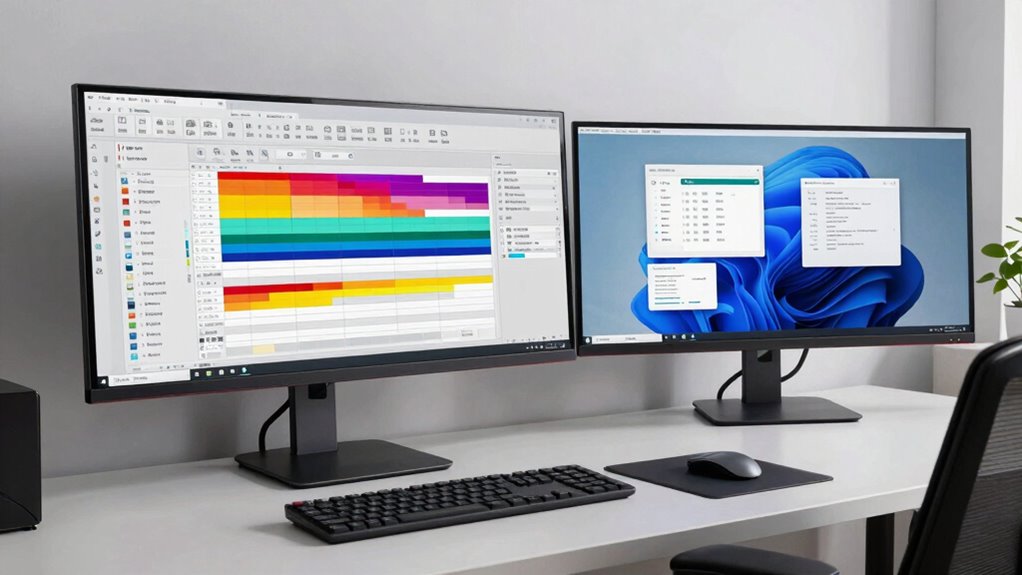

If you want to boost your productivity, choosing between an ultrawide or dual monitors depends on your workflow. Ultrawides offer seamless, distraction-free views that are great for multitasking and reducing neck strain. Dual monitors excel at task separation and flexibility, allowing tailored setups for different applications. Both setups have benefits, but the right choice depends on your workspace and tasks. Keep exploring to discover which setup suits you best.

Prime made for students and young adults
- Fast, free delivery for dorm and study essentials
- Prime Video and Amazon Music included
- Member-only deals
Key Takeaways
- Ultrawide monitors reduce window switching and neck movement, enhancing seamless multitasking and continuous workspace.
- Dual monitors enable task-specific screens, improving focus and organization for complex workflows.
- Ultrawide setups typically involve fewer cables and simpler installation, saving setup time and reducing clutter.
- Both options can deliver high color accuracy, essential for design and editing tasks.
- Workspace management and ergonomic comfort vary, with ultrawide offering a more integrated view and dual monitors providing flexible layout options.
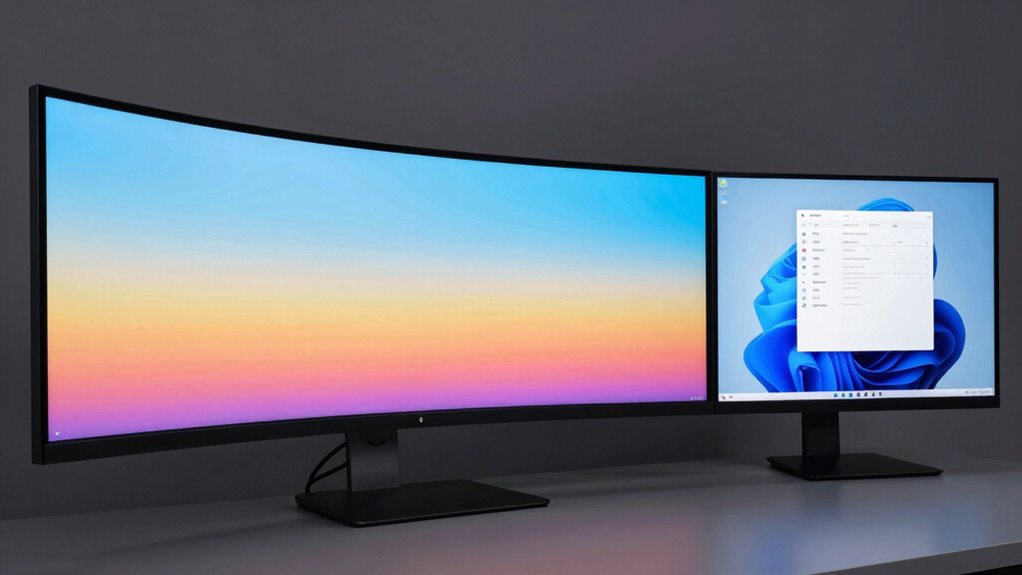
Choosing the right monitor setup can considerably impact your productivity, whether you prefer an ultrawide monitor or dual monitors. If you’re working on tasks that demand color precision, like photo editing or design work, color accuracy becomes a key consideration. Ultrawide monitors often come with high-quality panels that deliver excellent color reproduction, making it easier for you to see details and color nuances without switching between screens. Conversely, dual monitors can also provide strong color accuracy if you select models with calibrated displays, giving you flexibility in choosing screens tailored for specific tasks.
Choosing the right setup enhances productivity, whether through ultrawide’s seamless view or dual monitors’ multitasking flexibility.
Cable management is another critical factor in maintaining an efficient workspace. An ultrawide monitor typically involves fewer cables, since you’re dealing with a single device, which reduces clutter and simplifies setup. Many ultrawide models include built-in cable management features or ports positioned to keep cords tucked away neatly. On the other hand, dual monitors may require multiple cables for power, video, and sometimes audio, making cable management more challenging. Proper organization with cable clips or sleeves helps prevent tangles and keeps your desk tidy, but it’s an extra step you’ll need to consider when setting up dual screens. Additionally, cable organization can further improve workspace efficiency and aesthetics.
Your workflow will also influence which setup suits you better. If you often juggle multiple applications simultaneously, dual monitors provide dedicated screens for different tasks, giving you more control over window placement. For example, you could keep your email open on one screen and your design software on another, switching effortlessly between them. Ultrawide monitors, however, offer a seamless, expansive view that minimizes distractions and allows you to work across multiple programs without losing focus on the central task. This continuous display can boost your efficiency, especially in tasks like video editing or data analysis, where side-by-side comparisons are common. Additionally, some users appreciate the ergonomic benefits of an ultrawide setup, which can reduce neck strain by minimizing the need to turn your head between screens.
Ease of setup and portability also matter. Ultrawide monitors generally involve a straightforward, single connection, which can speed up installation and reduce potential points of failure. Dual monitors might require more time to configure properly and could demand more desk space. However, dual screens offer greater flexibility if you prefer different sizes or resolutions for specific applications. Additionally, choosing a monitor with color accuracy features can significantly enhance your experience regardless of the setup, ensuring your work remains precise and true to life.
ultrawide monitor for productivity
As an affiliate, we earn on qualifying purchases.
As an affiliate, we earn on qualifying purchases.
Frequently Asked Questions
How Do Ultrawide Monitors Affect Gaming Performance?
Ultrawide monitors can enhance your gaming immersion, making you feel more part of the action with a broader field of view. However, they might cause some visual distortion in certain games, especially if the aspect ratio isn’t well-supported. This can impact your overall gaming experience. For the best performance, make certain your graphics card can handle the ultrawide resolution smoothly, minimizing lag and distortion for more enjoyable gameplay.
Are Ultrawide Monitors More Energy-Efficient Than Dual Monitors?
Think of ultrawide monitors as a sleek, single-stream river, while dual monitors are like two separate streams converging. Generally, ultrawide monitors tend to be more energy-efficient because they have a single power source, reducing overall energy consumption. This lower energy use can positively impact the environment by decreasing your carbon footprint. So, if you’re conscious of environmental impact, ultrawide monitors might be the smarter, greener choice.
Can Ultrawide Monitors Be Easily Upgraded or Replaced?
Ultrawide monitors generally aren’t designed for easy upgradeability or replacement. You usually need to replace the entire monitor if it breaks or becomes outdated, as they come as a single unit. This makes the replacement process less flexible compared to dual monitors, where you can swap out or upgrade individual screens. So, if upgradeability and ease of replacement are priorities, dual monitors might be a better choice for you.
Do Dual Monitors Support Different Resolutions Simultaneously?
Oh, absolutely, dual monitors are the champions of resolution compatibility! You can easily set different resolutions for each screen, making multi-monitor calibration a breeze—assuming your graphics card isn’t too picky. While some setups may require tweaks, most modern systems support varying resolutions simultaneously, giving you the thrill of juggling multiple display standards without breaking a sweat. Just don’t expect a flawless experience without a bit of fiddling.
How Do Ultrawide Monitors Impact Desk Space Requirements?
Ultrawide monitors take up more desk space than dual monitors, impacting your space optimization. They can reduce desk clutter by consolidating multiple screens into one, but their larger size demands a bigger footprint. If your workspace is limited, an ultrawide might feel cramped or require rearranging. Consider your desk size carefully to balance the benefits of a seamless view with the need to manage desk clutter effectively.
Conclusion
Just as the great rivers carve their own paths, your choice between ultrawide and dual monitors shapes your workflow. Think of ultrawide as the mighty Amazon—vast and continuous—perfect for seamless multitasking. Dual monitors resemble a bustling crossroads, offering flexibility. Ultimately, your decision reflects your unique journey—whether you prefer the uninterrupted flow of one expansive screen or the dynamic versatility of two. Choose wisely, and let your productivity flow like the timeless currents of progress.
Evergreen bestsellers Picks
bestsellers
As an affiliate, we earn on qualifying purchases.