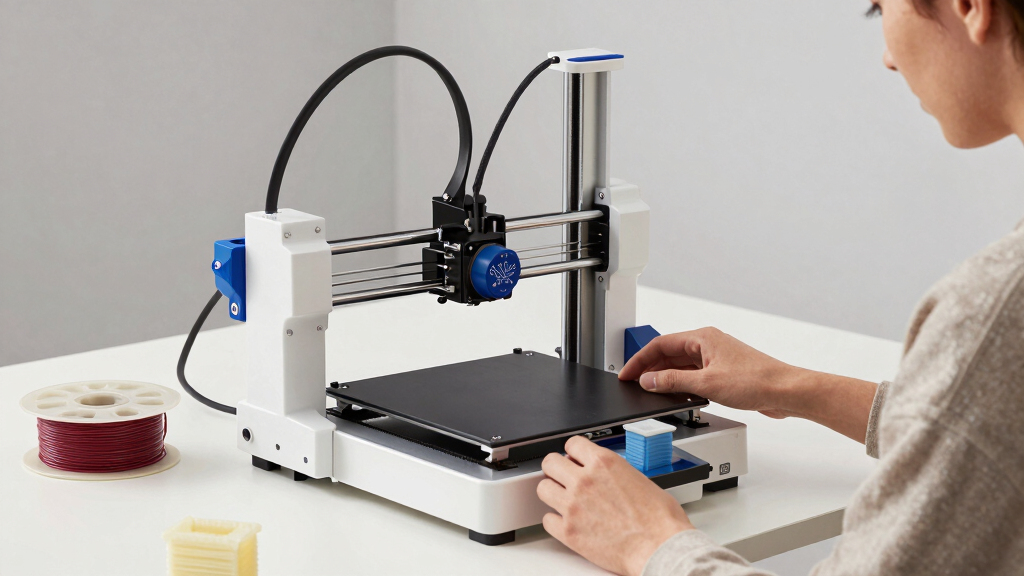

Finding the best 3D printer for beginners involves balancing simplicity, affordability, and reliable performance. The ELEGOO Centauri stands out as the top overall choice thanks to its high-speed capabilities and auto calibration features. Entina Tina2 Plus offers a smart, user-friendly experience ideal for newcomers, while the FlashForge Adventurer 5M provides a straightforward setup with fast printing. These options reveal common tradeoffs: more advanced features often mean higher costs or increased complexity. Continue reading for a detailed breakdown to help you pick the best fit for your needs.

Prime made for students and young adults
- Fast, free delivery for dorm and study essentials
- Prime Video and Amazon Music included
- Member-only deals
Key Takeaways
- High-speed printing is increasingly common but often comes with higher noise levels and complexity.
- Auto calibration features significantly reduce setup time and improve print success for beginners.
- Enclosed designs and safety features are crucial for kids or users worried about safety.
- Multicolor and multi-material options tend to increase costs and complexity, making them better for more confident beginners.
- Price often correlates with ease of use and build quality; investing a bit more can lead to a smoother start.







More Details on Our Top Picks
ELEGOO Centauri Carbon 3D Printer, CoreXY 500mm/s High-Speed, Auto Calibration, 320°C Nozzle, Built-in Camera, 256x256x256mm
The ELEGOO Centauri Carbon stands out for its impressive combination of high-speed printing—up to 500 mm/s—and advanced features like auto bed calibration and a built-in camera. Compared with the FlashForge Adventurer 5M, which emphasizes ease of use and straightforward setup, the Centauri offers faster print times and better monitoring capabilities, making it ideal for users who want to produce durable parts quickly. Its enclosed chamber supports advanced filaments, but the high speed demands careful calibration, and its more complex interface may challenge complete beginners. This pick is best suited for hobbyists or small-scale professionals who value speed and precision but are comfortable with a steeper learning curve.
Pros:- Exceptional high-speed printing up to 500 mm/s
- Auto bed calibration for consistent quality
- Built-in camera for real-time monitoring and time-lapse videos
- Enclosed chamber suitable for advanced filaments
Cons:- High-speed printing can require frequent calibration adjustments
- Limited build volume for larger projects
- Potentially complex for complete beginners
Best for: Experienced hobbyists and small workshops seeking fast, precise prints with monitoring capabilities
Not ideal for: Absolute beginners or those prioritizing simple plug-and-play setups, as high-speed operation can be tricky
- Build Volume:256x256x256 mm
- Print Speed:up to 500 mm/s
- Nozzle Temperature:320°C
- Frame:Die-cast aluminum
- Features:Auto calibration, built-in camera, touchscreen controls
Bottom line: This is a strong choice for users who want a high-performance, speed-focused 3D printer with monitoring features, and are comfortable handling some complexity.
3D Printer for Kids, AI-Powered Fully Assembled 3D Printer with Auto Leveling and 1500+ Models
The AOSEED X-MAKER JOY AI+ excels in making 3D printing accessible and fun for children, thanks to its one-tap operation via a smart app and a library of over 1500 models. Unlike the Creality K2 Combo, which caters to more advanced users with multicolor and high-speed capabilities, the AOSEED prioritizes safety, simplicity, and educational value, but this limits its appeal to experienced hobbyists or professionals. Its auto-leveling and enclosed design make it safer for young users, but the lack of detailed build volume information and fewer advanced features may frustrate those seeking more flexibility. This model makes the most sense for families, schools, or young learners new to 3D printing who want a hassle-free experience.
Pros:- One-tap printing with smart app support for ease of use
- Large library of over 1500 models for creative projects
- Auto leveling and fully enclosed design for safety
- Fast speeds up to 400 mm/s
Cons:- Build volume details are not specified, limiting project size expectations
- Lacks advanced features for professional or complex projects
- Price and specifications are not detailed, making comparison difficult
Best for: Parents, educators, and kids interested in safe, easy, and fun 3D printing
Not ideal for: Advanced users or professionals needing larger build volumes and more customization options
- Speed:220–250 mm/s, peaks up to 400 mm/s
- Build Volume:Not specified
- Filament Compatibility:PLA
- Number of Models:1500+
- Modules:16+
- Included Filaments:8 rolls
Bottom line: This printer is ideal for families and educational environments prioritizing safety and simplicity over advanced features.
Entina Tina2 Plus Smart 3D Printer with 250mm/s Fast Printing, WiFi, Auto Leveling, Fully Assembled for Kids and Beginners
The Entina Tina2 Plus offers a compelling balance of speed, connectivity, and ease of use for newcomers to 3D printing. Its 250 mm/s speed reduces printing time, and auto leveling ensures reliable results without manual calibration. Compared with the FlashForge Adventurer 5M, this model emphasizes flexible connectivity options like WiFi, USB, and TF card, making it easier to print from various devices. While its build volume is modest, this keeps the unit compact and manageable for small spaces, though it may limit larger projects. Its straightforward operation and multi-platform compatibility make it a good starting point for beginners and kids who want a versatile, out-of-the-box solution.
Pros:- Fast print speeds up to 250 mm/s
- Fully assembled, ready to use immediately
- Supports WiFi, USB, and TF card for flexible connectivity
- Auto leveling and dual Z-axis for stable, accurate prints
Cons:- Limited build volume for larger prints
- May require some initial setup for software and connectivity
- Design is basic, with fewer customization options
Best for: Beginners and kids seeking a versatile, connected 3D printer with fast setup and operation
Not ideal for: Users needing large build volumes or advanced customization features
- Print Speed:250 mm/s
- Build Volume:3.9 x 4.7 x 3.9 inches
- Hotend Heating Time:40 seconds
- Print Bed Temperature:80°C
- Connectivity:WiFi, USB, TF card
- Material Compatibility:Wide range
Bottom line: This printer suits beginners and kids who need a straightforward, connected device that balances speed and ease of use with limited project size.
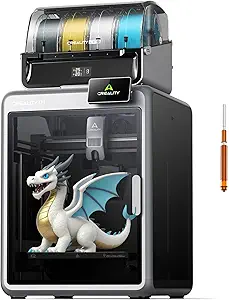
Creality K2 Combo 3D Printer, Multicolor Printing with CFS, High-Speed 600mm/s, Smart Auto Leveling, Quiet Printing, 300°C Nozzle, Dual AI Camera, Direct Drive Extruder, Build Volume 260x260x260mm
The Creality K2 Combo pushes boundaries by offering multicolor printing with expandable CFS units, supporting up to 16 colors. Its blazing fast speed—up to 600 mm/s—makes it suitable for rapid prototyping, while smart auto leveling simplifies setup. In comparison to the ELEGOO Centauri Carbon, which emphasizes high precision and monitoring, the K2 is geared more toward multi-material and multicolor projects with greater complexity. Its advanced features come with a more involved setup process and a higher price, which might not appeal to complete beginners or those with simple needs. However, for users who want to explore multi-color printing without sacrificing speed, this model offers unmatched flexibility.
Pros:- Supports multicolor printing with expandable CFS units
- High-speed operation at 600 mm/s with high accuracy
- Smart auto leveling and guided calibration
- AI cameras for failure detection and remote monitoring
Cons:- Setup for multiple CFS units can be complex and time-consuming
- Higher cost may be prohibitive for casual users
- Filament handling and maintenance are more involved
Best for: Intermediate to advanced hobbyists and small production setups interested in multicolor work
Not ideal for: Beginners seeking an easy, plug-and-play experience or those with limited technical skills
- Build Volume:260x260x260 mm
- Max Nozzle Temperature:300°C
- Print Speed:600 mm/s
- Acceleration:20,000 mm/s²
- Filament Compatibility:PLA, ABS, PETG, engineering filaments
- Connectivity:Wi-Fi, local storage 8G
Bottom line: This printer is best suited for users experienced with multi-material projects who want high speed and multicolor capabilities, accepting a more complex setup process.
FlashForge Adventurer 5M 3D Printer with Auto Leveling and High-Speed Printing
The FlashForge Adventurer 5M offers a straightforward experience with automatic bed leveling, quick-detach nozzles, and a robust CoreXY structure, making it ideal for newcomers. Its speed—up to 600 mm/s—reduces wait times, while remote monitoring via app adds convenience. Compared with the Entina Tina2 PlusIts compact design and user-friendly features make it a suitable choice for beginners who want dependable results with minimal fuss.
Pros:- Automatic bed leveling for quick setup
- High-speed printing up to 600 mm/s
- Quick-detach nozzles for easy maintenance
- Remote monitoring and control via app
Cons:- Customer rating is moderate, indicating some user experience issues
- Relatively heavy at 29 pounds, which may affect portability
- Limited detailed technical specifications in available data
Best for: Beginners and hobbyists looking for a fast, reliable, and easy-to-use 3D printer
Not ideal for: Advanced users needing extensive customization or larger build volumes
- Product Dimensions:14.29 x 15.83 x 19.21 inches
- Item Weight:29 pounds
- Max Printing Speed:600mm/s
- Nozzle Temperature:280°C
- Nozzle Options:0.25/0.4/0.6/0.8 mm
- Auto Leveling:Yes
- Build Plate:Double-sided PEI steel
Bottom line: This model is well-suited for beginners who prioritize speed, simplicity, and reliable operation with minimal setup effort.
QIDI Q2C 3D Printer, Enclosed FDM with Auto Leveling, High-Speed, 270x270x256mm Build Volume, 370°C Hotend
The QIDI Q2C stands out for its combination of high-precision, stability, and speed, making it ideal for users who want reliable results across a variety of materials, including advanced composites. Its auto-leveling and vibration damping contribute to consistent quality, while the support for multi-color/multi-material printing adds versatility. Compared with the FlashForge Adventurer 5M, the Q2C offers higher speeds and broader material compatibility, though its larger footprint and open-source complexity could be drawbacks for absolute beginners. The quick setup in just 15 minutes makes it accessible, but the high-speed operation requires careful calibration to avoid print defects. Overall, this model suits those seeking professional-grade results without sacrificing ease of use, provided they are comfortable with some technical adjustments.
Pros:- High-precision and stable printing with auto-leveling and vibration damping
- Supports high-temperature materials and multi-color/multi-material printing
- Fast setup, ready to print in 15 minutes
- Open-source platform allows customization
Cons:- Limited build volume for very large projects
- High-speed printing may require careful calibration
Best for: Intermediate to advanced hobbyists and small studios needing high-quality, multi-material prints
Not ideal for: Complete beginners or users with very limited space, due to its size and complexity
- Build Volume:270x270x256mm
- Max Hotend Temperature:370°C
- Print Speed:up to 600mm/s
- Material Compatibility:PLA, ABS, PETG, TPU, PA, PC, carbon/glass-fiber composites
- Auto Leveling:Yes
- Connectivity:QIDI BOX (multi-color/multi-material support)
Bottom line: This printer is best suited for users who want professional-level quality and versatility with some technical familiarity.
Entina TINA2S 3D Printer with WiFi Cloud Printing, Auto Leveling, Compact Design for Beginners and Kids
The Entina TINA2S makes a strong case for newcomers and families thanks to its fully assembled design and user-friendly features. Its compact size and WiFi connectivity streamline the process from unpacking to printing, while auto leveling and a heated build plate reduce manual fuss. Compared to the FlashForge Adventurer 5M, the TINA2S offers easier setup and lower cost, though its smaller build volume limits larger projects. Its high precision (0.04 mm) and wide compatibility with slicing software make it suitable for educational environments and small hobby projects. However, the smaller build area might frustrate those wanting to print bigger models, and some technical familiarity could help maximize its features. Overall, this printer suits families or beginners who prioritize ease of use and space efficiency over size.
Pros:- Easy to set up and use with fully assembled design
- Supports WiFi, app, and offline TF card printing
- Auto leveling and heated build plate reduce manual adjustments
- High print precision and fast data transfer speeds
Cons:- Limited build volume for larger projects
- Smaller size may not suit large-scale printing needs
Best for: Beginners, families, and educational users needing a compact, easy-to-use printer
Not ideal for: Users wanting to print large models or requiring extensive customization, due to limited build volume
- Print Size:3.9 x 4.7 x 3.9 inches
- Weight:9.08 pounds
- Connectivity:WiFi, USB, TF card
- Print Speed:up to 200 mm/s
- Precision:0.04 mm
- Build Plate:Removable spring steel, heated
Bottom line: This printer is ideal for beginners and families seeking straightforward, space-efficient 3D printing with minimal setup.
FLASHFORGE AD5M 3D Printer Fully Auto Calibration with Max 600mm/s Speed, All-Metal CoreXY Structure, Quick-Swap Nozzle, Print Size 220x220x220mm
The FLASHFORGE AD5M balances speed, precision, and ease of use, making it suitable for users who want quick turnaround times without sacrificing quality. Its automatic one-click leveling simplifies setup, while the all-metal CoreXY structure supports speeds up to 600mm/s—faster than many competitors like the Adventurer 5M. The quick-swap nozzle system adds flexibility for different print jobs. Compared with the QIDI Q2C, the AD5M emphasizes speed and industrial-style stability, though its more complex calibration process might challenge absolute beginners. Its compact size and remote management features make it attractive for creative projects or small workshops. The main tradeoffs involve a steeper learning curve and limited user support information, so it’s better for those willing to tinker.
Pros:- Automatic one-click leveling for quick setup
- High-speed printing with stable CoreXY design
- Quick-swappable nozzles for different filament types and sizes
- Remote management and monitoring via app
Cons:- May be complex for absolute beginners without prior experience
- High maximum speed requires careful calibration to avoid issues
Best for: Hobbyists and small-scale professionals seeking fast, accurate prints with minimal manual effort
Not ideal for: Complete novices or those with very limited technical experience, due to calibration complexity
- Print Size:220x220x220mm
- Max Speed:600mm/s
- Nozzle Diameters:0.25/0.4/0.6/0.8 mm
- Build Plate:Double-sided PEI steel plate
- Material Compatibility:PETG, others
Bottom line: This printer is best suited for users who prioritize speed and precision, and are comfortable with some technical setup.
FLASHFORGE Adventurer 5M Pro 3D Printer with Auto Printing System
The Adventurer 5M Pro emphasizes speed and simplicity, making it a strong choice for users who want fast, high-quality prototypes or models without extensive technical effort. Its automatic bed leveling and quick nozzle heating streamline setup, while the all-metal Core XY frame supports speeds up to 600mm/s—matching or exceeding many professional printers. The broad material compatibility and intuitive mobile app control make it accessible for beginners, but its slightly limited build volume and higher price compared to entry-level models could be drawbacks. Compared with the Entina TINA2S, the Adventurer 5M Pro offers faster speeds and more material options, though with a steeper learning curve for advanced features. This model is best for those who want rapid, reliable results with minimal manual intervention.
Pros:- High-speed printing up to 600mm/s for rapid production
- Automatic bed leveling for easy setup
- Supports multiple materials including PLA, ABS, PETG, and more
- User-friendly mobile app management
Cons:- Limited build volume for larger projects
- Requires initial calibration, may challenge complete beginners
Best for: Designers, educators, and hobbyists needing quick, high-quality prototypes
Not ideal for: Beginners seeking a larger build area or with limited budget, due to higher cost and smaller size
- Build Volume:220x220x220mm
- Max Travel Speed:600mm/s
- Nozzle Temperatures:Up to 280°C
- Frame:All-metal Core XY
- Bed Leveling:Automatic, multi-point pressure sensing
Bottom line: This printer is ideal for users who prioritize speed and ease of use for quick, high-quality prints.
FlashForge Adventurer 5M 3D Printer, High-Speed FDM with Auto Leveling and Detachable Nozzle
The FlashForge Adventurer 5M combines high-speed printing with user-friendly features, supporting quick setup and reliable operation. Its automatic bed leveling and detachable, heatable nozzle make it accessible for beginners and educational settings, with the added benefit of remote app control. Its maximum speed of 600mm/s rivals more advanced models like the FLASHFORGE AD5M, but its smaller build volume limits larger or multiple simultaneous projects. Compared to the Entina TINA2S, the 5M offers faster speeds and more flexible connectivity options, though its operation can generate more noise, and initial setup may challenge absolute beginners. It’s an attractive option for those who want fast, straightforward printing at home or in classrooms.
Pros:- Very fast printing speeds for efficient production
- Automatic bed leveling simplifies setup
- Supports multiple filament types and nozzle sizes
- Remote monitoring and control via app
Cons:- Relatively high noise during operation
- Complex setup may be challenging for complete beginners
Best for: Home users, educators, and students needing fast, reliable, and easy-to-use 3D printing
Not ideal for: Users needing large build volumes or complex customization, due to size and noise levels
- Maximum Speed:600mm/s
- Acceleration:20,000mm/s²
- Build Volume:14.2 x 14.8 x 16.2 inches
- Item Weight:22 pounds
- Extruder Temperature:280°C
- Supported Filaments:PLA, PETG, ABS, ASA, TPU, PC, PLA-CF, PETG-CF
Bottom line: This printer is well-suited for users seeking quick, hassle-free printing with reliable features for educational or home projects.
FLASHFORGE AD5X Multi-Color 3D Printer, CoreXY, 600mm/s High-Speed, 220x220x220mm Build Volume
The FLASHFORGE AD5X stands out for its ability to print in up to four colors simultaneously, making it ideal for colorful prototypes and detailed models. Compared with the FlashForge Adventurer 5M, which offers automation and ease of use, the AD5X emphasizes speed and multi-color capabilities, though it sacrifices some print quality consistency at very high speeds. Its high-speed performance, reaching 600mm/s, is perfect for rapid prototyping, but this can lead to less detail in complex models. The auto bed leveling simplifies initial setup, yet the smaller build volume limits larger projects. This model suits those who need vibrant, multi-color prints quickly and are comfortable with some technical adjustments, whereas it may overwhelm absolute beginners seeking straightforward reliability.
Pros:- Supports multi-color printing with up to 4 colors simultaneously
- Exceptional speed up to 600mm/s for quick turnaround
- Auto bed leveling for easier initial calibration
- Versatile nozzle options for different detail levels
Cons:- High-speed printing may reduce detail accuracy in complex models
- Limited build volume restricts larger projects
- Requires some technical knowledge for optimal operation
Best for: Designers and engineers needing fast, multi-color prototypes.
Not ideal for: Beginners who prioritize simple setup and larger build volumes for bigger projects.
- Build Volume:220x220x220mm
- Max Printing Speed:600mm/s
- Extruder Temperature:300°C
- Nozzle Sizes:0.25mm to 0.8mm
- Auto Leveling:Yes
- Connectivity:Mobile app monitoring
Bottom line: This is best suited for users who need rapid, colorful prototypes and are comfortable with a more technical setup.
Geeetech Mini 3D Printer for Kids and Beginners with Auto Leveling, High Speed, Fully Open Source, Fully Assembled, 3.94×4.33×3.94 in Print Area
The Geeetech Mini 3D Printer is designed with simplicity in mind, making it an excellent choice for those new to 3D printing or educational settings. Its fully assembled design and auto-leveling system make setup straightforward, especially compared to more complex models like the FLASHFORGE AD5X. Its compact size is ideal for small desks or classrooms, but the limited print area restricts larger projects. While it supports PLA and TPU, its small footprint limits versatility for bigger or more detailed models. This printer excels for young learners and beginners who want a reliable, hassle-free start but isn’t suitable for those aiming to print larger or more complex parts regularly.
Pros:- Fully assembled for quick setup
- Auto-leveling and heated platform for precise results
- High-speed printing for rapid learning
- Lightweight and compact design
Cons:- Limited build volume for larger projects
- No extensive filament compatibility info beyond PLA and TPU
- Potential noise or setup issues in some reviews
Best for: Kids, students, and complete beginners seeking a simple, ready-to-use 3D printer.
Not ideal for: Experienced hobbyists or users wanting to print large or detailed models regularly.
- Print Area:3.94×4.33×3.94 inches
- Hot-End Power:50W
- Weight:9.8 pounds
- Auto-Leveling Points:16
- Display:2.4-inch color LCD
- Filament Compatibility:PLA, TPU
Bottom line: This printer is perfect for beginners and young learners needing a straightforward, reliable introduction to 3D printing.
FlashForge Adventurer 5M 3D Printer with Auto Leveling and High-Speed Printing
The FlashForge Adventurer 5M offers a high-performance experience with features like automatic bed leveling and a quick-heating, direct extruder capable of reaching 280°C. Its 220x220x220mm build volume is comparable to the other models but its real strength lies in its streamlined workflow, including fast warm-up and remote monitoring via mobile app, making it ideal for users who value convenience. Compared to the FLASHFORGE AD5X, which emphasizes multi-color capabilities, the 5M focuses more on consistent, detailed printing with less complexity. The higher price may deter casual hobbyists, but it suits those who need reliable, fast turnaround of detailed prototypes without extensive technical fiddling.
Pros:- Automatic bed leveling for quick setup
- High-speed printing up to 600mm/s
- Fast warm-up and quick nozzle swaps
- Remote monitoring via mobile app
Cons:- Higher price compared to basic models
- Limited long-term durability data available
- Requires some technical knowledge for optimal use
Best for: Professionals and hobbyists needing dependable, high-speed detailed printing with remote management.
Not ideal for: Budget-conscious beginners or those who do not require remote monitoring features.
- Print Size:220x220x220mm
- Max Speed:600mm/s
- Extruder Temperature:280°C
- Nozzle:3S Detachable
- Structure:CoreXY All Metal
- Item Weight:23.8 pounds
Bottom line: This printer is ideal for users who prioritize speed, convenience, and detailed results in their prototypes and models.
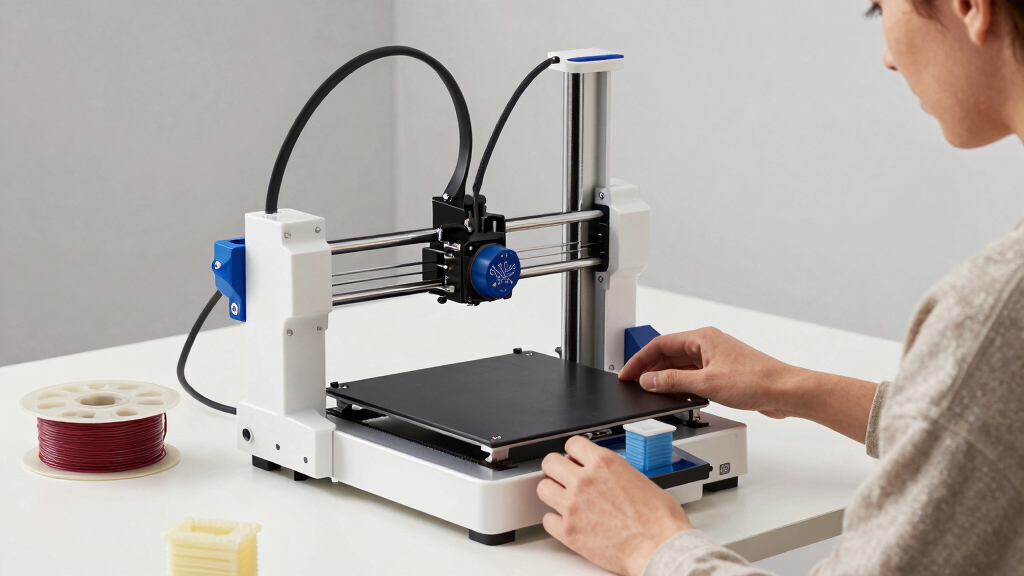
How We Picked
We evaluated each 3D printer based on usability, build quality, performance, safety features, and value. Priority was given to models that offer straightforward setup, auto leveling, and reliable print quality—key factors for beginners. We also considered versatility, noise levels, and the availability of support or community resources. Products were ranked to balance affordability with features that reduce common beginner frustrations, ensuring options suit various skill levels and budgets.Factors to Consider When Choosing Best 3d Printers For Beginners
Choosing the best 3D printer for beginners involves understanding several important factors. While affordability matters, ease of use and safety features often make a bigger difference for newcomers. It is also worth considering how much support or community resources are available, as these can shorten the learning curve. Here are some key considerations to keep in mind before making a purchase.Ease of Use and Setup
For beginners, a printer that is simple to assemble and calibrate can save weeks of frustration. Auto leveling and pre-assembled units reduce the initial learning curve. Look for models with clear instructions and minimal manual adjustments, which allow new users to start printing quickly and with confidence.
Safety Features
Enclosed designs and safety interlocks are important, especially if children will be involved or if you want peace of mind during operation. Features like filament sensors and power loss recovery can prevent accidents and failed prints, making the process safer and more reliable for users still mastering basic operations.
Build Volume and Material Compatibility
Assess your typical project size and material needs. Smaller build volumes are usually more affordable and easier to manage, but larger areas provide more flexibility. Compatibility with common filaments, like PLA and PETG, ensures you can experiment without additional upgrades.
Print Quality and Speed
While high speed can reduce wait times, it may compromise detail or increase noise. For beginners, a balanced approach—moderate speed with consistent quality—is ideal. Look for printers with good layer resolution and reliable extrusion to avoid common issues like warping or poor adhesion.
Support and Community Resources
Access to helpful customer support, firmware updates, and an active user community can make a significant difference. These resources provide troubleshooting advice and project ideas, transforming a steep learning curve into an engaging experience.
Frequently Asked Questions
Do I need special skills to operate a 3D printer as a beginner?
Most beginner-friendly 3D printers are designed for users with minimal prior experience. Features like auto leveling, touchscreen controls, and detailed tutorials make operation straightforward. However, some learning curve remains, especially around filament handling and basic troubleshooting, so patience and willingness to learn are beneficial.
What safety features should I look for in a beginner 3D printer?
Safety features such as enclosed housings, automatic shut-off, and filament sensors help prevent accidents and injuries. Enclosed units are especially important if children are involved, as they contain hot components and moving parts. These features not only protect users but also contribute to more consistent print results.
How much should I expect to spend on a good beginner 3D printer?
Entry-level models typically range from $200 to $500, offering a balance of ease of use and decent print quality. Investing a bit more often results in better build quality, faster setup, and more reliable prints. Avoid very cheap models, as they may lack essential features or have poor support, leading to frustration.
Can I use a 3D printer for educational purposes or kids?
Yes, many models are designed with safety and simplicity in mind, making them suitable for educational settings or children. Enclosed designs, quiet operation, and easy controls help create a safe environment. However, supervision is advisable, and choosing models with user-friendly interfaces can reduce the learning curve for young users.
Are multi-material or multi-color printers worth it for beginners?
While multi-material and color capabilities are exciting, they usually add complexity and cost. For most beginners, starting with a basic single-material printer allows focusing on mastering fundamental skills. Upgrading later to multi-material options makes more sense once comfortable with basic operation and troubleshooting.
Conclusion
For those just starting out, the ELEGOO Centauri offers the best overall experience with fast, reliable printing and user-friendly features. Entina Tina2 Plus makes a strong case for beginners seeking smart automation, while the FlashForge Adventurer 5M provides straightforward setup for newcomers. Budget-conscious buyers should consider models like the Geeetech Mini, which balances affordability with essential features. For educational or safety-focused environments, enclosed models with safety features will serve best. Ultimately, your choice depends on your budget, space, and how much you want to grow your skills in 3D printing.Fall Picks
fall essentials
As an affiliate, we earn on qualifying purchases.