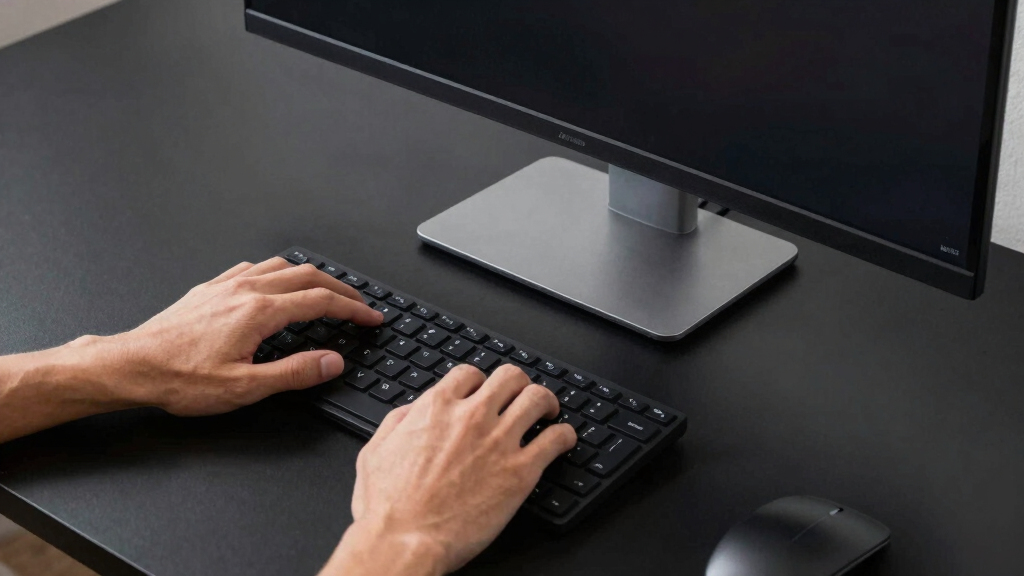

Choosing the best ultrawide monitor for productivity involves balancing screen real estate, display quality, and connection options. The LG 34WR55QK-B stands out for its affordability and reliable performance, while the Samsung 49-Inch Odyssey G9 offers expansive space but at a higher price point. For those focused on professional workflows, the Samsung ViewFinity S50GC Series provides excellent color accuracy and multiple inputs. The main challenge is weighing size against usability—bigger screens can boost multitasking but may also require more desk space and higher investments. Continue reading for a detailed breakdown of these options and more insights to help you find the perfect fit.
Key Takeaways
- Ultrawide monitors with higher resolution and good ergonomics are key for sustained productivity.
- Size varies from 34 inches to 49 inches, impacting desk space and multitasking capacity.
- Most top options feature multiple connectivity ports, including USB-C, HDMI, and DisplayPort.
- High refresh rates and adaptive sync features benefit multitasking and reduce eye strain during extended use.
- Budget-friendly options often sacrifice some advanced features like color accuracy or extensive adjustability.


More Details on Our Top Picks
LG 34WR55QK-B 34-inch UltraWide WQHD Curved Monitor, 100Hz, HDR10, HDMI, DisplayPort, USB-C, Adjustable Stand
The LG 34WR55QK-B stands out as the best overall choice due to its expansive 34-inch curved display, which promotes immersive multitasking and reduces eye strain. Compared to the Samsung ViewFinity S50GC, it offers a slightly more flexible ergonomic stand and multiple USB-C ports with power delivery, making it ideal for users who need to connect and charge devices simultaneously. However, its 100Hz refresh rate isn’t suited for high-end gaming, which might matter for some users. The monitor’s HDR10 support and high color accuracy ensure vibrant visuals for extended work sessions. The main tradeoff involves a higher price point typical for premium monitors and the need for software installation to access full control features, potentially adding setup complexity.
Pros:- Large 34-inch curved display enhances immersion and multitasking
- Multiple connectivity options including USB-C with power delivery
- Height and tilt adjustable stand for ergonomic comfort
- High-resolution WQHD with HDR10 support for vibrant visuals
Cons:- Higher price compared to some competitors
- Requires software installation for full control features
- Limited to 100Hz refresh rate, not ideal for fast-paced gaming
Best for: Creative professionals and multitaskers who want a versatile, immersive workspace with ergonomic flexibility
Not ideal for: Gamers seeking ultra-high refresh rates or budget-conscious users who prefer lower-cost options without premium features
- Screen Size:34 inches
- Resolution:3440 x 1440
- Aspect Ratio:21:9
- Refresh Rate:100Hz
- Response Time:5ms
- HDR:HDR10
- Ports:2 HDMI, 1 DisplayPort, 1 USB Type-C, 2 USB, Headphone jack
- Power Delivery:Up to 65W via USB-C
- Design:3-side borderless, curved
Bottom line: This monitor offers a balanced mix of size, flexibility, and image quality, making it ideal for professionals who prioritize productivity and comfort.
Samsung 34″ ViewFinity S50GC Series Ultra-WQHD Monitor, 100Hz, HDR10, AMD FreeSync, Black
The Samsung ViewFinity S50GC is tailored for users who need expansive multitasking capabilities without sacrificing color accuracy. Its ultra-wide 21:9 aspect ratio and Ultra-WQHD resolution make it comparable to the LG 34WR55QK-B but with added features like AMD FreeSync and a contrast ratio of 3000:1, enhancing visual clarity during work and entertainment. Unlike the LG, it emphasizes color support with over a billion colors, making it a strong choice for creative tasks. However, its 100Hz refresh rate and limited size—34 inches—may not satisfy gamers or users wanting larger screens. The absence of USB-C charging and fewer connectivity options could also be a drawback for some users who prefer a more versatile port setup.
Pros:- Ultra-wide 21:9 aspect ratio boosts productivity and multitasking
- Over a billion colors and HDR10 support for vibrant, accurate visuals
- Eye care features reduce fatigue during long hours
- Contrast ratio of 3000:1 enhances depth and detail in visuals
Cons:- Limited to 34 inches, which might be small for some workflows
- No USB-C charging port for easy device connection
- Requires compatible graphics card for optimal FreeSync performance
Best for: Professionals requiring accurate color reproduction and multitasking efficiency, such as designers and engineers
Not ideal for: Gamers or users wanting larger displays for immersive gaming or extensive video editing
- Display Size:34 inches
- Resolution:Ultra-WQHD (3440×1440)
- Refresh Rate:100Hz
- Response Time:5ms
- HDR:HDR10
- Color Support:Over 1 billion colors
- Contrast Ratio:3000:1
- Inputs:2 HDMI 2.2, 1 DisplayPort 1.2
- Features:PIP, PBP, Eye Care, Flicker Free
Bottom line: Ideal for users prioritizing color accuracy and multitasking, but less suited for those seeking larger screens or gaming focus.
Sceptre 34-Inch Curved Ultrawide WQHD Monitor (3440 × 1440), 180Hz, 1ms, Built-in Speakers, Machine Black, 2025
The Sceptre 34-inch Curved Ultrawide makes a compelling case for gamers and fast-paced multitaskers thanks to its 180Hz refresh rate and 1ms response time, surpassing typical ultrawide monitors like the LG 34WR55QK-B. Its curved panel enhances immersion, while the 99% sRGB coverage ensures vibrant color fidelity. The built-in speakers and LED backlight add modern aesthetic touches, but the resolution of 3440 x 1440 may be less sharp compared to higher-end models, especially for detailed design work. Its high refresh rate and rapid response are ideal for gaming, yet the curve and design might not be suitable for all office setups, especially those favoring flat screens for productivity.
Pros:- Extremely high 180Hz refresh rate with 1ms response time for smooth visuals
- Expansive 34-inch curved screen enhances immersion
- Vivid color coverage with 99% sRGB
- Built-in speakers and modern LED backcover for aesthetic appeal
Cons:- Lower resolution (2560x1080P) compared to higher-end 3440×1440 models
- Curved design may not suit all work environments
- Potentially higher cost for gaming-centric features
Best for: Gamers and users who need a high refresh rate for fast multitasking or casual gaming alongside productivity tasks
Not ideal for: Professionals requiring ultra-high resolution or minimal curvature for detailed work like photo editing
- Size:34 inches
- Resolution:2560x1080P
- Refresh Rate:180Hz
- Response Time:1ms
- Panel Type:Curved
- Color Coverage:99% sRGB
- Built-in Speakers:Yes
- Backcover Lighting:LED
- Model Year:2025
Bottom line: Best suited for gamers or multi-use enthusiasts who prioritize speed and immersion over ultra-high resolution for detailed work.
Gawfolk 34-inch IPS Ultrawide Gaming Monitor, 120Hz, 2560x1080P, HDMI & DisplayPort, Wall-Mountable, Black
The Gawfolk 34-inch IPS Ultrawide provides a solid balance of productivity and entertainment with its 2560x1080P resolution and 120Hz refresh rate. Compared to higher-resolution models like the LG 34WR55QK-B, it offers a more affordable option while still delivering wide viewing angles and high color accuracy thanks to its IPS panel. Its wall-mount compatibility and tilt adjustment improve ergonomics, making it suitable for flexible setups. However, the 2560x1080P resolution may fall short for users needing sharp detail or high-resolution workflows, and the relatively lower pixel density can affect clarity in detailed design tasks. It’s a good choice for users who want a large, versatile monitor without the premium price of higher-resolution screens.
Pros:- Expansive 34-inch ultrawide display enhances multitasking
- High 120Hz refresh rate for smooth visuals
- IPS panel provides wide viewing angles and accurate colors
- Wall-mountable with tilt adjustment for ergonomic flexibility
Cons:- Lower resolution (2560x1080P) may impact clarity for detailed tasks
- Lacks USB-C charging or advanced connectivity options
- Not ideal for professional color-critical workflows
Best for: Budget-conscious professionals who want a large display with decent color and refresh rate for multitasking and casual gaming
Not ideal for: Graphic designers or detailed CAD users who need higher resolution for precision work
- Screen Size:34 inches
- Resolution:2560x1080P
- Refresh Rate:120Hz
- Panel Type:IPS
- Color Coverage:128% sRGB
- Viewing Angles:178 degrees
- Input Options:HDMI 2.1, DisplayPort 1.4
- Wall Mount Compatibility:Yes
Bottom line: A budget-friendly ultrawide option that balances size and performance, suitable for everyday multitasking but not detailed design work.
Samsung 34″ ViewFinity S50GC Series Ultrawide QHD Monitor, 100Hz, HDR10, AMD FreeSync, Black
The Samsung ViewFinity S50GC offers a sleek, minimal bezel design and a 34-inch ultrawide screen optimized for multitasking. Its Ultra-WQHD resolution provides sharp visuals, making it comparable to the LG 34WR55QK-B but with added features like AMD FreeSync and a contrast ratio of 3000:1, which enhances depth and clarity. The HDR10 support ensures vivid colors, while its eye care features promote comfort during long hours. Unlike the LG, it emphasizes a clean aesthetic and seamless dual monitor setup, but details on connectivity options are limited, and it lacks USB-C ports, which might be inconvenient for some users. Its 100Hz refresh rate makes it a balanced choice for work and casual multimedia.
Pros:- Minimal bezel design enhances focus and dual setup potential
- Ultra-WQHD resolution for crisp visuals
- HDR10 and over a billion colors for vibrant display
- Eye care features reduce fatigue
Cons:- Limited connectivity options, especially lacking USB-C ports
- No built-in speakers or advanced port selection
- Price may be high relative to feature set
Best for: Professionals wanting a stylish, reliable ultrawide with sharp visuals and multitasking capabilities
Not ideal for: High-end gamers or users requiring higher refresh rates for fast-paced gaming or detailed editing
- Screen Size:34 inches
- Resolution:Ultra-WQHD (3440×1440)
- Refresh Rate:100Hz
- Response Time:5ms
- HDR:HDR10
- Color Support:Over 1 billion colors
- Contrast Ratio:3000:1
- Features:PBP, PIP, Eye Care
Bottom line: A stylish, high-quality ultrawide suited for multitasking and visual clarity, but less ideal for gaming or users needing extensive connectivity.
Alienware 34 Curved Gaming Monitor – AW3425DWM
The Alienware AW3425DWM stands out for its ultra-wide 34-inch curved display with a 1500R radius, delivering a highly immersive experience. Its 180Hz refresh rate and 1ms response time provide incredibly smooth visuals, making it ideal for extended gaming or multimedia sessions. Compared to the LG 34G600A-B, it offers a higher refresh rate and a more aggressive curve, but at a significantly higher price. Its vibrant DCI-P3 95% coverage and HDR400 support ensure rich, bright colors, although that premium cost may be prohibitive for budget-conscious users. The large, curved design enhances focus but requires considerable desk space. This option makes the most sense for gamers and multimedia enthusiasts seeking top-tier visual fidelity at a premium price, not ideal for those prioritizing productivity or professional work.
Pros:- Exceptional refresh rate and response time for fluid visuals
- Vibrant colors with wide DCI-P3 coverage and HDR support
- Curved ultrawide display enhances immersion
- Eye strain reduction features for long sessions
Cons:- Premium price may be out of reach for casual users
- Large size requires significant desk space
- Limited to gaming and multimedia use, less suited for productivity
Best for: Gamers and multimedia consumers who want a highly immersive, high-performance display
Not ideal for: Professionals seeking a versatile monitor for multitasking or office work, due to its gaming-centric design and cost
- Size:34 inches
- Resolution:WQHD (3440×1440)
- Refresh Rate:180Hz
- Response Time:1ms gray to gray
- Curve Radius:1500R
- Color Coverage:DCI-P3 95%
Bottom line: This monitor is best for gamers and entertainment-focused users who prioritize visual immersion over multitasking flexibility.
LG 34G600A-B 34-inch Ultragear WQHD Curved Gaming Monitor 160Hz, AMD FreeSync Premium, HDR10, Built-in Speakers, Adjustable Stand
The LG 34G600A-B offers a 34-inch curved display with a 1800R radius, blending high performance with versatility. Its 160Hz refresh rate and 1ms MBR response time make it suitable for fast-paced gaming, while support for HDR10 and up to 99% sRGB coverage enhance visual vibrancy. Compared to the Alienware AW3425DWM, it provides a slightly lower refresh rate but at a more accessible price point, making it attractive for budget-conscious gamers. The adjustable stand allows personalized positioning, though the curved design might not appeal to all desk setups or professionals focused on multitasking. Its built-in speakers add convenience but lack audiophile quality, so external audio may be necessary. This monitor is perfect for gamers and multimedia users looking for a balance between performance and affordability, but less ideal for those requiring a dedicated professional workspace.
Pros:- Immersive 34-inch curved display with wide field of view
- High refresh rate and quick response for smooth gameplay
- Supports HDR10 and high sRGB coverage for vibrant visuals
- Adjustable stand for ergonomic positioning
Cons:- Built-in speakers may not satisfy audiophiles
- Curved design may not suit all desk setups or professional workflows
- Limited connectivity options compared to more advanced models
Best for: Casual gamers and multimedia users who want a high-performance, versatile curved monitor
Not ideal for: Office workers or multitaskers needing a more neutral or flat display for productivity, due to its gaming-oriented features
- Display Size:34 inches
- Resolution:3440 x 1440 (WQHD)
- Refresh Rate:160Hz
- Response Time:1ms MBR
- Panel Curvature:1800R
- Color Coverage:up to 99% sRGB
Bottom line: This monitor is well suited for gamers and multimedia users seeking performance and affordability in a curved display.
Samsung 49″ Odyssey OLED G9 (G91SD) Curved Gaming Monitor, 144Hz, 0.03ms, G-Sync Compatible, Dual QHD, Ergonomic Stand
The Samsung Odyssey OLED G9 redefines ultrawide displays with its expansive 49-inch curved screen and QD-OLED technology. Its dual QHD resolution delivers exceptional clarity across a massive workspace, ideal for multitasking or creative work, rivaling the Samsung 34-Inch Odyssey G5 in size but with vastly superior color and contrast thanks to OLED. The 0.03ms response time and 144Hz refresh rate ensure smooth motion, while support for G-Sync and FreeSync Premium Pro eliminate tearing. Compared to smaller, gaming-focused options, this monitor prioritizes stunning visuals and productivity, but its very large size and premium price make it less suitable for smaller desks or budget setups. Potential for burn-in is a consideration for static images, but its color accuracy and contrast are unmatched for professional and creative use.
Pros:- Vivid colors and deep blacks with OLED technology
- Large 49-inch screen perfect for multitasking and creative workflows
- Ultra-fast 0.03ms response ensures smooth visuals
- Ergonomic stand for comfortable viewing angles
Cons:- Very large and may require substantial desk space
- High price point limits accessibility
- Potential for burn-in with static images over time
Best for: Creative professionals and multitaskers who need a massive, high-contrast display for productivity and visual work
Not ideal for: Users with limited desk space or those on a tight budget, due to its size and price
- Screen Size:49 inches
- Resolution:5120 x 1440 (Dual QHD)
- Refresh Rate:144Hz
- Response Time:0.03ms
- Panel Technology:QD-OLED
- HDR:VESA DisplayHDR True Black 400
Bottom line: This monitor excels for users demanding expansive, high-quality visuals for multitasking and creative work, despite its size and cost.
Samsung 34-Inch Odyssey G5 Ultra-Wide Gaming Monitor with 1000R Curved Screen, 165Hz, 1ms, FreeSync Premium
The Samsung Odyssey G5 offers a 34-inch curved ultrawide experience with a 1000R curvature that closely mimics the human eye, creating an immersive environment for gaming or extended multimedia use. Its 165Hz refresh rate and 1ms response time make it appealing for fast-paced gaming, rivaling the LG 34G600A-B but with a more aggressive curve for heightened immersion. It supports AMD FreeSync Premium and HDR10, enhancing visual fluidity and color accuracy. Compared with the G600A-B, it emphasizes a more immersive curvature but is less versatile for professional multitasking or productivity. The size and design favor gaming setups and entertainment, which may limit its usefulness for office or multitasking workflows.
Pros:- Immersive 1000R curved display for better engagement
- High refresh rate and quick response time for smooth gameplay
- Supports AMD FreeSync Premium and HDR10 for vibrant, tear-free visuals
- Excellent color accuracy for gaming and multimedia
Cons:- Limited suitability for professional productivity tasks
- Large size may not fit all desk configurations
- Primarily designed for gaming, less versatile for multitasking
Best for: Competitive gamers and users who prioritize immersive visuals for extended gaming sessions
Not ideal for: Professionals or multitaskers seeking a neutral, flat monitor for work or productivity, due to its gaming-focused curve
- Screen Size:34 inches
- Resolution:3440 x 1440 (WQHD)
- Curvature:1000R
- Refresh Rate:165Hz
- Response Time:1ms
- HDR:HDR10
Bottom line: Ideal for gamers seeking an immersive experience, but less suitable for productivity or multitasking needs.
The Samsung Odyssey G9 stands out for its expansive 49-inch curved display, making it an excellent choice for those who want a panoramic workspace or an immersive gaming experience. Compared with the Samsung 49” Business Curved Ultrawide, it offers a higher refresh rate of 144Hz and a faster response time of 1ms, which benefits fast-paced gaming but may be overkill for purely productivity tasks. Its DisplayHDR 600 provides vivid visuals, yet the large size demands significant desk space and a powerful GPU to handle the high resolution smoothly. While it excels in creating a seamless multitasking environment, its premium price and size may deter casual or budget-conscious users. This monitor is best suited for gamers who also want productivity benefits or professionals seeking an immersive, large-format display with high performance.
Pros:- Immersive 49-inch curved display for panoramic multitasking
- High refresh rate and 1ms response time for smooth visuals
- Supports DisplayHDR 600 for vibrant, detailed images
- Split-screen and Picture-in-Picture modes enhance multitasking
Cons:- Requires large desk space and a robust GPU
- High price point may be prohibitive for casual users
- Size and curve might be overwhelming in smaller workspaces
Best for: Power users combining gaming, creative work, and multitasking on a high-end setup
Not ideal for: Users with limited desk space or those prioritizing budget-friendly productivity only
- Screen Size:49 inches
- Resolution:DQHD (5120×1440)
- Refresh Rate:144Hz
- Response Time:1ms
- DisplayHDR:600
- Aspect Ratio:32:9
- Stand:Ergonomic, adjustable tilt
Bottom line: This monitor is ideal for users who want maximum immersion for both gaming and productivity and have the space and budget to support it.
Samsung 49” Business Curved Ultrawide Dual QHD Computer Monitor, USB-C, DisplayPort, HDMI, 120Hz, VESA DisplayHDR 400, Built-in Speakers, Height Adjustable Stand, Eye Care, LS49C954UANXZA, 2024
The Samsung LS49C954UANXZA makes a compelling case for professionals seeking an expansive, versatile display that supports multitasking and all-day comfort. Unlike the G9, it offers a slightly lower 120Hz refresh rate, which is sufficient for most productivity workflows but less suited for high-speed gaming. Its dual QHD resolution maximizes usable workspace, comparable to the G9’s resolution but with a more ergonomic design featuring a height-adjustable stand and TÜV-certified Eye Care, ideal for long hours. The inclusion of USB-C with 90W charging simplifies cable management, appealing to users with modern laptops. However, the lack of automatic brightness adjustment and the large physical size can be downsides for users with constrained desktops. This monitor targets professionals who prioritize ergonomic features and flexible connectivity over gaming performance.
Pros:- Large 49-inch curved display enhances multitasking efficiency
- Height adjustability and ergonomic design promote all-day comfort
- VESA DisplayHDR 400 delivers vivid, colorful visuals
- Multiple connectivity options including USB-C with 90W power delivery
Cons:- 120Hz refresh rate less ideal for gaming or fast-paced workflows
- Brightness does not auto-adjust to lighting conditions
- Large size may require significant desk space
Best for: Business users, creative professionals, and multitaskers needing a large, adaptable workspace
Not ideal for: Gamers seeking ultra-high refresh rates or users with limited desk space
- Display Size:49 inches
- Resolution:Dual QHD (5120×1440)
- Refresh Rate:120Hz
- HDR:VESA DisplayHDR 400
- Connectivity:DisplayPort, HDMI, USB-C
- Stand:Height adjustable
Bottom line: This monitor suits professionals who need a flexible, ergonomic, and high-quality large display for everyday productivity.
Samsung 49-Inch Odyssey G93SC Series Curved Gaming Monitor, QD-OLED, 240Hz, 0.03ms, DQHD, G-Sync Compatible, FreeSync Premium Pro, Adjustable Stand
The Samsung Odyssey G93SC delivers an exceptional combination of vibrant colors and ultra-fast performance, making it the top choice for gamers who also want a large workspace. Its QD-OLED technology surpasses the LCD-based G9 and the curved ultrawide in color accuracy and deep blacks, providing a visual edge in both gaming and creative tasks. The 240Hz refresh rate and 0.03ms response time set a new standard for smooth, blur-free gameplay, outpacing the 144Hz G9 and the 120Hz Business monitor. While its size and premium price limit accessibility, this model’s stunning image quality and high refresh rate make it ideal for those who prioritize color fidelity and fluid gaming. It’s less suited for users who need a dedicated productivity monitor at a lower cost or who lack space for such a sizable display.
Pros:- Vivid colors and deep blacks with QD-OLED technology
- Ultra-fast 240Hz refresh rate and 0.03ms response time for gaming
- Large 49-inch curved display for immersive experience
- Multiple inputs, including HDMI 2.1 and DisplayPort, for flexible connectivity
Cons:- Premium price may be prohibitive for many users
- Large physical size requires ample desk space
- Limited additional features beyond core performance for non-gamers
Best for: High-end gamers, digital artists, and content creators demanding top-tier visuals
Not ideal for: Budget-conscious users or those primarily seeking a straightforward productivity monitor
- Screen Size:49 inches
- Display Type:QD-OLED
- Resolution:Dual QHD (5120×1440)
- Refresh Rate:240Hz
- Response Time:0.03ms
- HDR:DisplayHDR True Black 400
- Connectivity:HDMI 2.1, DisplayPort, USB Hub
Bottom line: This monitor excels for users who want the highest-quality visuals and smoothest gameplay in a large ultrawide format, provided they have the space and budget.

How We Picked
The monitors in this roundup were selected based on performance, usability, build quality, and value for productivity tasks. Prioritizing screens with at least 34 inches of real estate, we looked for high-resolution panels that support multitasking and reduce eye strain. Connectivity options like USB-C and HDMI were considered essential for seamless integration into modern workspaces. The ranking reflects a balance between features and price, favoring models that excel in everyday productivity without unnecessary extras. Devices with better ergonomics, color accuracy, and refresh rates earned higher positions, as they directly impact long-term user comfort and efficiency.Factors to Consider When Choosing Best Ultrawide Monitors For Productivity
When choosing an ultrawide monitor for productivity, it’s important to consider several factors beyond just size. Screen resolution determines how sharp your workspace appears, especially when multitasking across multiple windows. Connectivity options influence how easily the monitor integrates with your existing devices. Ergonomics, including height adjustability and curvature, affect comfort during prolonged use. Price-to-feature ratio is also key; paying more should bring tangible productivity benefits. Understanding these elements helps avoid common pitfalls like oversized screens that don’t fit your desk or panels that lack essential ports.Size and Aspect Ratio
The size of your ultrawide monitor significantly influences your productivity setup. Larger screens, such as 49-inch models, provide immense real estate, ideal for complex multitasking or professional work like video editing. However, they demand substantial desk space and can be overwhelming if your workspace is limited. A 34- to 38-inch size often strikes a good balance between space and usability. Additionally, aspect ratio—commonly 21:9 or 32:9—affects how content is displayed; wider ratios offer more horizontal workspace, but may require specific software adjustments for optimal use.
Resolution and Display Quality
Higher resolution panels, such as WQHD or Dual QHD, deliver sharper images and more workspace without sacrificing clarity. This reduces eye strain and makes multitasking smoother. For productivity, look for monitors supporting HDR and good color accuracy, especially if your work involves detailed visuals or color-sensitive tasks. Cheaper models may cut corners on panel quality, leading to duller images or uneven backlighting. Investing in a higher resolution display pays off for long hours of work, but it also increases the price and demands more from your graphics card.
Connectivity and Ergonomics
Multiple input options like USB-C, HDMI, and DisplayPort ensure your monitor can connect seamlessly to various devices. USB-C with power delivery can even charge your laptop, reducing cable clutter. Ergonomic features such as height adjustment, tilt, and swivel are essential for comfortable extended use, especially in multitasking scenarios. Curved screens can help reduce eye strain by maintaining consistent focal distance, but their effectiveness depends on personal preference and desk setup. Avoid models with limited ports or fixed stands if flexibility and future-proofing matter to you.
Price and Value
While high-end ultrawide monitors pack advanced features like OLED panels or high refresh rates, they come at a premium. For most productivity tasks, a well-balanced model offers excellent value—sufficient resolution, good connectivity, and ergonomic comfort at a reasonable price. Cheaper options might save money upfront but often lack durability, accurate color, or adjustable stands. Consider your long-term needs; investing a bit more upfront can lead to better comfort and efficiency over years of use. Always compare specifications against your actual workflow requirements to avoid paying for features you won’t utilize.
Frequently Asked Questions
Is a curved ultrawide monitor better for productivity than a flat one?
Curved ultrawide monitors often provide a more immersive viewing experience and can reduce eye strain by maintaining a consistent focal distance across the screen. They are especially useful if you spend long hours in front of your monitor, as the gentle curve helps minimize peripheral distortion and glare. However, curved screens may not be ideal for tasks requiring precise straight lines or multi-monitor setups, where flat panels provide easier alignment. Your choice should depend on your workspace layout and personal preference, but for most multitasking workflows, the curvature enhances comfort and focus.
How important is color accuracy on a productivity ultrawide monitor?
Color accuracy is crucial if your work involves visual content creation, editing, or any task where true-to-life colors matter. Monitors with high color gamut coverage and factory calibration ensure that your images and videos look consistent across devices. For general productivity, accurate colors can reduce eye strain and improve clarity, especially when working with detailed spreadsheets or design work. Cheaper models often sacrifice color fidelity, so if color precision is a priority, investing in a monitor with IPS panels and high color coverage is worthwhile, even if it costs more.
Do I need a 4K resolution for productivity ultrawide monitors?
While 4K resolution provides sharper images and more workspace, it isn’t always necessary for productivity tasks. WQHD (2560×1440) or Dual QHD resolutions often strike a good balance between clarity and affordability, reducing strain on your graphics card and allowing for smoother performance. If your workflow involves detailed visual editing or multiple high-resolution windows, then a 4K ultrawide might be beneficial. However, for most office tasks, a high-quality WQHD panel delivers ample workspace without the added cost or hardware demands of 4K.
What is the ideal refresh rate for an ultrawide monitor used mainly for productivity?
For most productivity tasks, a refresh rate of 60Hz to 100Hz is sufficient, as it provides smooth scrolling and reduces eye strain. Higher refresh rates, such as 120Hz or more, offer marginal improvements in fluidity, but their benefits are more noticeable during gaming or fast-paced video editing rather than typical office work. If you multitask across multiple windows or work with animations, a monitor with 75Hz or 100Hz can enhance comfort. However, paying extra for very high refresh rates may not be justified unless you also plan to use the monitor for gaming or media editing.
Are ultrawide monitors suitable for multi-monitor setups?
Ultrawide monitors can replace multiple separate screens, offering a seamless workspace without bezels dividing your view. They simplify cable management and often provide more consistent color and brightness across the display. However, they require a larger desk and may not fit in all spaces, and some software applications may not fully support ultrawide aspect ratios. For users who prefer a clean, integrated setup with minimal clutter, ultrawides are a compelling choice. But if you need dedicated screens for specific tasks or multi-source inputs, a traditional multi-monitor setup might still be preferable.
Conclusion
For general office work and multitasking, the LG 34WR55QK-B offers a reliable, budget-friendly option, making it ideal for those new to ultrawide monitors. The Samsung ViewFinity S50GC Series stands out for professionals needing color accuracy and multiple connections. Power users seeking the ultimate in space and features should consider the Samsung 49-Inch Odyssey G9 or the Samsung Odyssey G93SC QD-OLED, which deliver expansive screens and cutting-edge tech. Budget-conscious buyers should focus on models that balance features with value, while creative professionals may prioritize high color fidelity. Ultimately, your choice depends on your workspace size, workflow, and how much you’re willing to invest for productivity gains.