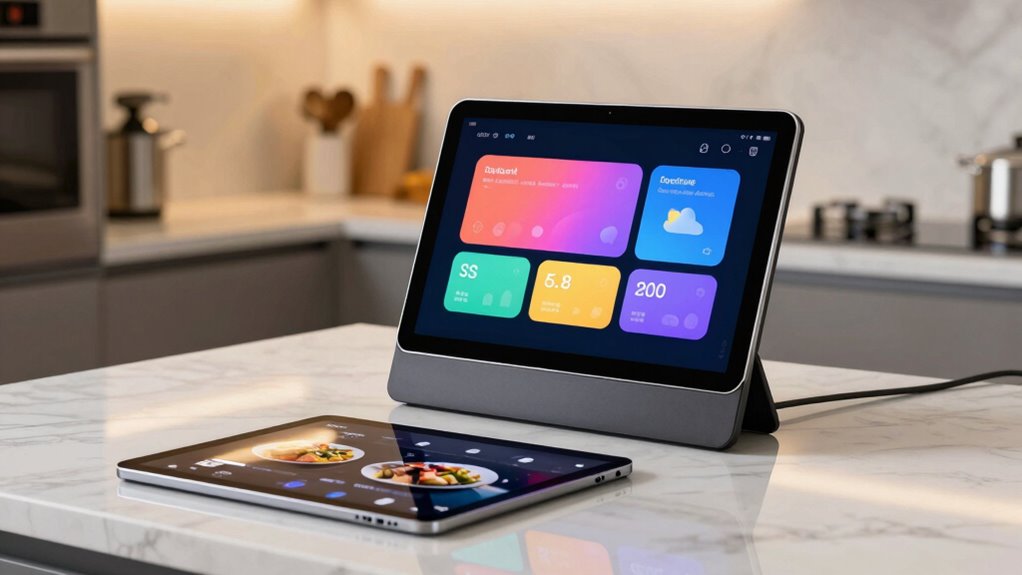

Smart displays are built specifically for kitchens, offering water-resistant surfaces, compact screens, and hands-free voice control that make following recipes easy. Tablets are more versatile and portable, with larger screens perfect for multitasking and detailed visuals. While smart displays integrate seamlessly into your kitchen setup, tablets can be used anywhere but require careful placement. If you want to explore more about which option suits your needs best, you’ll find useful insights ahead.

Prime made for students and young adults
- Fast, free delivery for dorm and study essentials
- Prime Video and Amazon Music included
- Member-only deals
Key Takeaways
- Smart displays are designed for fixed, hands-free kitchen use with water-resistant surfaces, while tablets are portable for multiple locations.
- Smart displays offer easier voice control and seamless smart home integration, whereas tablets may require specific apps for voice commands.
- Larger screens on tablets support detailed recipes and multitasking, while smart displays provide quick, easy-to-view information on countertops.
- Smart displays focus on durability and easy cleaning suitable for busy kitchens, whereas tablets need mindful placement to avoid spills.
- Tablets provide versatile functions beyond cooking, including entertainment and communication, unlike dedicated smart displays.

When it comes to choosing a device for your kitchen, smart displays and tablets each offer unique benefits that can transform your cooking experience. If you’re considering how to integrate technology into your culinary space, understanding their differences is key. Smart displays are designed specifically for your kitchen environment, making them ideal for hands-free use, especially when your hands are busy with ingredients. Voice control is a major advantage here, allowing you to ask questions, set timers, or play music without interrupting your workflow. The built-in microphones pick up your commands clearly, even in a noisy kitchen. Their screen size typically ranges from 7 to 10 inches, providing a dedicated, easy-to-view interface that stays put on your countertop. This dedicated display makes following recipes, watching videos, or checking the weather straightforward, without the need to pick up a device. Additionally, kitchen-specific devices often incorporate features designed to withstand the environment, such as water resistance or easy-to-clean surfaces. These features help ensure longevity and safety in a busy culinary setting. In fact, some smart displays are equipped with durability features that make them more suitable for the kitchen environment, further enhancing their practicality. In addition, many of these devices include smart home integration, allowing you to control other connected devices in your kitchen or home seamlessly. In contrast, tablets are versatile and portable, giving you the flexibility to use them beyond the kitchen. You might already own a tablet, which makes it a convenient choice without additional investment. Tablets generally have larger screens, often from 10 to 12 inches or more, offering plenty of space for detailed recipe viewing or multitasking. However, since they’re portable, you have to be mindful of where you place them while cooking, especially to avoid spills or crumbs. Voice control is available on many tablets, but it might require specific apps or settings, and it may not be as seamless as with dedicated smart displays. Still, the larger screen size of tablets can make following complex recipes easier, providing more detailed visuals and multiple steps visible at once. Many users appreciate the multi-functionality tablets bring, as they can serve multiple purposes beyond the kitchen. When choosing between the two, consider how device placement and your typical cooking habits influence your decision. Both options can enhance your cooking, but knowing what matters most—ease of use, screen size, or multi-purpose functionality—will help you make the right decision. Whichever you pick, integrating smart technology into your kitchen can streamline your cooking process and make meal prep more enjoyable.
water-resistant smart kitchen display
As an affiliate, we earn on qualifying purchases.
As an affiliate, we earn on qualifying purchases.
Frequently Asked Questions
Which Device Has Longer Battery Life During Cooking Sessions?
During cooking sessions, a tablet generally has longer battery life because it boasts better battery efficiency and lower power consumption compared to a smart display. Smart displays tend to use more energy due to their always-on screens and additional features like voice assistants. So, if you’re looking to conserve battery while cooking, a tablet is the smarter choice, especially for extended cooking sessions.
Are Smart Displays More Durable Than Tablets in a Kitchen Environment?
Imagine a bustling kitchen where spills and splashes are common. Smart displays are generally more durable than tablets, thanks to their rugged, sealed designs built for kitchen resilience. You’ll find they withstand splatters, steam, and accidental knocks better, making them a smarter choice for long-term kitchen durability. Tablets, although portable, often lack the same level of device resilience, risking damage from everyday kitchen chaos.
Can Both Devices Withstand Accidental Spills and Splashes?
Both devices offer some water resistance and impact durability, but neither is fully waterproof. Smart displays often have better impact durability due to their sturdy build, yet they may still be vulnerable to spills. Tablets tend to be more fragile but sometimes come with water-resistant features. In a kitchen, you should use protective cases or covers for both to help withstand accidental splashes and impacts, ensuring longevity.
How Do Privacy Settings Differ Between Smart Displays and Tablets?
While smart displays often have built-in privacy controls like voice command toggles and camera shutters, tablets typically offer more customizable privacy settings and app permissions. You actively manage user privacy and data security by adjusting these settings on each device. The key difference lies in smart displays prioritizing voice and camera privacy, whereas tablets give you granular control over app access and data sharing, making your privacy management more flexible.
Do Smart Displays Support More Voice Assistants Than Tablets?
Smart displays generally support more voice assistants than tablets, thanks to better device integration. They often feature built-in support for popular voice assistants like Google Assistant, Amazon Alexa, and others, making it easier for you to switch or combine services. Tablets may have limited voice assistant compatibility, depending on the operating system and apps installed. So, if voice assistant flexibility matters, smart displays typically offer broader voice assistant compatibility.
Conclusion
When choosing between smart displays and tablets for your kitchen, consider how each fits your needs. Smart displays, with their voice-activated features, make multitasking easier, while tablets offer portability for recipes on the go. Notably, a recent study shows that 65% of homeowners use smart devices in the kitchen daily, highlighting their growing importance. Ultimately, your choice depends on whether you value hands-free convenience or flexibility, but either way, integrating tech can truly enhance your cooking experience.
Halloween Picks
halloween
As an affiliate, we earn on qualifying purchases.