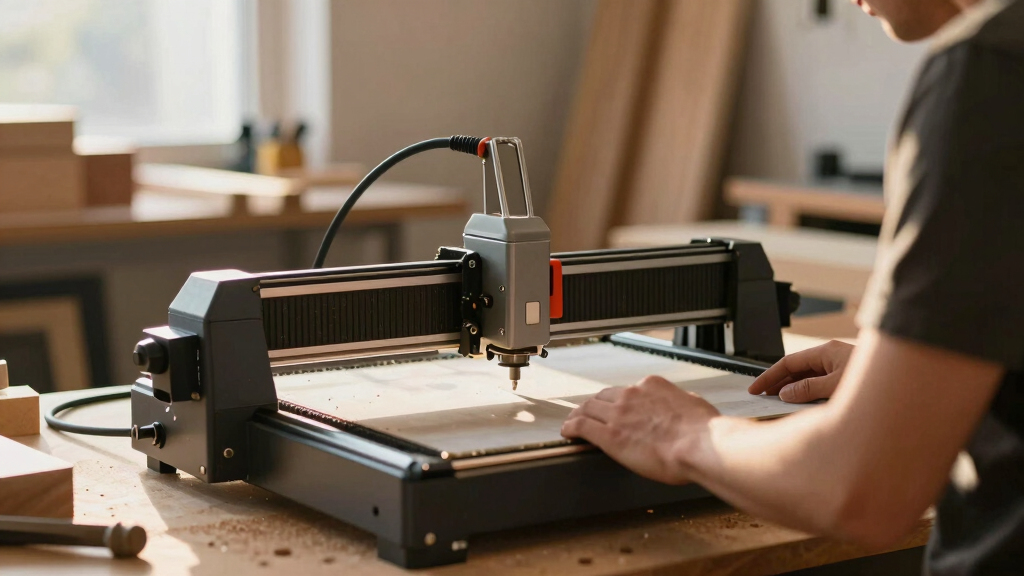

Finding the best laser cutters for hobby businesses means balancing power, precision, ease of use, and affordability. The LONGER Ray5 stands out as the best overall choice due to its high precision and offline capabilities, making it versatile for small-scale commercial projects. The Artilume U1 offers impressive power and WiFi connectivity, perfect for hobbyists wanting more cutting speed and flexibility. However, many options involve tradeoffs between affordability and features—more powerful models often come with higher costs and larger footprints. Continue reading to see how these options stack up for different needs and budgets.
Key Takeaways
- Power and precision are the primary factors that differentiate top-tier hobby laser cutters from entry-level models.
- Connectivity features like WiFi or Bluetooth can significantly improve workflow efficiency but may add to cost and complexity.
- Larger work areas offer more creative flexibility but often come with increased size and price.
- Ease of use, including touchscreen interfaces and automated features, is vital for hobbyists new to laser cutting.
- Tradeoffs between affordability and advanced features mean buyers should prioritize their specific project needs over bells and whistles.
| LONGER Ray5 5W Laser Engraver with 3.5″ Touch Screen, 400x400mm Workspace, Offline Usage, High Precision |  | Best Overall for Versatile Hobby Projects | Laser Power: 5W | Working Area: 400x400mm | Laser Spot Size: 0.08mm | VIEW LATEST PRICE | See Our Full Breakdown |
| Artilume U1 Laser Engraver 12000mW, Laser Engraving and Cutting Machine, WiFi, 0.01mm Precision, 150x200mm Work Area, Suitable for Wood, Leather, Acrylic, and More |  | Best for Beginners and Small-Scale Precision | Laser Power Options: 3W, 7W, 12W diode; 1W infrared | Engraving Precision: 0.01mm | Working Area: 150 x 200mm | VIEW LATEST PRICE | See Our Full Breakdown |
| OMTech Pronto 100W CO2 Laser Engraver & Cutter |  | Best for Large-Scale and Fast Production | Laser Power: 100W | Work Area: 40″x24″ | Speed: up to 39.4 inches/sec | VIEW LATEST PRICE | See Our Full Breakdown |
| Creality Falcon A1 10W Laser Engraver with Enclosed Design and HD Camera |  | Best for Beginners with Safety and Precision | Laser Power: 10W (10000mW) | Engraving Spot Size: 0.06 x 0.08 mm | Max Material Thickness: 6mm wood, 10mm acrylic | VIEW LATEST PRICE | See Our Full Breakdown |
| Longer Laser B1 Laser Engraving Tool with Automated Air Assist, 40,000mW Power, Home DIY Laser Carver for Wood, Metal, Paper, Acrylic, Glass, Leather | 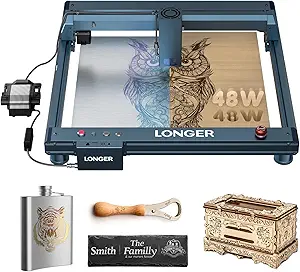 | Best for Power and DIY Enthusiasts | Laser Power: 40,000mW | Cutting Speed: 36,000 mm/min | Work Area: 450 x 440 mm | VIEW LATEST PRICE | See Our Full Breakdown |
| ACMER S1 Laser Engraver, 6000mW, 130x130mm | 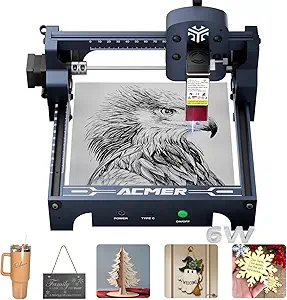 | Best for Precise Small-Scale Projects | Laser Power: 6000mW | Wavelength: 455±5nm | Focal Length: 2mm | VIEW LATEST PRICE | See Our Full Breakdown |
| Artilume T1 Laser Engraver 7000mW, Foldable Design, 150x200mm |  | Best for Portable, High-Precision Engraving | Laser Power: 7000mW | Working Area: 150x200mm | Precision: 0.01mm | VIEW LATEST PRICE | See Our Full Breakdown |
| Carverall K15 Pro 5W Laser Engraving Machine, 200x300mm |  | Best for Beginners with Upgrade Potential | Laser Power: 5W | Working Area: 200x300mm | Material Compatibility: wood, coated metal, acrylic, leather | VIEW LATEST PRICE | See Our Full Breakdown |
| AlgoLaser 10W Portable Laser Engraver with Touchscreen |  | Best for User-Friendly, Wireless Operation | Power: 10W | Screen: 3.5-inch Touchscreen | Connectivity: USB-C, WiFi | VIEW LATEST PRICE | See Our Full Breakdown |
| ATOMSTACK 20W Laser Engraver A20 PRO V2 |  | Best Overall for Precision and Versatility | Laser Power: 20,000mW | Engraving Speed: up to 400mm/s | Laser Class: 4 | VIEW LATEST PRICE | See Our Full Breakdown |
| ACMER Laser Engraver Machine K1, 12000mW Desktop Laser Cutter with 150×150mm Work Area |  | Best for Compact Precision and Small-Scale Projects | Laser Power: 12W | Work Area: 150×150mm | Laser Spot Size: 0.08×0.08mm | VIEW LATEST PRICE | See Our Full Breakdown |
More Details on Our Top Picks
LONGER Ray5 5W Laser Engraver with 3.5″ Touch Screen, 400x400mm Workspace, Offline Usage, High Precision
The LONGER Ray5 stands out for combining a generous 400x400mm workspace with high-precision engraving at 0.01mm, making it ideal for a wide variety of hobby projects. Its multiple connectivity options, including WiFi and offline use via TF card, offer flexible workflows that surpass simpler devices like the Creality Falcon A1, which relies solely on software and wired connections. However, its 5W laser limits heavy-duty cutting, making it better suited for detailed engraving rather than thick material cutting. The safety features and safety covers add peace of mind, but some users might find the initial calibration process a bit technical. Compared to the Artilume U1, it offers a larger work area, though at the cost of a slightly higher complexity in setup. This model is perfect for hobbyists who want a balance of size, precision, and connectivity, but not for those needing industrial power or minimal setup.
Pros:- High-precision engraving with detailed patterns
- Large 400x400mm workspace supports diverse projects
- Multiple connectivity options including WiFi and offline TF card use
- Safety features like emergency shutdown
Cons:- Requires some technical setup and calibration
- Engraving speed varies with material and design complexity
- Limited to 5W laser power, not suited for heavy-duty cutting
Best for: Hobbyists and small-scale creators seeking detailed, versatile engraving with a large working area
Not ideal for: Beginners who prefer plug-and-play simplicity or users needing to cut thick metals or perform industrial-grade tasks
- Laser Power:5W
- Working Area:400x400mm
- Laser Spot Size:0.08mm
- Engraving Accuracy:0.01mm
- Material Compatibility:Wood, metal, glass, acrylic, leather, stainless steel
- Dimensions:12.2 x 23.6 x 5.9 inches
- Item Weight:8.26 pounds
- Connectivity:USB, TF card, WiFi, App
Bottom line: This engraver offers a compelling mix of size, precision, and connectivity ideal for hobbyists focused on detailed projects without industrial demands.
Artilume U1 Laser Engraver 12000mW, Laser Engraving and Cutting Machine, WiFi, 0.01mm Precision, 150x200mm Work Area, Suitable for Wood, Leather, Acrylic, and More
The Artilume U1 excels with a 0.01mm engraving precision and a compact 150x200mm workspace, making it well-suited for small projects requiring fine detail. Its support for multiple materials and nearly assembled setup make it accessible to newcomers, especially when compared to the larger, more complex OMTech Pronto. While the smaller size restricts larger projects, the high accuracy and WiFi connectivity streamline workflow for hobbyists focused on jewelry, small art pieces, or personalized gifts. The device’s high laser lifespan and easy calibration are plus points, but the limited workspace and higher price for the wattage may deter those planning larger or industrial-scale tasks. It makes the most sense for hobbyists who prioritize precision and ease of use over size and raw power.
Pros:- High engraving precision at 0.01mm
- Nearly assembled and calibrated for quick setup
- Supports multiple materials including ceramics and stone
- WiFi and app control for flexible operation
Cons:- Limited work area restricts large projects
- Higher cost relative to size and power
- Laser safety precautions necessary, especially with higher wattage
Best for: Beginners and hobbyists doing detailed small projects on wood, leather, or acrylic
Not ideal for: Users wanting to work on larger pieces or needing heavy-duty metal cutting, as the small size limits scale
- Laser Power Options:3W, 7W, 12W diode; 1W infrared
- Engraving Precision:0.01mm
- Working Area:150 x 200mm
- Laser Spot Size:0.04 x 0.04mm
- Material Compatibility:Wood, leather, acrylic, ceramics, stone, metals
- Dimensions:11 x 13 x 6 inches
- Weight:3 pounds
- Assembly:Almost fully assembled and calibrated
Bottom line: Perfect for beginners seeking high-precision engraving on small items, but unsuitable for large-scale or industrial projects.
OMTech Pronto 100W CO2 Laser Engraver & Cutter
The OMTech Pronto 100W is designed for larger projects, featuring a 40×24 inch workspace that can handle bigger items like furniture or multiple smaller pieces simultaneously. Its impressive speed of up to 39.4 inches per second makes it a strong choice for hobby businesses aiming to increase production efficiency. Compared to the smaller, more precise laser engravers like the Artilume U1, it sacrifices some fine detail for power and size, but this tradeoff enables cutting thicker materials like wood and acrylic with ease. Its advanced autofocus and two-way pass-through doors support larger, more complex projects, though the higher initial investment and maintenance requirements make it less suitable for occasional hobbyists. This machine is ideal for hobbyists with bigger ambitions or those needing to produce larger batches quickly.
Pros:- Massive 40×24 inch work area for large projects
- Fast engraving speeds up workflow
- Auto-focus for quick setup
- Versatile for cutting and engraving multiple materials
Cons:- High initial cost and larger footprint
- Requires substantial maintenance and safety precautions
- Not suitable for small-scale hobbyists with limited space
Best for: Small business owners who want to scale up production and work on large projects or multiple items simultaneously
Not ideal for: Individual hobbyists with limited space or budget, as the machine’s size and cost are significant considerations
- Laser Power:100W
- Work Area:40″x24″
- Speed:up to 39.4 inches/sec
- Laser Class:Class 2
- Laser Output Power:0.827 mW
- Air Pump:4.4 cfm
- Fan:318 cfm
- Lifespan of Laser Tube:up to 12,000 hours
Bottom line: This big, fast laser is perfect for hobbyists aiming to produce large or multiple items efficiently, but not for casual or space-constrained users.
Creality Falcon A1 10W Laser Engraver with Enclosed Design and HD Camera
The Creality Falcon A1 provides a user-friendly entry point into laser engraving, combining a 10W laser with an enclosed design that enhances safety and minimizes fumes. Its HD camera allows precise positioning, making it easier for beginners to align designs and achieve detailed photo-realistic results on materials like wood, metal, and acrylic. Compared to the smaller Artilume U1, it offers a larger working area and more robust safety features, though it lacks the ultra-high precision of smaller, more specialized units. Its software compatibility with LightBurn and LaserGRBL simplifies operation, but the need for external exhaust or air filtration can be a hassle. This model is best suited for hobbyists new to laser engraving who want reliable safety features and decent detail.
Pros:- Enclosed design enhances safety and smoke control
- HD panoramic camera for accurate positioning
- Suitable for photo-realistic and detailed engravings
- Compatible with common software like LightBurn
Cons:- Requires external exhaust or air purifier for smoke removal
- Heavy weight reduces portability
- Limited to materials compatible with laser engraving
Best for: Hobbyists new to laser engraving seeking a safe, enclosed, and easy-to-use machine
Not ideal for: Advanced users needing ultra-fine detail or larger project sizes, due to enclosure size and power limitations
- Laser Power:10W (10000mW)
- Engraving Spot Size:0.06 x 0.08 mm
- Max Material Thickness:6mm wood, 10mm acrylic
- Dimensions:7 x 5 x 7 inches
- Weight:25.4 pounds
- Safety Certification:Class 1
- Camera:HD panoramic
- Software Compatibility:Creality Falcon Design Space, LightBurn, LaserGRBL
Bottom line: This laser is a strong choice for beginners prioritizing safety and ease of use, with enough detail for small artistic projects.
Longer Laser B1 Laser Engraving Tool with Automated Air Assist, 40,000mW Power, Home DIY Laser Carver for Wood, Metal, Paper, Acrylic, Glass, Leather
The Longer Laser B1 offers a staggering 40,000mW laser power, enabling it to cut through thick materials like wood and acrylic with high precision and speed. Its large 450x440mm work area supports bigger projects, while the automated air assist enhances cut quality and safety. Designed for DIYers and those interested in experimenting with different materials, it supports WiFi connectivity via the LaserBurn app, streamlining remote operation. However, the high power and complex setup might be intimidating for beginners, and safety precautions are essential given the potential hazards of such a powerful laser. Compared to smaller, less powerful models like the Ray5, it emphasizes power over finesse, making it suitable for users who want to handle both detailed engraving and thick material cutting.
Pros:- Extremely high laser power for cutting thick materials
- Large work area supports bigger projects
- Automated air assist improves cut quality and safety
- WiFi control via LaserBurn app for remote operation
Cons:- High noise levels and safety risks due to power
- Complex setup and safety precautions required
- Potential for higher maintenance and safety concerns
Best for: Experienced hobbyists and DIYers seeking a powerful laser capable of cutting and engraving thick materials
Not ideal for: Casual hobbyists or beginners without proper safety training or space for handling high-power equipment
- Laser Power:40,000mW
- Cutting Speed:36,000 mm/min
- Work Area:450 x 440 mm
- Material Compatibility:Wood, Metal, Paper, Acrylic, Glass, Leather
- Safety Features:Move, Flame, Offline, Motionless, Security Lock, Eye Protection, Emergency Stop
- Laser Power:High
- Control:WiFi via LaserBurn app
- Additional:Automated air assist
Bottom line: This powerful laser is designed for hobbyists experienced with laser safety and seeking to work on substantial, demanding projects, but not for casual or inexperienced users.
ACMER S1 Laser Engraver, 6000mW, 130x130mm
The ACMER S1 stands out for high-precision engraving with 0.01mm accuracy, making it ideal for detailed work on small items. Compared to larger machines like the AlgoLaser 10W, it offers a more compact footprint, perfect for limited workspace. However, the 130x130mm working area limits its capacity for bigger projects, and safety protocols require attention. Its easy setup makes it accessible for hobbyists, but users should be prepared for some software learning curve. This model is best suited for those prioritizing detail over size.
Pros:- High-precision 0.01mm engraving accuracy
- Preassembled, easy to set up
- Supports multiple materials including ceramics and aluminum oxide
- Compact and portable for small spaces
Cons:- Limited to a 130x130mm work area, restricting project size
- Requires understanding of laser safety protocols
- May need software familiarity for advanced features
Best for: Hobbyists needing precise, detailed engraving on small items within a compact setup
Not ideal for: Producers needing to handle larger projects or bulk production
- Laser Power:6000mW
- Wavelength:455±5nm
- Focal Length:2mm
- Working Area:130x130mm
- Machine Size:250×250×162mm
- Supported Materials:wood, bamboo, leather, plastic, PCB, ceramics, aluminum oxide
Bottom line: Ideal for detailed, small-scale engraving projects where precision and compactness matter most.
Artilume T1 Laser Engraver 7000mW, Foldable Design, 150x200mm
The Artilume T1 excels in portability with a foldable design, making it suitable for hobbyists who need to transport or store their machine easily. Its 0.01mm engraving precision rivals larger, stationary units like the Longer Ray5, but with a larger working area of 150x200mm. While it lacks mobile app connectivity, it supports popular software like LightBurn and LaserGRBL, offering versatility. Its portability is a major plus, but users should be aware that it requires good ventilation and careful handling due to fumes and safety considerations. This machine is best for those who value mobility and precision in small projects.
Pros:- Foldable, portable design for easy storage and transport
- High 0.01mm engraving accuracy
- Supports common engraving software like LightBurn and LaserGRBL
- Large working area for its size
Cons:- No mobile app connectivity planned
- Requires good ventilation due to fumes
- Limited to materials that do not emit toxic fumes
Best for: Small business owners or hobbyists who need a portable, precise engraver for a variety of materials
Not ideal for: Users requiring a fixed, industrial-grade machine for large-scale production
- Laser Power:7000mW
- Working Area:150x200mm
- Precision:0.01mm
- Laser Spot Size:0.04×0.04mm
- Speed:up to 10,000mm/min
- Dimensions:14 x 14 x 6 inches
Bottom line: Perfect for portable, detailed engraving projects where flexibility and precision are key.
Carverall K15 Pro 5W Laser Engraving Machine, 200x300mm
The Carverall K15 Pro is designed with beginners in mind, offering high precision and a sizable 200x300mm working area. Its 5W laser provides fast engraving speeds, similar to the Longer Laser B1, but with a more approachable setup process. Its compatibility with multiple apps and upgrade options for metal engraving make it appealing for those looking to expand capabilities later. However, the machine’s limited cutting depth (6mm wood, 3mm acrylic) may restrict some projects, and the upgrade process requires some technical skills. This pick makes the most sense for hobbyists starting out but planning future upgrades.
Pros:- High precision and fast engraving speed
- Large working area of 200x300mm
- Compatible with multiple apps and upgradeable for metal engraving
- Easy to set up and use
Cons:- Limited cutting depth (6mm wood, 3mm acrylic)
- Requires some technical knowledge for upgrades
- Learning curve for new users
Best for: Beginners or hobbyists seeking an upgrade path for small business projects
Not ideal for: Pro users needing high-power industrial cutting or large-scale production
- Laser Power:5W
- Working Area:200x300mm
- Material Compatibility:wood, coated metal, acrylic, leather
- Engraving Speed:15,000mm/min
- Precision:0.01mm
- Upgradeable:Yes, with 1064nm IR laser
Bottom line: An excellent choice for beginners planning to grow and upgrade their laser engraving setup.
AlgoLaser 10W Portable Laser Engraver with Touchscreen
The AlgoLaser 10W combines ease of use with modern features, featuring a 3.5-inch touchscreen and wireless connectivity that simplifies operation for hobbyists and small business owners. Its 10W laser strikes a balance between power and safety, making it suitable for engraving on wood, metal, glass, and leather. Compared to the ACMER S1, it offers a more user-friendly interface and wireless controls, but it may lack the same level of detailed precision for extremely fine work. Its auto safety features and offline capabilities make it appealing for users who prioritize simplicity and safety in their workflow.
Pros:- Intuitive touchscreen interface
- Wireless connectivity for flexible operation
- Auto safety features including safety door and password lock
- Suitable for a variety of materials
Cons:- Limited to 10W power, less effective for large or dense materials
- Lightweight design may reduce durability for heavy use
- Not suited for projects exceeding its capacity
Best for: Beginner or hobbyist entrepreneurs seeking straightforward operation with modern connectivity
Not ideal for: Heavy-duty or large-scale production environments requiring more power or larger work areas
- Power:10W
- Screen:3.5-inch Touchscreen
- Connectivity:USB-C, WiFi
- Material Compatibility:wood, metal, glass, leather
- Safety Features:auto-pause, safety door, password lock
- Dimensions:10.5 x 8.5 x 7.7 inches
Bottom line: Ideal for hobbyists wanting an easy-to-use, wireless laser engraver for casual or small business projects.
ATOMSTACK 20W Laser Engraver A20 PRO V2
The ATOMSTACK A20 PRO V2 stands out for its combination of high-precision engraving and fast processing speeds, making it ideal for hobbyists who want professional results without excessive complexity. Compared with the ACMER K1, which offers a smaller work area, the A20 PRO V2’s larger capacity and more robust safety features justify its higher price point. Its 20W laser enables detailed work on a wide range of materials like metal and leather, though it requires careful safety precautions due to its laser class 4 rating. This model is better suited for users who need detailed, high-quality results and are willing to invest in safety and setup, rather than absolute simplicity. The main tradeoff involves a steeper learning curve and the need for proper safety measures.
Pros:- High-precision engraving with detailed dot technology
- Fast engraving and cutting speeds up to 400mm/s
- Easy assembly with durable aluminum frame
- Comprehensive safety features including magnetic cover and safety beep
Cons:- Requires proper safety precautions due to laser class 4
- Learning curve for beginners unfamiliar with laser safety
Best for: Hobbyists seeking high-precision, versatile engraving with larger working capacity and safety features
Not ideal for: Beginners who prefer a more straightforward, plug-and-play experience or who work primarily with very thick materials
- Laser Power:20,000mW
- Engraving Speed:up to 400mm/s
- Laser Class:4
- Engraving Accuracy:0.01mm
- Material Compatibility:Wood, Metal, Acrylic, Leather
- Lifespan:up to 10,000 hours
Bottom line: This laser engraver is best for hobbyists who prioritize detailed results and larger work capacity but are prepared for safety and setup complexities.
ACMER Laser Engraver Machine K1, 12000mW Desktop Laser Cutter with 150×150mm Work Area
The ACMER K1 offers a compact, lightweight design that makes it highly portable for hobbyists with limited space or those who need to move their equipment easily. Its 12W blue diode laser produces fine details comparable to the larger ATOMSTACK, but with a smaller 150×150mm work area, which limits its capacity for larger projects. Unlike the ATOMSTACK A20 PRO V2, which supports a wider variety of materials, the K1 is more suited for small, detailed work on wood, acrylic, and leather, especially for users comfortable with some technical setup and calibration. Its support for multiple software formats adds flexibility, yet the limited work area and moderate laser power mean it’s less ideal for thicker or larger-scale projects. It’s a good fit for hobbyists doing intricate work on small pieces.
Pros:- Compact and lightweight for easy movement
- High engraving precision with 0.08×0.08mm laser spot
- Supports multiple software formats including DXF and BMP
- Enclosed design with built-in exhaust fan for safety
Cons:- Limited to a small 150×150mm work area
- Requires technical calibration and setup
- Insufficient power for thick or large materials
Best for: Small-scale hobbyists needing precise engraving on small materials with portable setup
Not ideal for: Users requiring large-area cutting or thicker materials, due to limited work space and laser power
- Laser Power:12W
- Work Area:150×150mm
- Laser Spot Size:0.08×0.08mm
- Repeat Positioning Accuracy:0.01mm
- Max Speed:10,000mm/min
- Supported Software:AcmerTool, NC, DXF, BMP, JPG, PNG
Bottom line: This device is ideal for hobbyists focused on detailed small projects who value portability over larger working capacity.

How We Picked
Our evaluation focused on performance, usability, build quality, and value. We prioritized machines that offer reliable engraving and cutting results suitable for hobbyist applications, balancing power and precision with ease of operation. Durability and safety features also played a central role, especially for users new to laser cutting. We compared price points to identify options that deliver good value without sacrificing necessary features. The ranking reflects a blend of affordability, versatility, and user-friendly design to suit different hobby business models.
Factors to Consider When Choosing Best Laser Cutters For Hobby Businesses
Choosing the right laser cutter for a hobby business involves more than just looking at specs. It’s essential to consider your specific project needs, available workspace, and budget. Understanding key factors can help avoid common pitfalls, such as overpaying for unnecessary features or selecting a machine too small to handle your typical workload. Here are the most important considerations to guide your purchase.Power and Cutting Capacity
The wattage of a laser cutter directly impacts its ability to cut through thicker materials and speed up production. For hobby businesses, a machine with 10-20W is usually sufficient for wood, leather, and acrylic, but larger projects or thicker materials may require more power. Remember that higher wattage often means increased cost and larger physical size, so match the power level to your typical project requirements to avoid overspending or underperformance.
Work Area Size
The size of the working surface determines how large your projects can be in one go. Smaller work areas are more affordable and space-efficient, ideal for jewelry or small crafts. Larger work areas provide greater flexibility for bigger items like signs or multiple pieces, but they also tend to be more expensive and take up more space. Think about your most common project sizes when choosing, and avoid paying for extra space you’ll never use.
Ease of Use and User Interface
Hobbyists new to laser cutting should prioritize machines with intuitive controls, such as touchscreens or straightforward software interfaces. Automated features like autofocus, air assist, and safety enclosures can reduce setup time and improve results. However, more advanced interfaces can introduce a learning curve, so balance ease of use with your comfort level. Investing in a user-friendly machine helps avoid frustration and speeds up your learning curve.
Connectivity and Software
Wireless connectivity options like WiFi or Bluetooth can streamline your workflow, especially if you work across multiple devices or locations. Compatibility with popular design software is equally important; a machine that supports common formats reduces the need for conversions. Keep in mind that more advanced connectivity features may come with a higher price tag and potential security considerations, so evaluate whether they truly add value for your operation.
Safety and Maintenance
Safety features such as enclosed covers, emergency stops, and proper ventilation are vital, especially if you plan to run your machines frequently. Regular maintenance, including lens cleaning and ventilation checks, prolongs machine life and maintains cutting quality. Cheaper models may lack some safety features or be more challenging to maintain, increasing long-term costs or risks. Prioritize machines with accessible maintenance points and solid safety standards to ensure a safe working environment.
Frequently Asked Questions
Is a more powerful laser cutter worth the extra cost for hobby use?
In many cases, a more powerful laser cutter can handle thicker or denser materials more efficiently, reducing overall project time. However, for typical hobby projects involving thin wood, leather, or acrylic, a lower wattage machine often suffices and costs less. If your business plans include expanding into larger or more complex projects, investing in higher power upfront can save money and upgrade hassle later. For most hobbyists, balancing power with size and cost is key to getting the best value.
How important is software compatibility when choosing a laser cutter?
Software compatibility ensures you can easily import your designs and operate the machine smoothly. Machines that support common formats like SVG, DXF, or PNG tend to integrate well with popular design programs, reducing conversion or editing hassles. Some machines come with proprietary software that may be limiting or expensive, so it’s wise to choose a model that works with open-source or widely used programs. Compatibility reduces frustration and speeds up your workflow, especially if you’re new to laser cutting.
Should I prioritize size or power when selecting a machine for my hobby business?
This depends on your typical projects. If you mostly create small items like jewelry or personalized gifts, a compact, lower-power machine is often enough. For larger signage or multiple-piece projects, a bigger work area with higher power might be worth the investment. Keep in mind that larger, more powerful machines are generally more expensive and less portable, so weigh your space constraints against your project size needs to make the best choice.
Are safety features necessary for hobbyist laser cutters?
Absolutely. Even for occasional use, safety features like enclosed chambers, emergency stops, and proper ventilation protect you from laser exposure and fumes. Well-designed safety features also help prevent accidents, especially if you share your workspace with others or have children around. Investing in a machine with good safety standards may cost more initially but can save you from potential health hazards and liability issues in the long run.
What maintenance tasks are involved with keeping a laser cutter in good condition?
Regular cleaning of lenses and mirrors is essential to maintain cutting accuracy and prevent damage. Checking and replacing filters, ensuring proper ventilation, and lubricating moving parts are also common tasks. Some machines feature self-diagnostic tools or easy-access components that simplify upkeep. Staying on top of maintenance not only extends the lifespan of your equipment but also guarantees consistent results, making it a worthwhile investment of your time.
Conclusion
For those starting out or running a small hobby business, the LONGER Ray5 offers a balanced mix of power, precision, and user-friendliness—ideal as the best overall pick. If budget is a primary concern, models like the Carverall K15 Pro provide solid performance without breaking the bank, making them great for beginners. For hobbyists seeking advanced features and larger workspaces, the OMTech Pronto 100W or Artilume U1 stand out as premium options. Ultimately, your choice depends on project scope, space, and experience level—select the machine that aligns with your specific needs to maximize your hobby business success.